The AI platform for technical support

Built to investigate and resolve your hardest support cases

Resolve cases that once required escalation in the tools you already use, and capture insights that improve support beyond each case. No data migration. Live in weeks.

See how it works
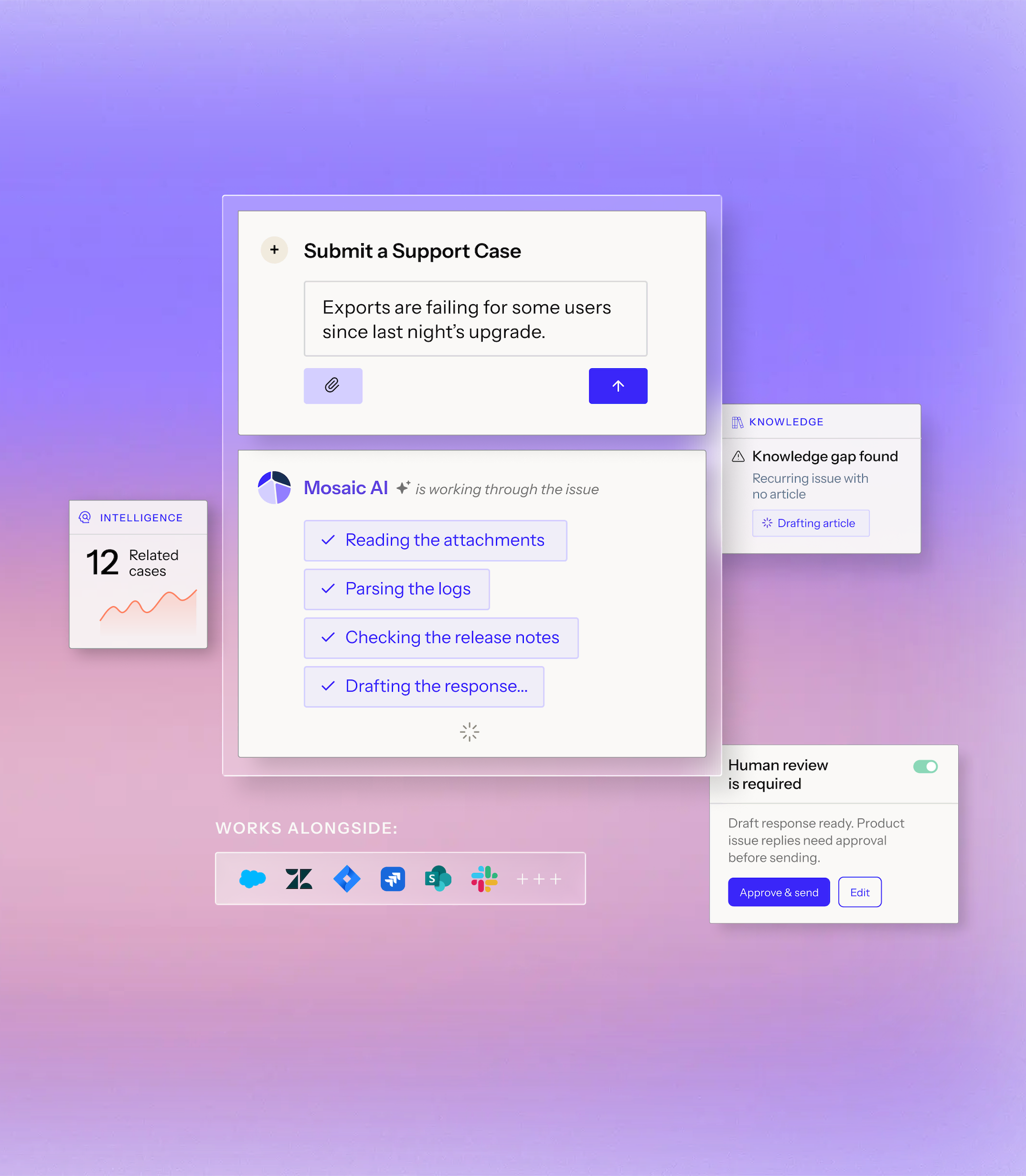
User interface showing a support ticket submission for export issues since last night's upgrade, with Mosaic AI processing steps including reading attachments, parsing logs, checking release notes, and recommending next steps. Additional panels highlight 12 related cases under intelligence, a knowledge gap found with a drafting article prompt, and a coaching opportunity under QA, with logos of various software tools below labeled 'Works Alongside.'

Trusted by technical support teams at

Technical support needs a different kind of AI

Most support AI was built for known answers. Your hardest and most expensive cases don’t have one. They have to be investigated, diagnosed, and worked through to resolution.

Book a demo

Keep support ahead of business growth

Deflect routine work, accelerate complex cases, and help every support expert accomplish more, so cost to serve falls as you grow.

Resolve your most complex cases with confidence

Grounded in each customer’s product, configuration, and case history. When a case needs real computation, Mosaic runs the work in a safe workspace and tests the fix first.

Prevent tomorrow’s support work today

Automatically spot recurring issues, get the right team on them early, and turn every resolution into knowledge that prevents future cases.

Before the case
During the case
After the case
Book a demo
Before the case

Self-service more of the hard cases

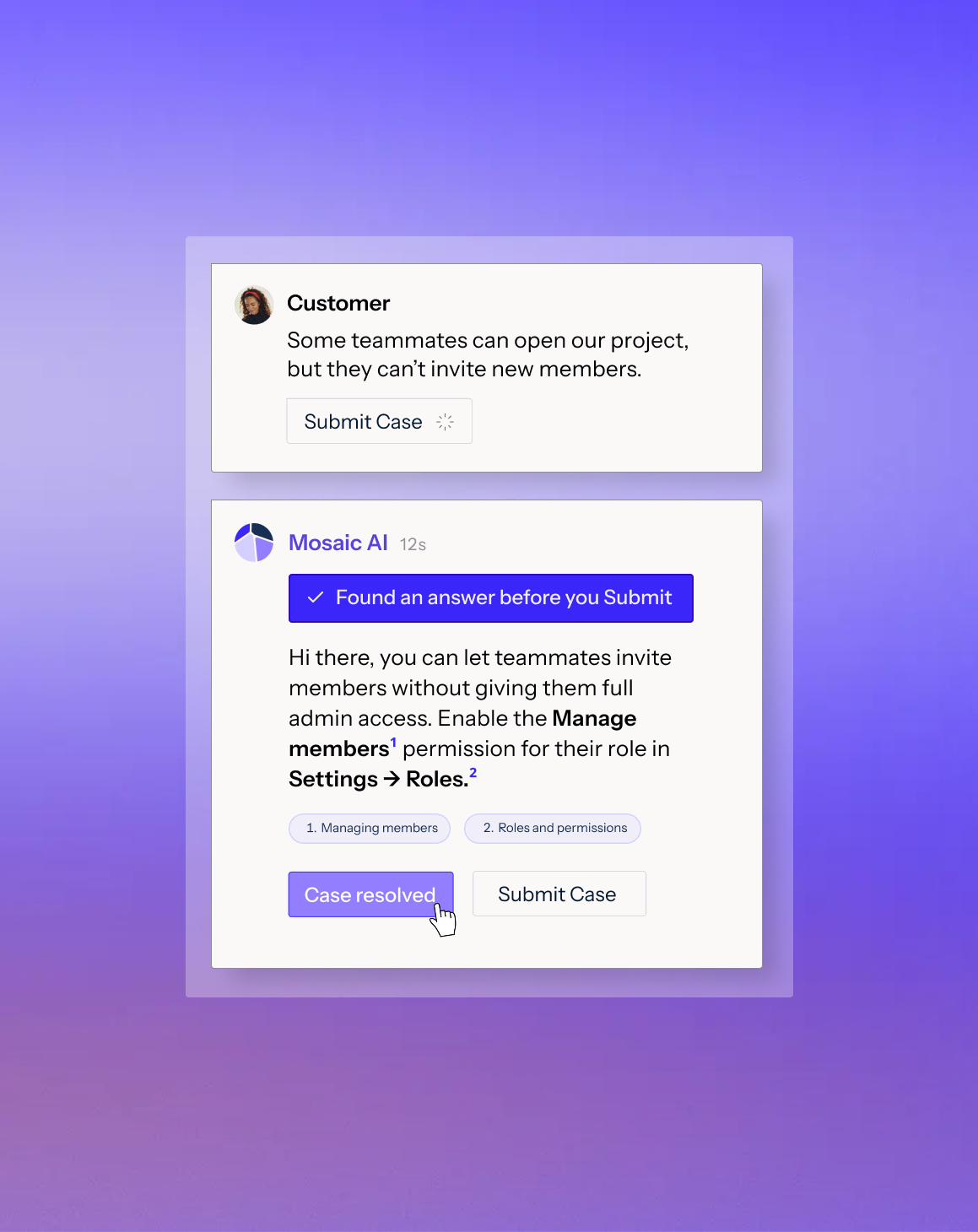
Troubleshoot and resolve complex issues in self-service.

Learn morePoint of Rental Logo

96% of 3,000+ self-service sessions ended without a case

Chat interface showing a user Priya reporting export failures after a recent upgrade and an automated response from Mosaic explaining the SAML certificate expired, advising to upload a new one in Admin > SSO, with buttons labeled 'Case resolved' and 'Keep building'.
During the case

Triage, route & escalate

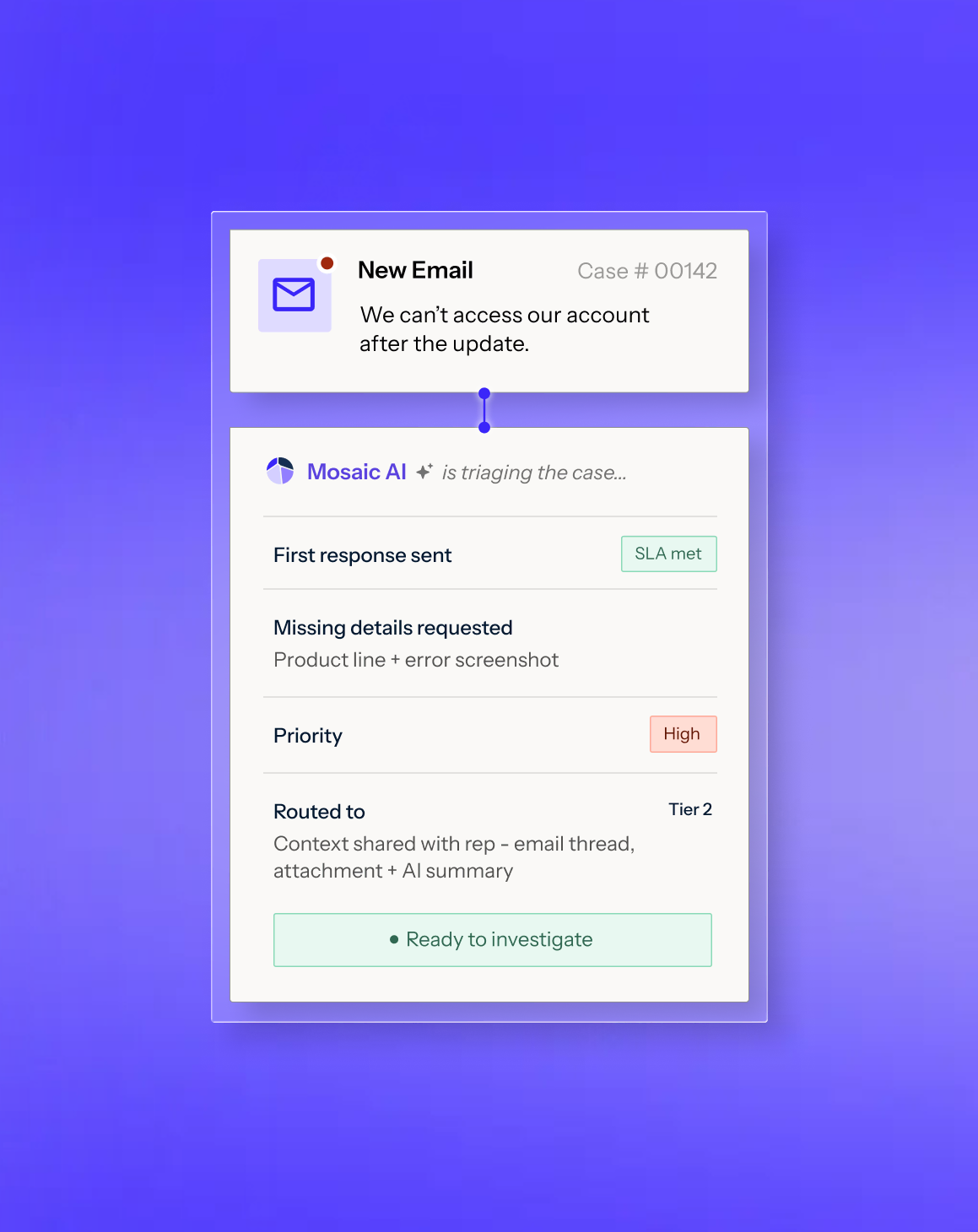
Send every case to the right place with full context.

Learn more
Centerbase Logo

Retired a daily escalation meeting once handoffs carried full context

Investigate & resolve faster

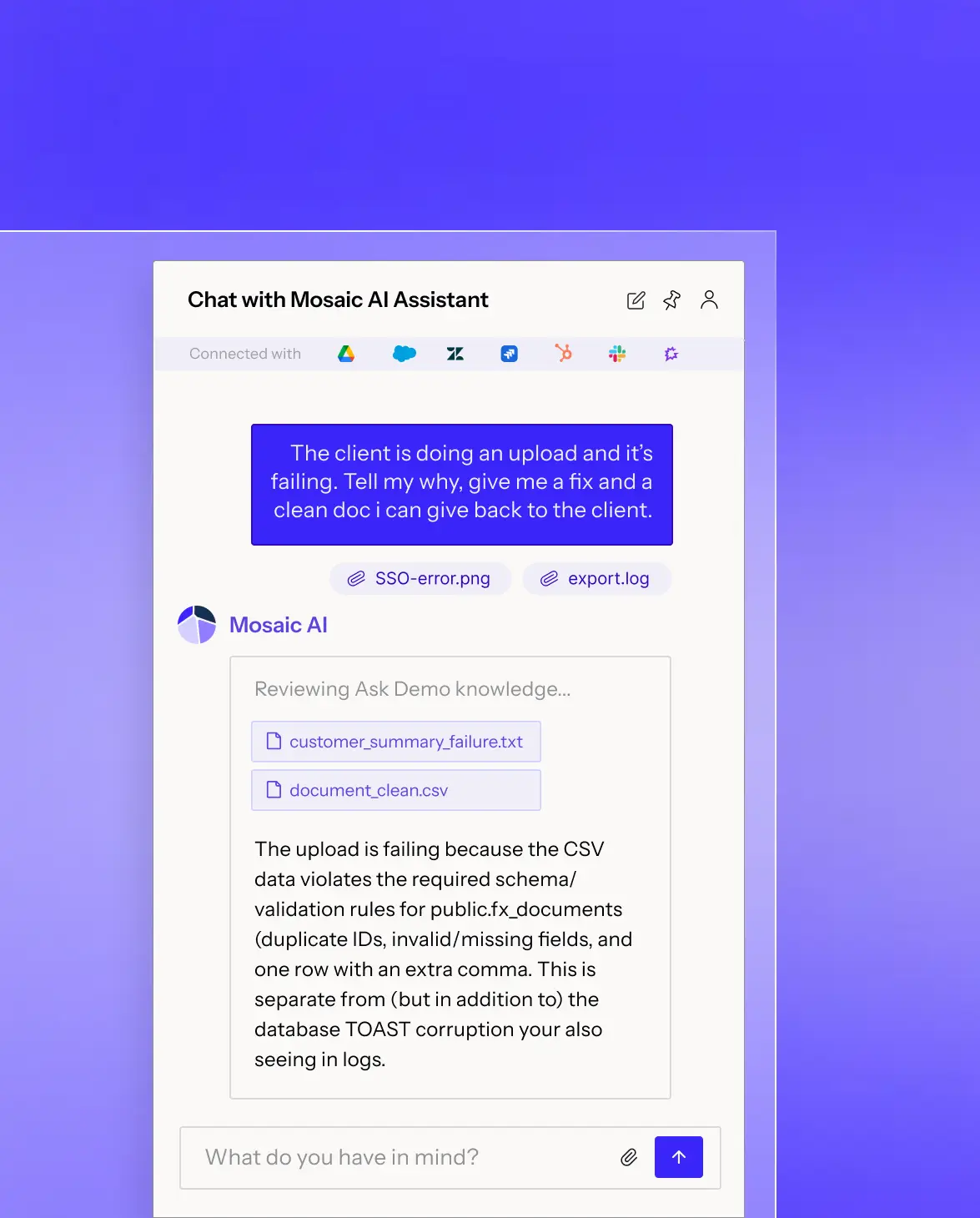
Give every rep the context, tools, and guidance of your best engineer.

Learn moreRapid7 company logo with stylized initials R7.

30% faster case handling across a 500+ person frontline team

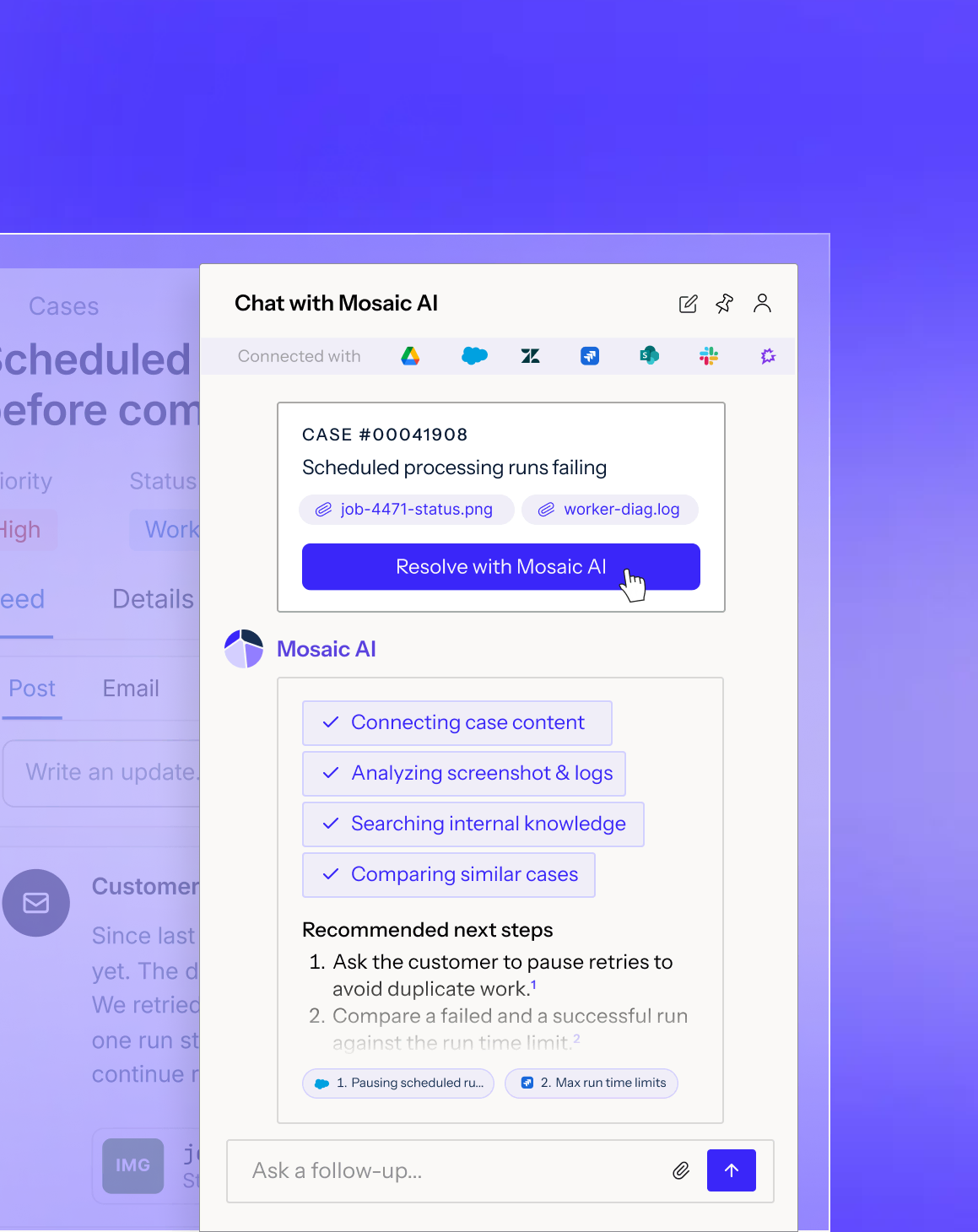
Chat conversation showing a customer requesting to speak with someone about clause 7, followed by a message from Mosaic connecting to enterprise support, with status updates indicating connection and case sharing, and a reply from Esther from Enterprise support offering to clarify clause 7.Chat interface with Mosaic AI Assistant showing a user asking about an upload failure and requesting a fix and clean document. The AI replies explaining the upload fails because the CSV data violates the required schema and validation rules due to duplicate IDs, invalid or missing fields, and one row with an extra comma, also noting separate database TOAST corruption errors seen in logs. Attached files named SSO-error.png, export.log, customer_summary_failure.txt, and document_clean.csv are displayed.Chat interface with Mosaic AI Assistant showing a user asking about an upload failure and requesting a fix and clean document. The AI replies explaining the upload fails because the CSV data violates the required schema and validation rules due to duplicate IDs, invalid or missing fields, and one row with an extra comma, also noting separate database TOAST corruption errors seen in logs. Attached files named SSO-error.png, export.log, customer_summary_failure.txt, and document_clean.csv are displayed.
After the case

Automate knowledge

Find and close knowledge gaps from solved cases.

Learn more
Unity logo

Article drafting went from 20 minutes to 4 per article

Turn support data into action

Surface the right insights and route them to the teams that can act.

Learn more
Keyfactor logo

4 hours a week of manual report building eliminated

Measure & improve quality

Score every case, human or AI.

Learn more
Kaseya logo.

650 QA evaluations a month on one product line, under 5% variance

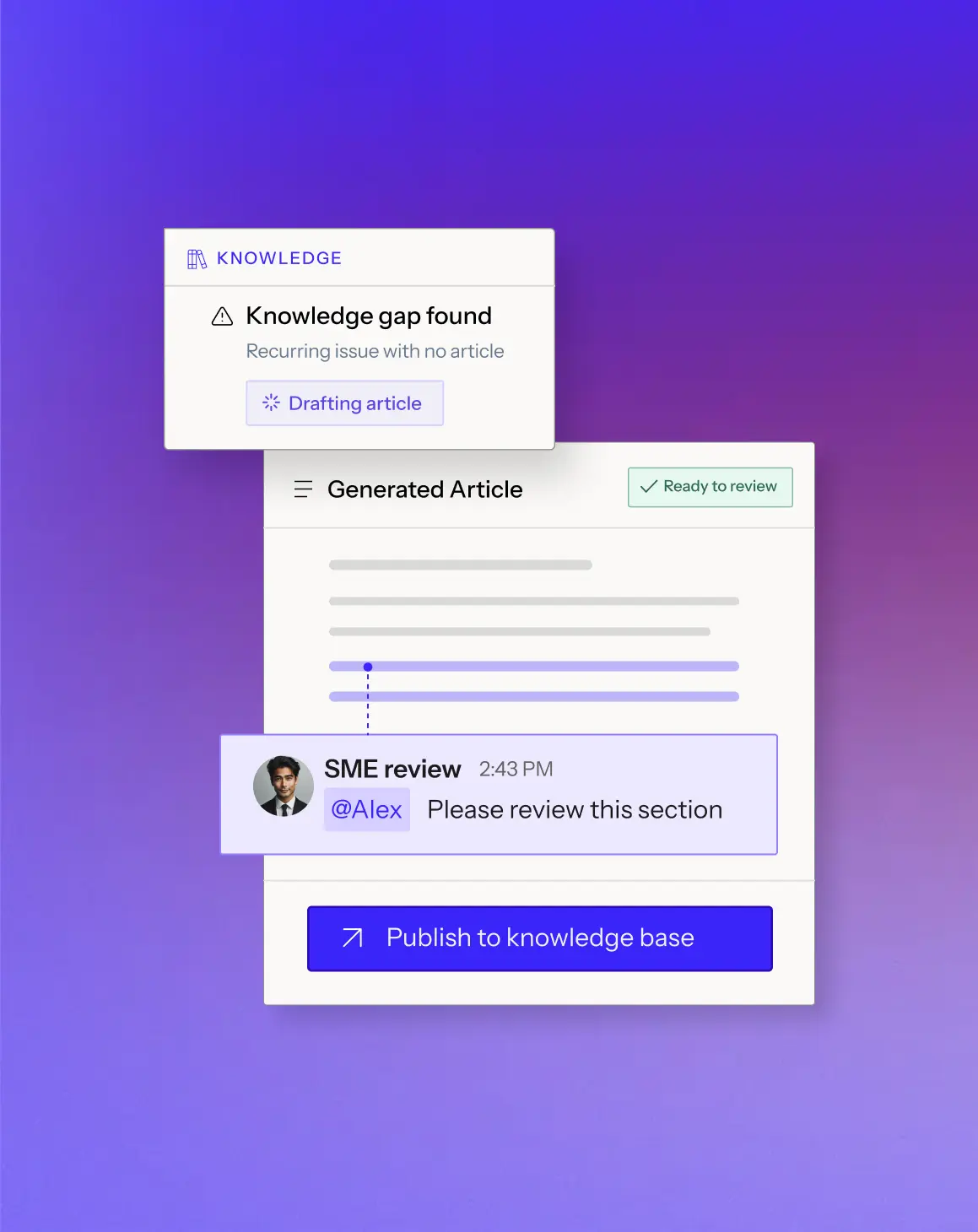
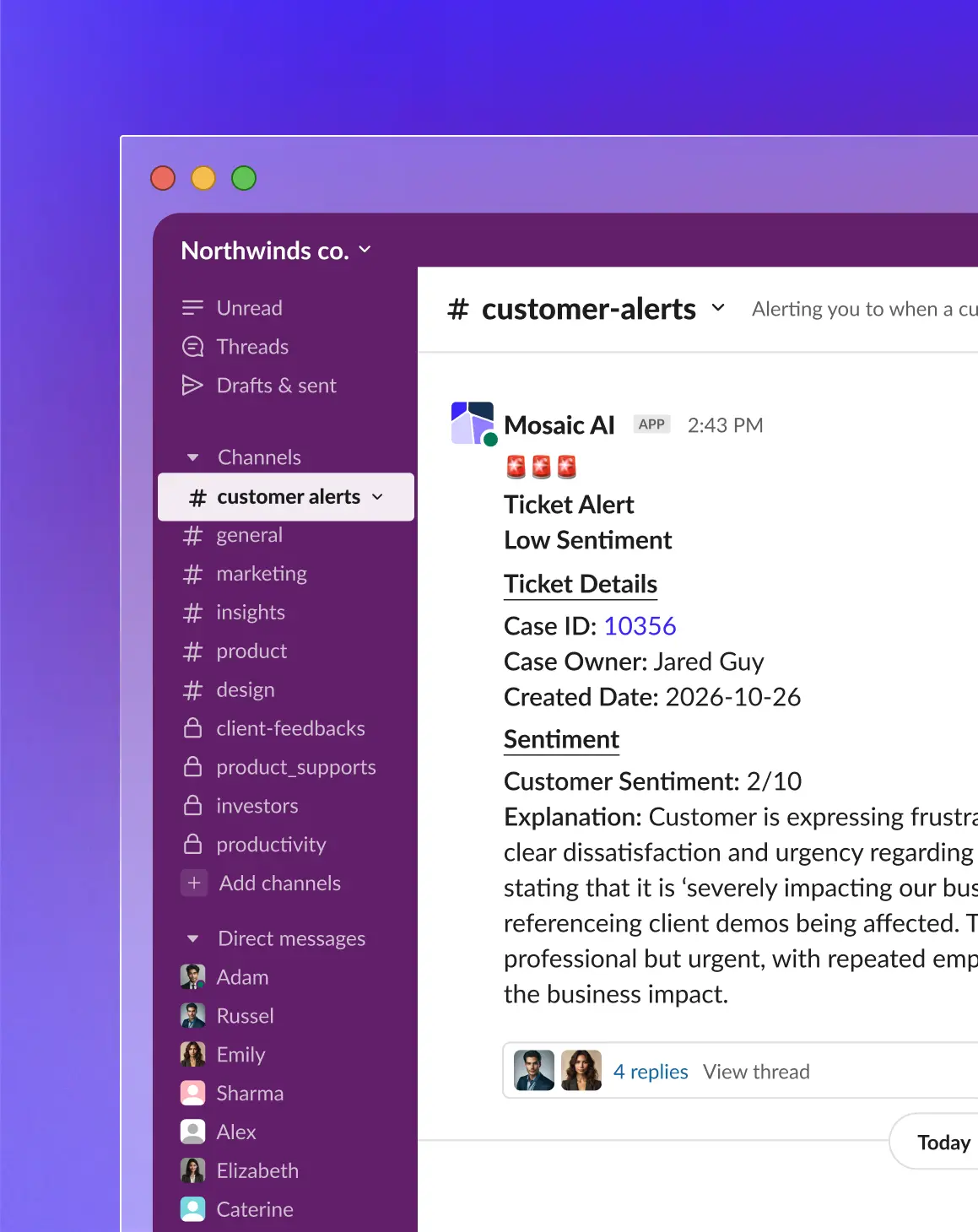
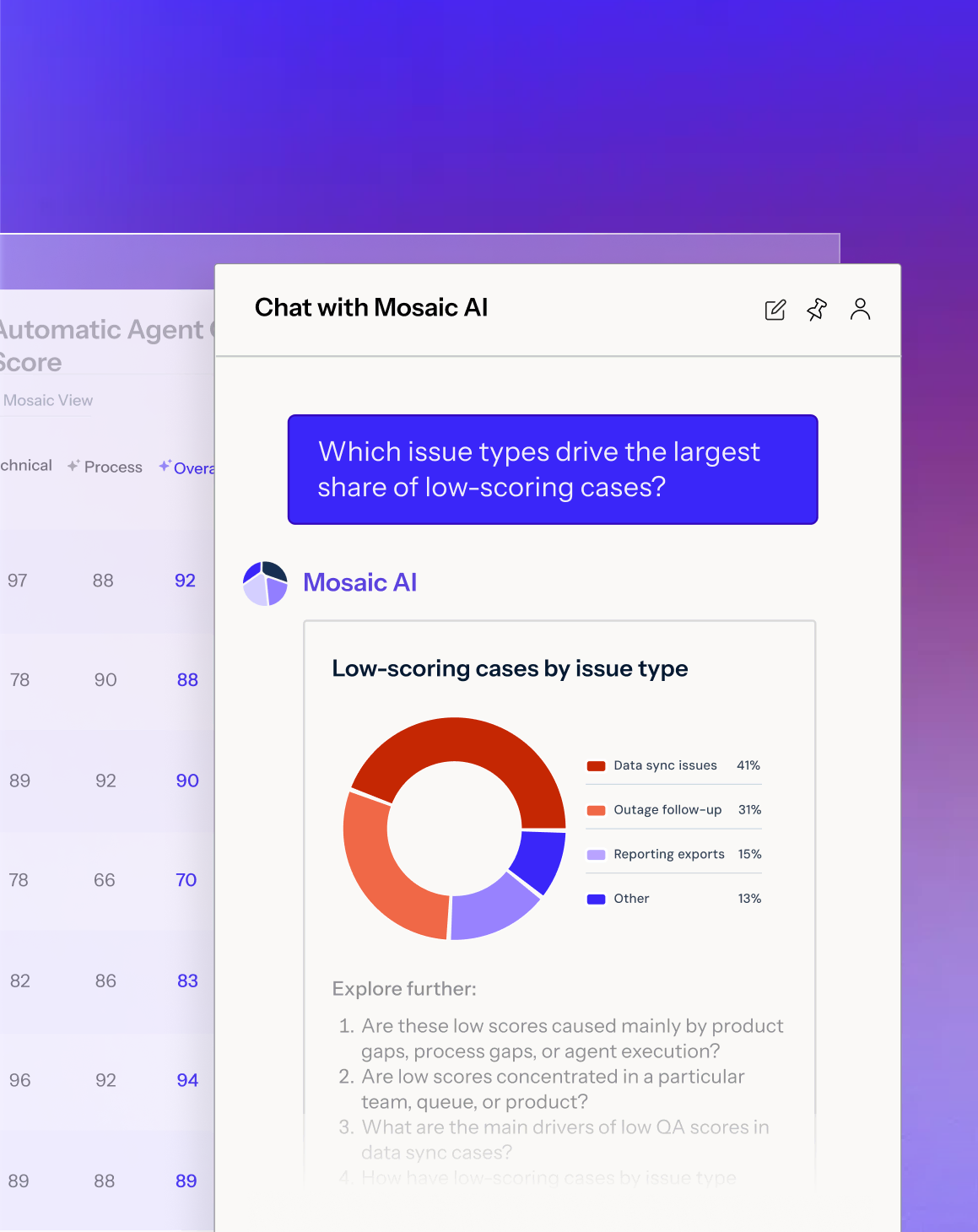
Interface showing a knowledge management tool with a 'Knowledge gap found' alert indicating a recurring issue with no article, a 'Drafting article' button, a generated article marked 'Ready to review,' a message from SME review at 2:43 PM asking @Alex to review a section, and a blue button labeled 'Publish to knowledge base.'Slack interface showing the Northwinds co. workspace with the 'customer alerts' channel selected on a purple sidebar listing channels and direct messages. The main panel displays a message from the Mosaic AI app at 2:43 PM with a Ticket Alert for Low Sentiment, including case details: Case ID 10356, Owner Jared Guy, Created Date 2026-10-26. It shows customer sentiment as 2/10 with an explanation about customer frustration and business impact. Below are avatars of two users and 4 replies with an option to view the thread.Chat window titled 'Chat with Mosaic AI' showing a question about low-scoring case issue types and a response with a donut chart labeled 'Low-scoring cases by issue type' breaking down percentages: Setup 38%, Billing 32%, Access 20%, Other 10%, along with further exploration questions below and a text input box with placeholder 'What do you have in mind?'

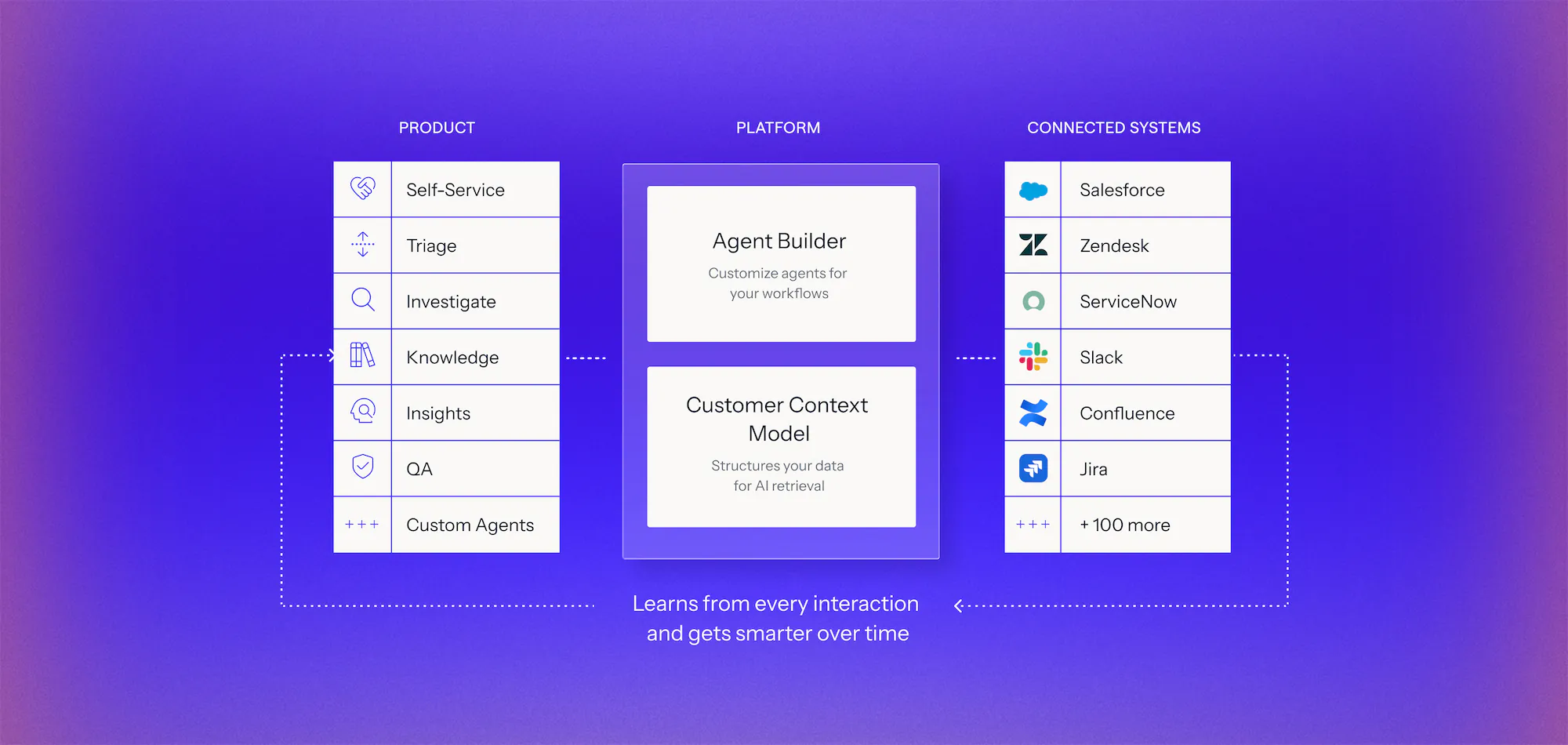
One platform for every support use case

Connect your systems once, then build agents for any workflow on one shared framework. Every agent uses the same data, integrations, and controls, so you can expand without adding another point solution.

Learn more
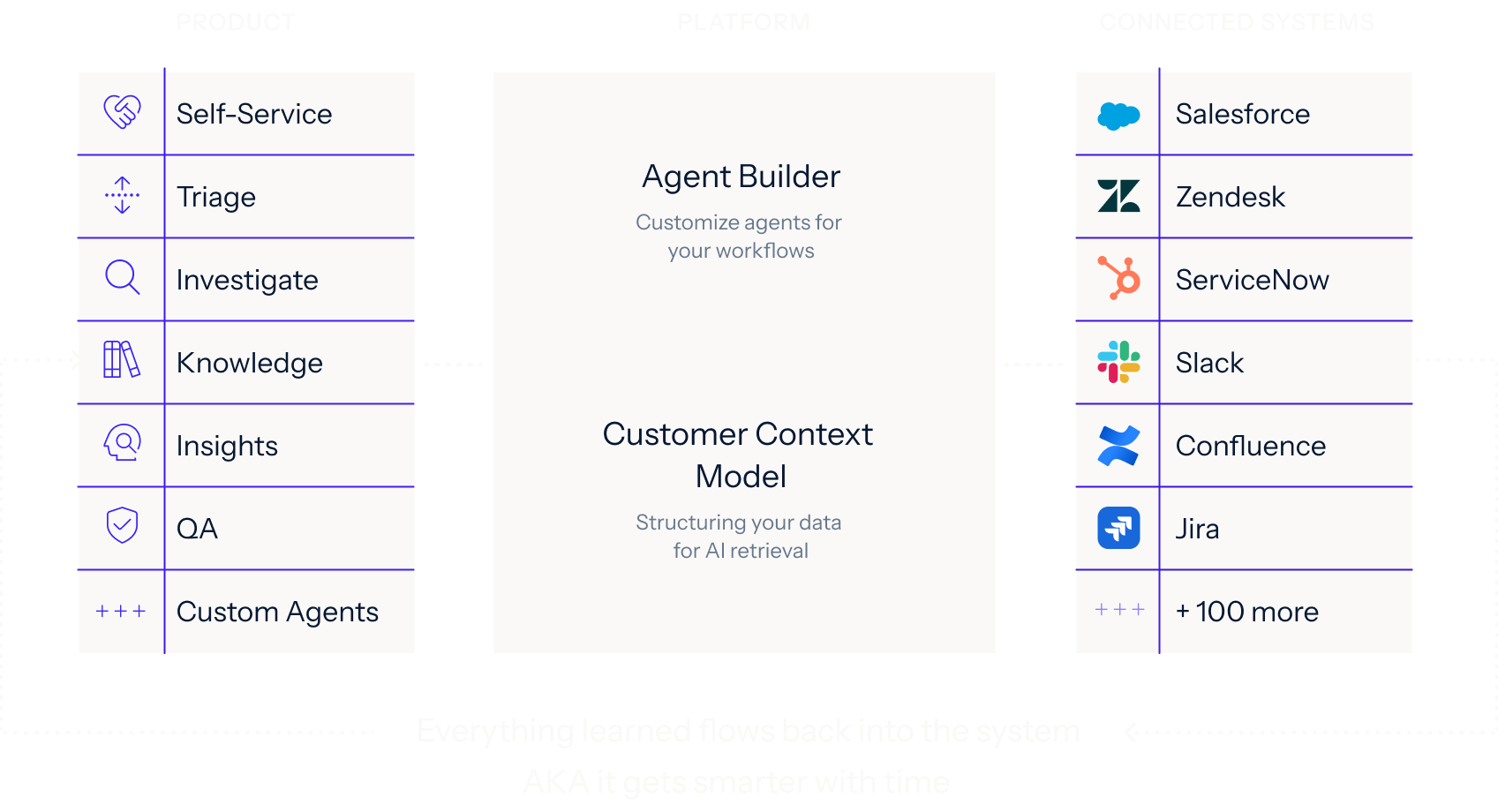
Diagram of an AI platform architecture with three columns: Product features including Self-Service, Triage, Investigate, Knowledge, Insights, QA, and Custom Agents; Platform components with Agent Builder to customize agents and Customer Context Model for structuring data; Connected Systems listing integrations like Salesforce, Zendesk, ServiceNow, Slack, Confluence, Jira, and over 100 more, with dotted arrows showing the platform learns from every interaction and improves over time.Diagram showing three columns labeled Product, Platform, and Connected Systems. Product column lists Self-Service, Triage, Investigate, Knowledge, Insights, QA, and Custom Agents with icons. Platform column features Agent Builder for customizing agents and Customer Context Model for structuring data for AI retrieval. Connected Systems column lists integrations like Salesforce, Zendesk, ServiceNow, Slack, Confluence, Jira, and mentions 100 more. Arrows indicate data flow between columns and note that everything learned flows back, making the system smarter over time.

Works across your support stack, without replacing it.

Your case data, docs, and history made usable for AI, with no migration and no developer resources.

The AI platform that powers enterprise technical support

Book a demo

Make your systems AI-ready
Connect every system with clean data, the right context, and the ability to act.

A digital interface displaying a case identifier labeled 'Case #00241' with a note that Mosaic AI is working through the issue, shown on a soft purple background with blurred icons.

Build agents the way your team works
‍
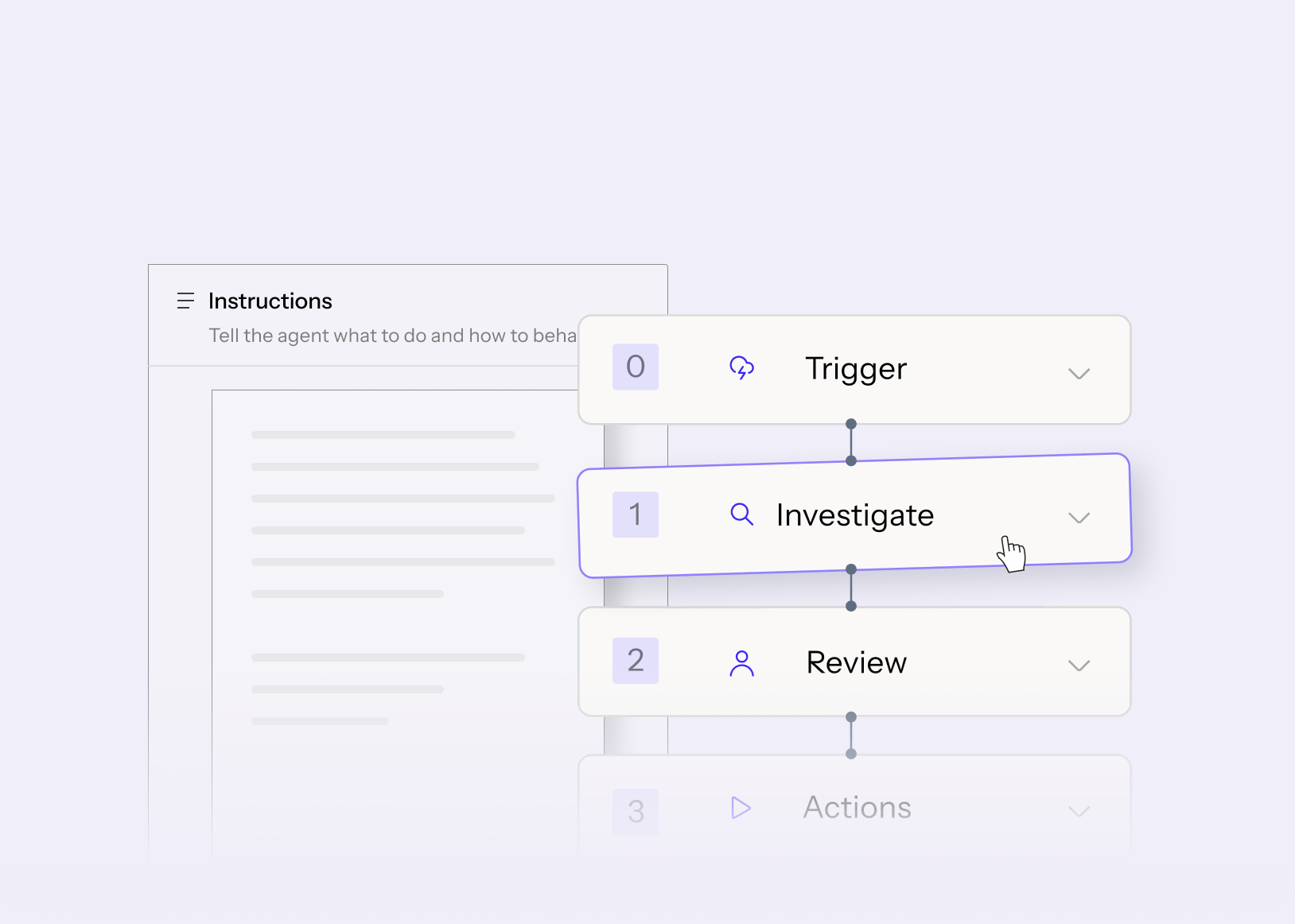
We configure Mosaic AI agents around your SOPs, runbooks, tools, and approval rules, with no code or engineering needed.

User interface showing a vertical workflow with four steps labeled Trigger, Investigate, Review, and Actions, with Investigate highlighted and a cursor pointer on it.

Deploy where support happens
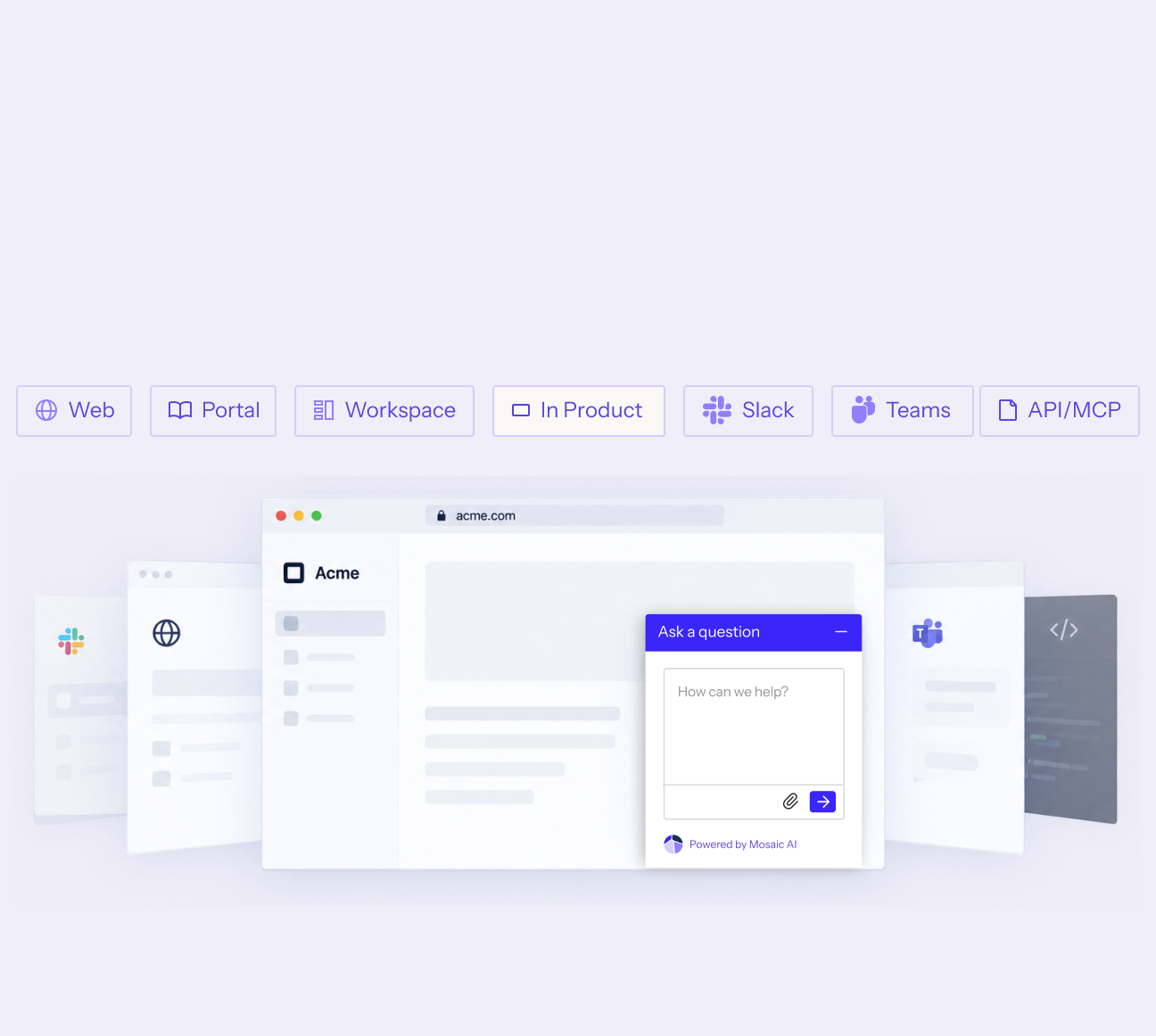
Production-ready UI for your customers, your team, and your admins, with no front-end work on your side.

A row of icons and labels for deployment options including Web, Portal, Workspace, In Product, Slack, Teams, and ACI/MCP above a digital interface mockup featuring a chat widget titled 'Ask a question' with a text input box and submit button.

Stay in control
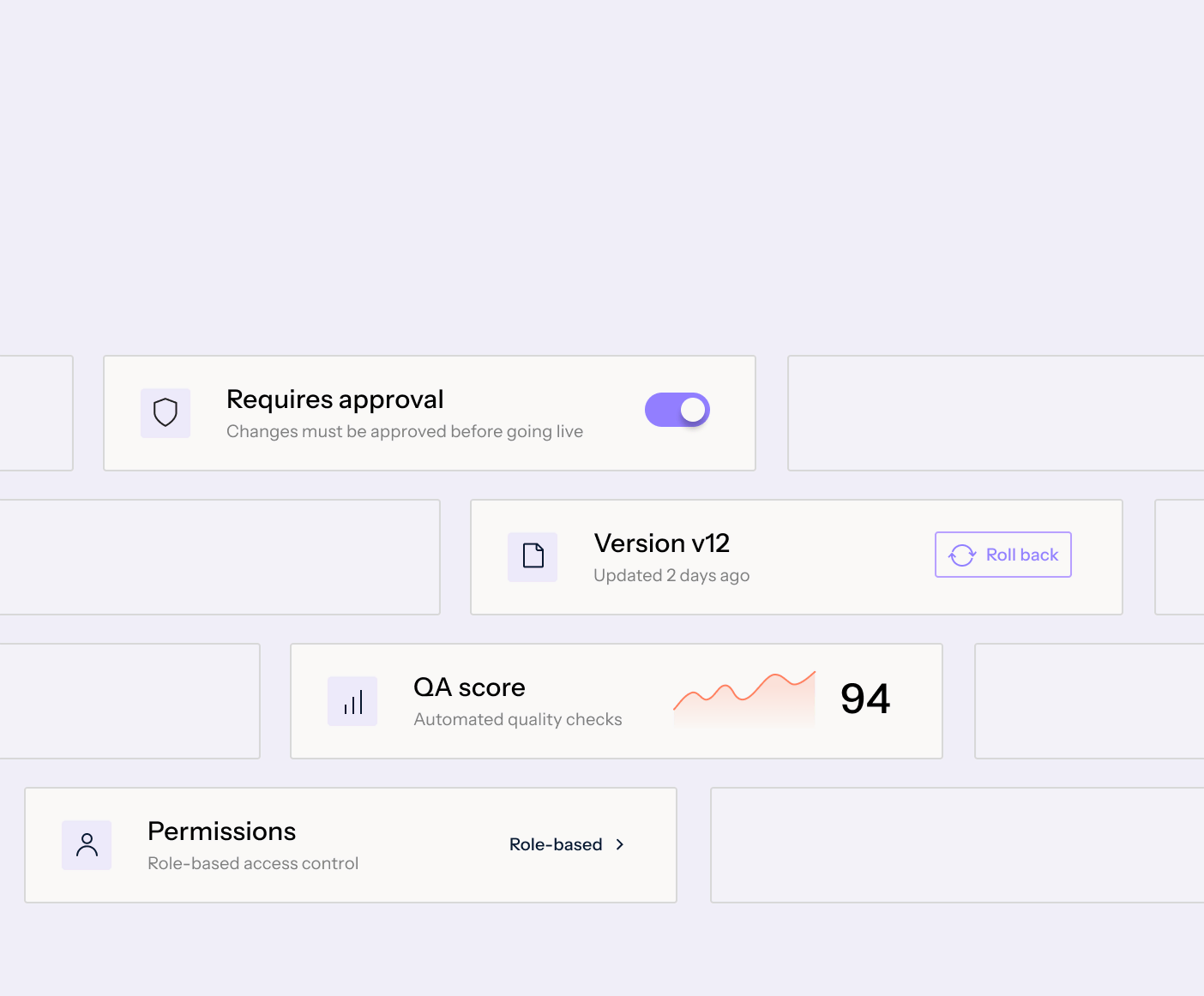
Manage approvals, permissions, versions, and performance for every agent you run.

User interface with toggled option requiring approval before changes go live, version v12 updated 2 days ago with rollback button, QA score of 94 shown with an upward trend graph, and permissions section for role-based access control.

Real results from technical support teams

“We scaled our Mosaic AI deployment from production pilot to full adoption across multiple business units in under 10 weeks.”
President and GM, AssetWorks
39%
lower cost to serve across AssetWorks' support organization
Read the case study
“We see plenty of opportunities where it’s going to help us streamline our customer interactions and make us more efficient and effective.”
SVP Customer Success, Rapid7
35%
more capacity across Rapid7’s frontline teams as Mosaic expanded from support to CS and Sales Engineering.
Read the case study
“We have been able to scale and keep up with the demands without having to add a significant amount of headcount. With basically the same size team we had last year, we’ve made improvements.”
Senior Vice President, Point of Rental
96%
of 3,000+ self-service sessions ended without a case
Read the case study

See it work on your cases before you commit

Book a demo
  1. 1. Discover

    We analyze your real case data, at no cost, to find where time, effort, and spend accumulate, what can be automated, and how much it would lower your cost to serve.

  2. 2. Prove

    You get a live environment built for your top use cases, running on your own systems, using your own case history. You see the result before you sign anything.

  3. 3. Go live in weeks

    Deployed on top of Salesforce, Zendesk, and the rest of your stack. No migration, no developer resources, deployment expertise included.

Security & compliance

See how Mosaic protects your data with enterprise-grade security, access controls, and encryption. Review our compliance standards, policies, and monitoring practices in our Security & Trust Center.

SOC 2 Type II
GDPR
ISO27001
HIPAA
Zero security incidents in 4+ years

Frequently asked questions

What is Mosaic AI for technical support?

Mosaic AI is an AI platform for enterprise technical support teams. It connects customer, product and case context across your existing systems, so AI can resolve routine requests, investigate complex cases and escalate with full context when engineering needs to step in.

How is AI for technical support different from general customer service AI?

Customer service AI is built to match questions to answers that already exist. Technical cases often have no existing answer. They depend on the customer's product, configuration and case history, and many end up with engineering. Mosaic AI pulls that context together to investigate the issue, resolve it, or escalate with everything engineering needs.

Does Mosaic AI work with Salesforce, Zendesk, ServiceNow, Jira and our other support tools?

Yes. Mosaic AI runs on top of Salesforce, Zendesk, ServiceNow, Jira, Confluence, Slack and 100+ other systems. There's no data migration and no need to replace your help desk. Explore integrations to see supported systems and workflows.

How does Mosaic AI keep answers accurate and under our control?

Every answer is grounded in your connected customer, product and knowledge data, and it cites its sources. You control what each agent can access and do, add approval steps or human review where you need them, and roll back to any previous version. See how AI governance works in Mosaic AI.

What can Mosaic AI do for technical support teams?

Mosaic AI covers the full case lifecycle on one platform: self-service, triage and routing, investigation, knowledge creation, insights and quality scoring. Connect your systems once, and every agent shares the same data and controls. Agents are built in our Agent Builder around your SOPs and runbooks, with no code needed.

How long does implementation take?

Most teams go live in weeks, without developer resources. Our team handles deployment and our AI experts configure agents around your SOPs, runbooks and approval rules.

Can we test Mosaic AI on our own cases before we commit?

Yes. We start with a free analysis of your case data and workflows. Then we build a live environment for your top use cases, running on your own systems and case history. You see the results before you sign anything.