Run your AI support operation from one place
See what’s running, measure what’s working, and manage every AI agent from one place, so you can expand automation across technical support with confidence.
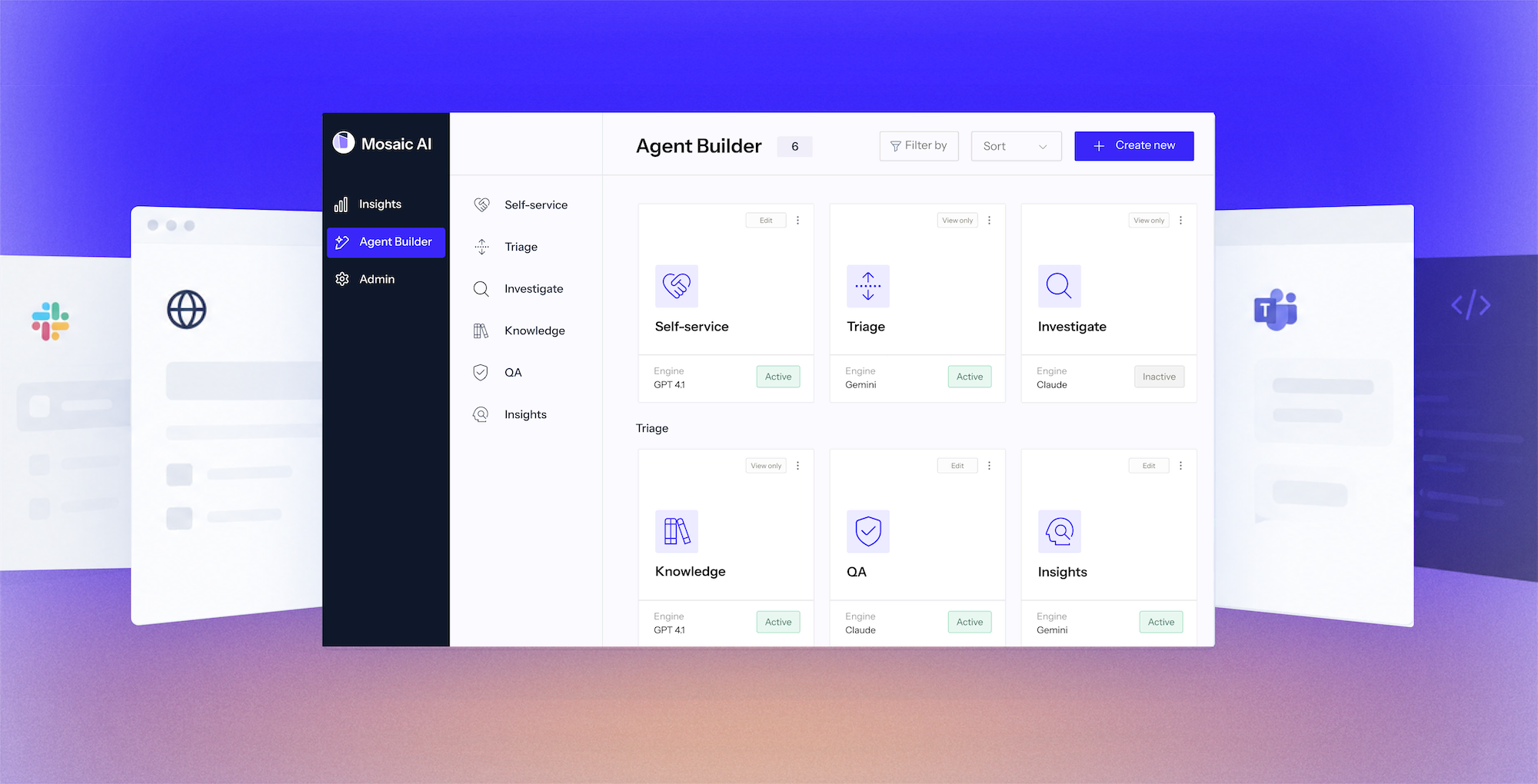
See what’s running, measure what’s working, and manage every AI agent from one place, so you can expand automation across technical support with confidence.











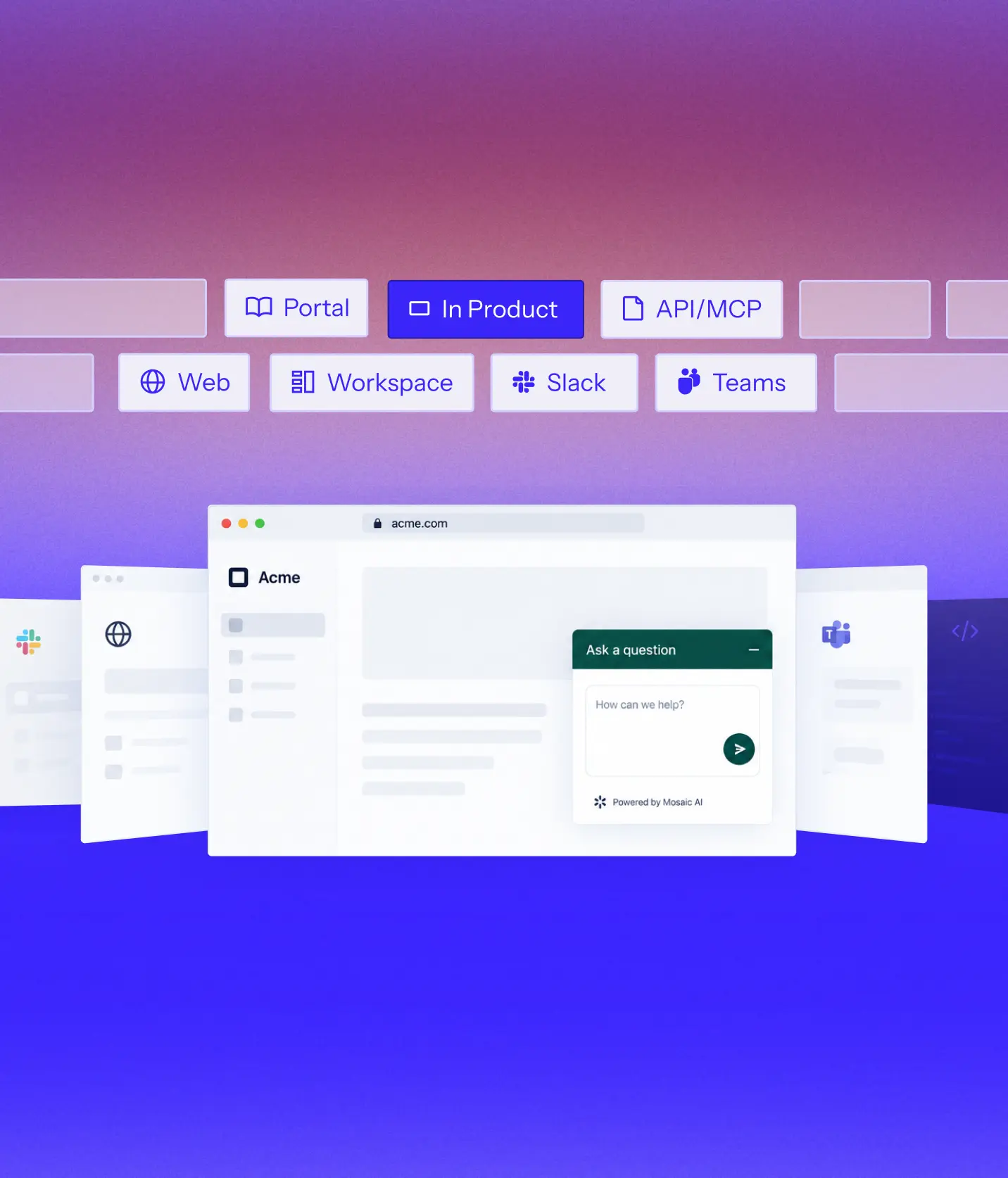
The same platform runs across every support surface, so your team, customers, admins, and background automation all work from the same context, workflows, and controls.
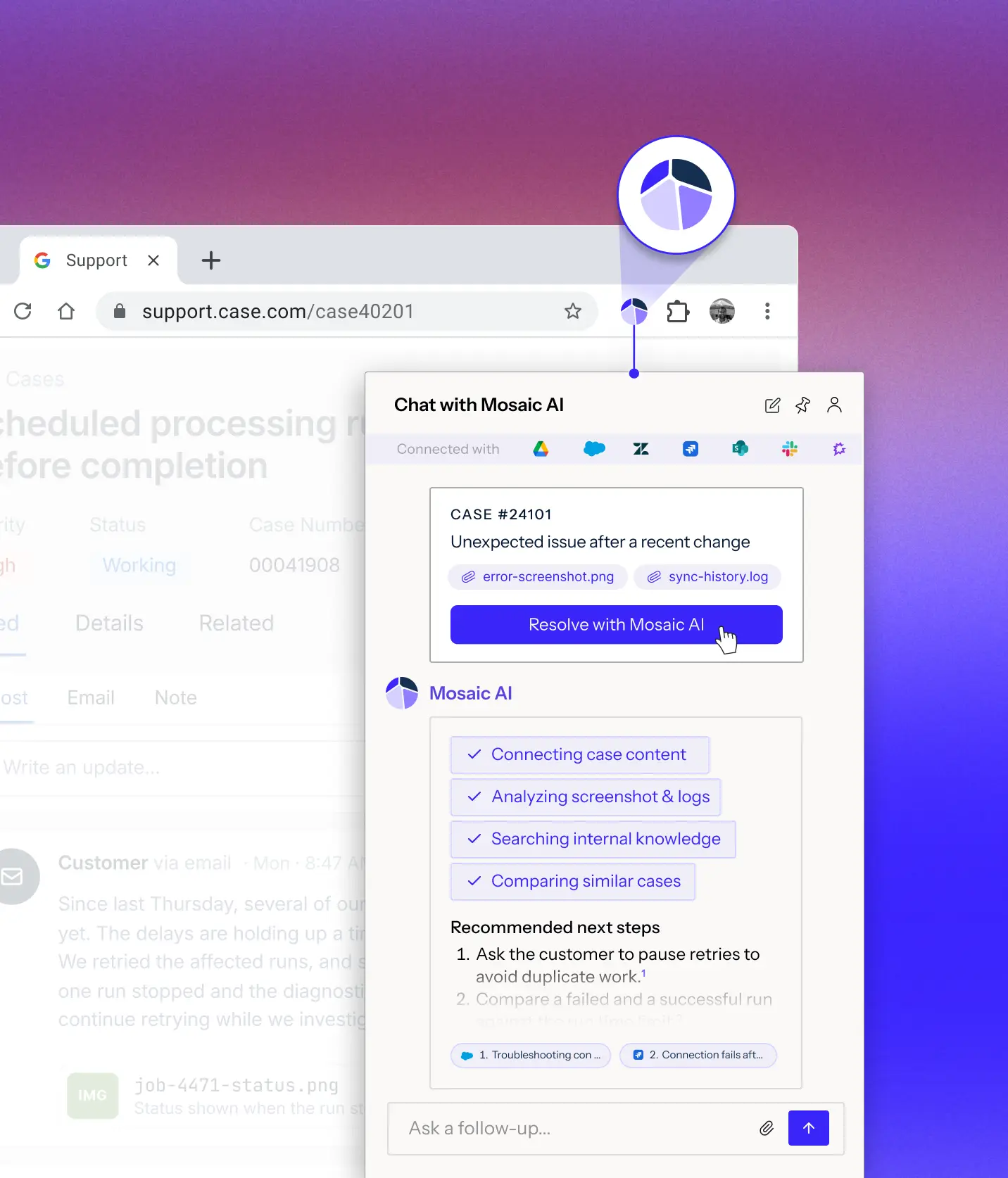
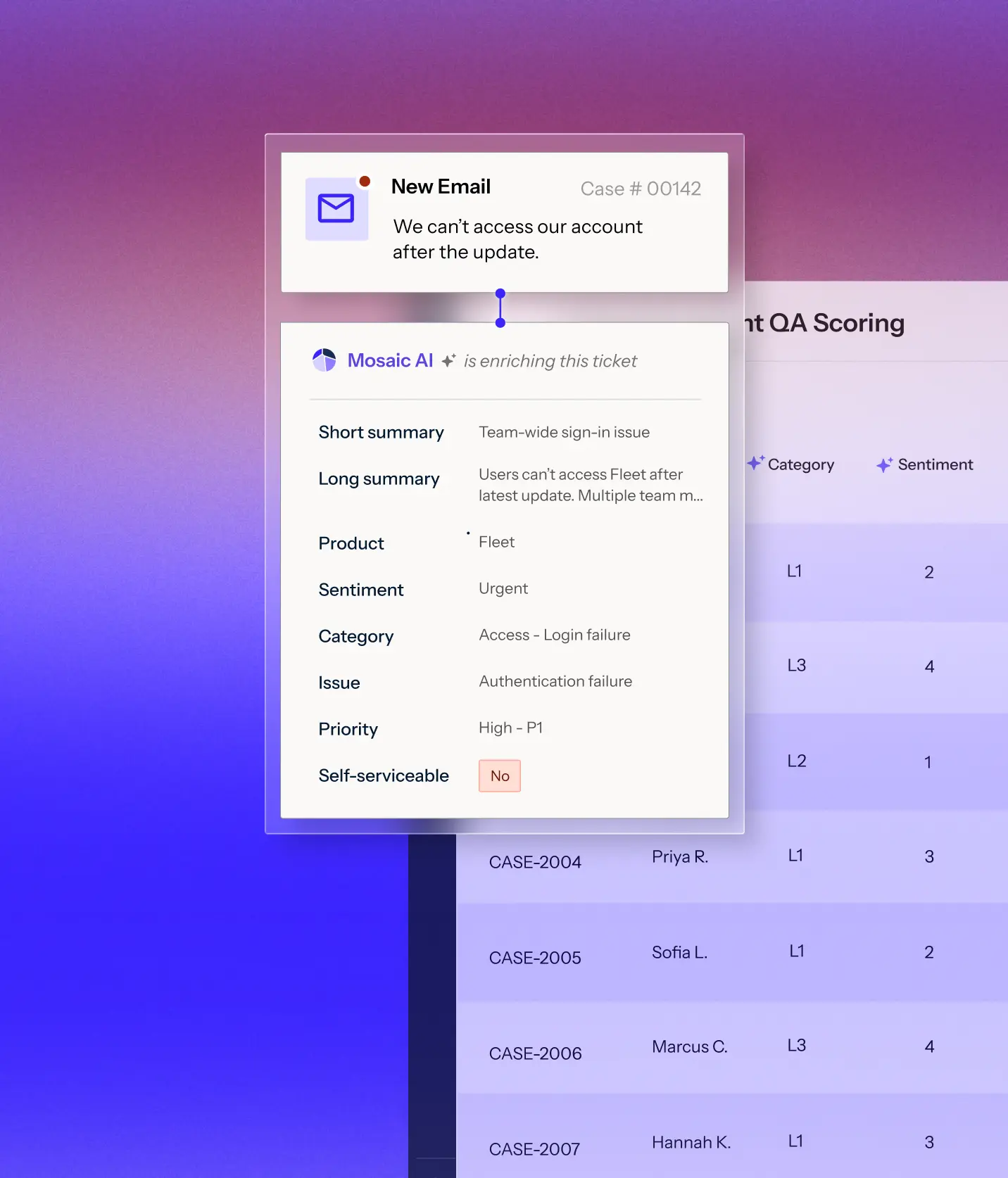
Mosaic AI works through the Chrome extension alongside your support stack, so reps can investigate and act without switching workspaces.
Deploy branded agents in your product, help center, portal, or case-submission flow to resolve more issues before they reach the queue.
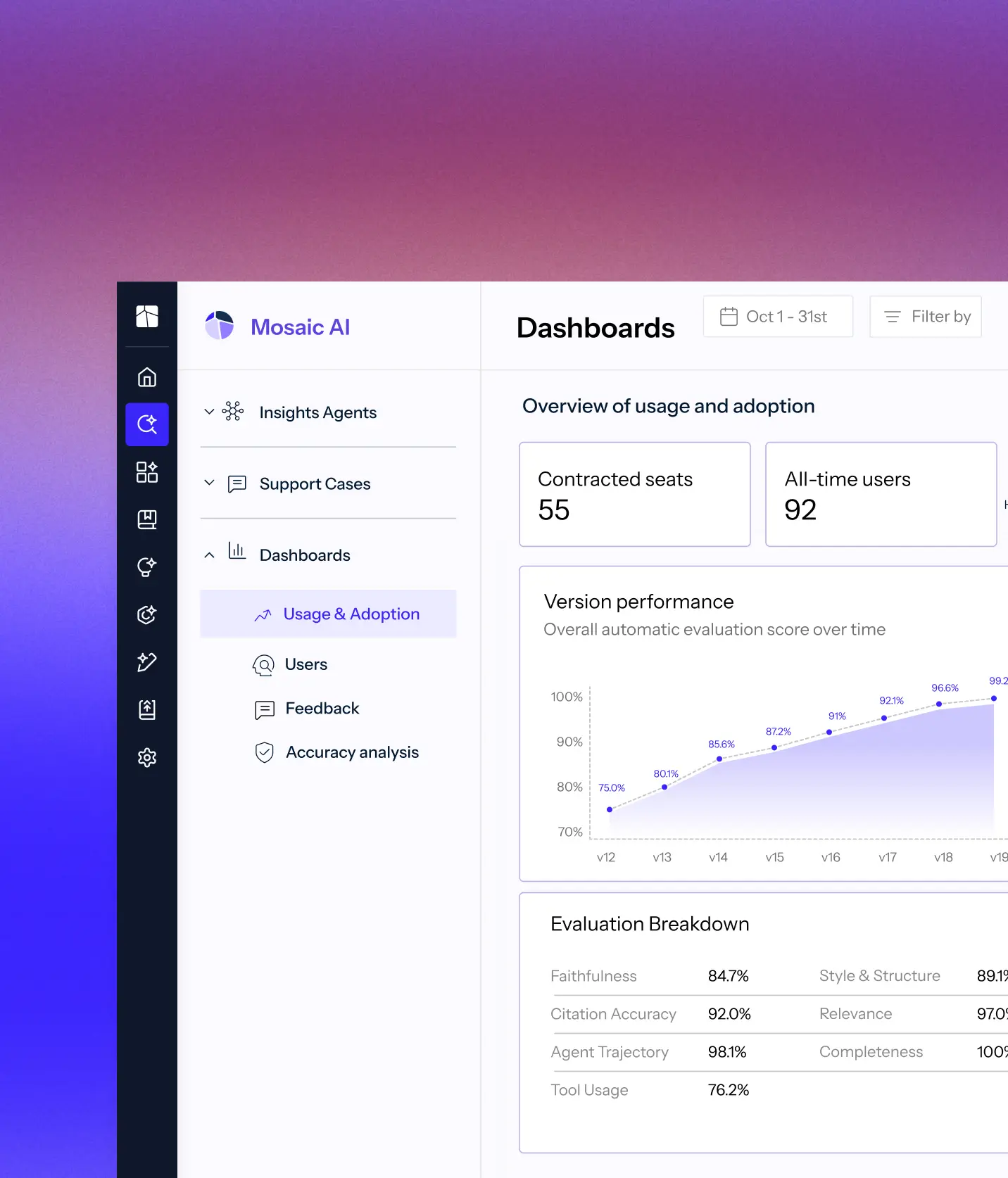
Monitor live agents, review work that needs attention, measure performance, and manage the day-to-day operation from one console.
Continuously investigate, enrich, classify, route, and score cases as they come in, alerting your team when needed and taking approved actions automatically.
Connect your systems once, then build agents for any workflow on one shared framework. Every agent uses the same data, integrations, and controls, so you can expand without adding another point solution.
Learn more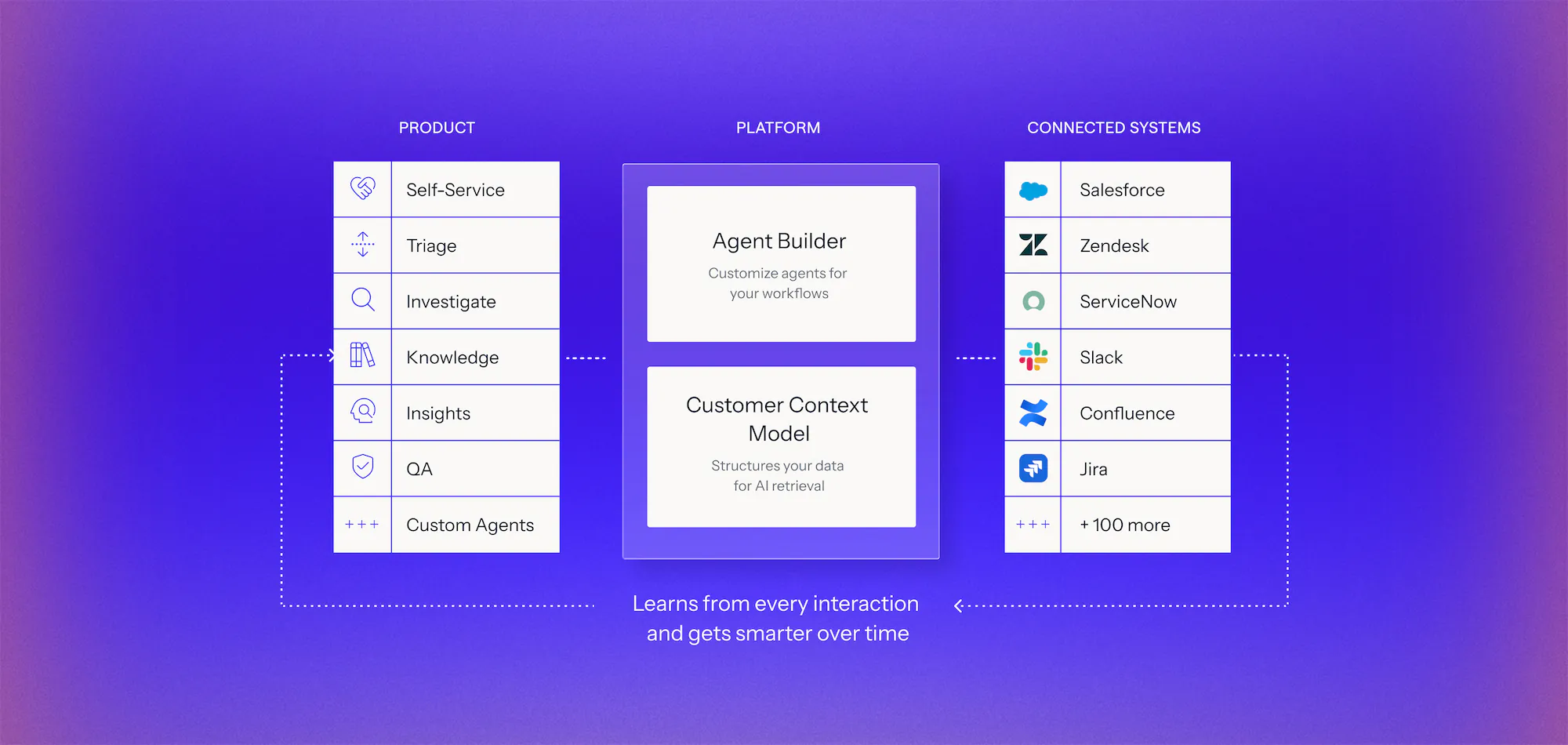
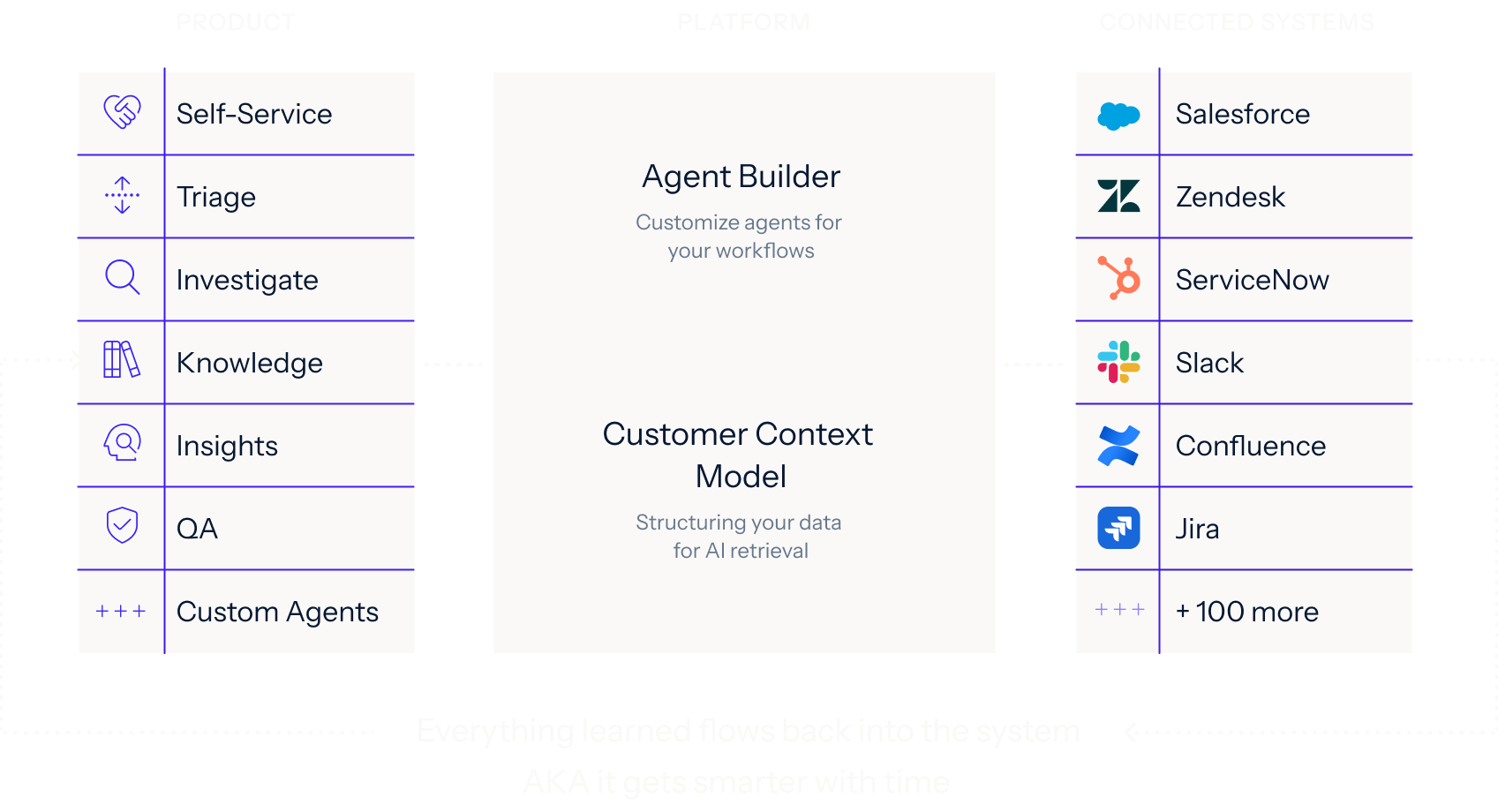
Your case data, docs, and history made usable for AI, with no migration and no developer resources.
We analyze your real case data, at no cost, to find where time, effort, and spend accumulate, what can be automated, and how much it would lower your cost to serve.
You get a live environment built for your top use cases, running on your own systems, using your own case history. You see the result before you sign anything.
Deployed on top of Salesforce, Zendesk, and the rest of your stack. No migration, no developer resources, deployment expertise included.
Interfaces are where people use Mosaic AI. Reps use it in their support tools via a chrome extension, customers use it in your product, case form and help center, and admins use the Mosaic AI console. Every interface runs on the same Customer Context Model, agents and controls, so answers stay consistent wherever they appear. We provide the UI, so there's no front-end work on your side.
No. Reps use Mosaic AI through a Chrome extension that works alongside Salesforce, Zendesk and the rest of your stack, or Slack or Microsoft Teams so they can investigate a case and act on it without switching workspaces.
Yes. Mosaic AI is available as an MCP server, so your team can ask questions across your connected sources from inside AI assistants like Claude. Each person signs in with their own Mosaic AI account, and their existing permissions carry over automatically.
Mosaic AI Self-Service is ready to deploy wherever your customers look for help: in your product, help center, customer portal or case-submission form. Each deployment is branded to match your experience and draws on the same knowledge and controls for a consistent experience.
Yes. Mosaic AI can replace your case form or sit alongside it. In Salesforce Experience Cloud, it installs as a managed package with components you can add to your case-submission flow. Customers describe the issue and get an AI answer with relevant articles, plus the option to keep chatting. If they still need help, they submit a case with their name, account and contact details already filled in.
Admins run everything from one console, from connecting integrations and choosing which fields get indexed to setting what each user and role can access. The same console tracks usage and adoption, surfaces support insights, and controls how agents go live. Admins can require approval before an agent is published, compare versions on automatic evaluation scores, and roll back when they need to.
See how Mosaic AI brings agent building, integrations, controls, knowledge, intelligence, and measurement into one platform for technical support.