

Assist
AI copilot for support teams

Self Service
AI help desk for customers

Intelligence
AI analysis of customer signals

Knowledge
AI-powered knowledge automation

Integrations
AI that connects your support stack
Agent Builder
Automate repetitive work
See how Mosaic AI’s context-aware platform moves with your workflow
Data, technology, and partnership.


Assist
Assist delivers real-time, generative responses directly inside your support tools, helping support teams respond faster, reduce errors, and boost customer satisfaction.

Self Service
Mosaic AI powers intelligent self-service that resolves up to 30% of tickets automatically, using AI-generated answers grounded in your internal knowledge.

Intelligence
Mosaic AI continuously analyzes customer interactions to surface sentiment shifts, churn signals, and product feedback in real time.

Knowledge
Mosaic AI continuously clusters cases, spots emerging gaps, and produces fresh, AI-generated content so your knowledge stays complete and current.
Integrations
Mosaic AI integrates with tools like Slack, CRMs, ticketing systems, and knowledge bases—bringing all your customer data into one AI-ready platform.
Agent Builder
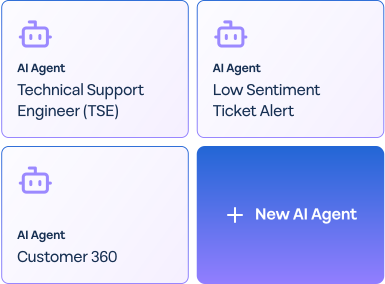
Mosaic AI’s Agent Builder empowers support leaders to automate repetitive work, reduce escalations, and scale team impact with an enterprise-secure, AI-native workflow platform.

Case Resolution
Resolve issues with intelligence

Knowledge Automation
Generate knowledge automatically

Case Intelligence
Turn raw case data into actionable insights.

AI Workflows
Save time, scale operations
See how data, technology, and partnership come together to drive real results.
See how Mosaic AI’s context-aware platform moves with your workflow.

Case Resolution
Mosaic provides solutions for Sales and Support teams to B2B support teams, automating workflows and enhancing customer experiences.

Knowledge Automation
Turn every resolved case, Slack thread, or doc into structured, searchable knowledge—instantly.

Case Intelligence
Get AI-driven analysis of every case to spot patterns, root causes, and emerging issues.
AI Workflows
Deploy no-code AI agents to handle repetitive tasks across support, success, and ops.
See how data, technology, and partnership come together to drive real results.
See how Mosaic AI’s context-aware platform moves with your workflow.

Content Library
Browse expert insights, best practices, and updates from Mosaic AI.

Customers
See how leading B2B support teams power their operations with Mosaic AI.

Help Center
Access the Mosaic AI knowledge base.


Trust & Security
Learn how we protect your data with enterprise-grade security and compliance.