Integrations built so AI can reliably do real support work
Connect and structure the data behind complex technical cases so agents can pull the exact records and fields they need, then safely act across your systems at scale.
.webp)
Connect and structure the data behind complex technical cases so agents can pull the exact records and fields they need, then safely act across your systems at scale.











Give agents access to the systems, data, tools, and actions they need to investigate, troubleshoot, and complete work across your support stack.






%20(1).svg)
.svg)
.svg)
.svg)
.svg)
Extend agents with the tools your team already exposes through supported MCP Connectors. Bring those capabilities directly into agent workflows, with access governed by the workflow and the permissions of the user running it.










Bring internal tools, product data, and proprietary services into the same workflows as Mosaic AI’s prebuilt integrations.
Let agents retrieve data and take approved actions through REST or GraphQL endpoints.
Trigger agent workflows from events in your own systems.
Choose from leading models across providers based on the reasoning, speed, and context each workflow requires.


.svg)
Connecting a system is only the first step. Mosaic AI gives every agent the structured data, precise scope, and controlled actions it needs to handle technical cases reliably.
Clean, summarize, structure, and enrich cases, conversations, documents, and records before an agent needs them.
Use account, product, version, fields, permissions, and other case-specific information to narrow what an agent can retrieve and use.
Give agents controlled read and write access to update cases, create issues, route escalations, send messages, and trigger the next step.
Write outcomes back into your systems so resolved cases and investigations become context for the work that comes next, and a problem solved once stops coming back.
Trace the evidence behind answers, scope what agents can access and change, and protect customer data across every connected system.
Trace answers back to the exact source information they used.
Choose which objects and fields are indexed and available to each workflow.
Control which systems, records, and actions are available through each integration and workflow.
Customer data is never used to train the underlying models.
Connect your systems once, then build agents for any workflow on one shared framework. Every agent uses the same data, integrations, and controls, so you can expand without adding another point solution.
Learn more.webp)
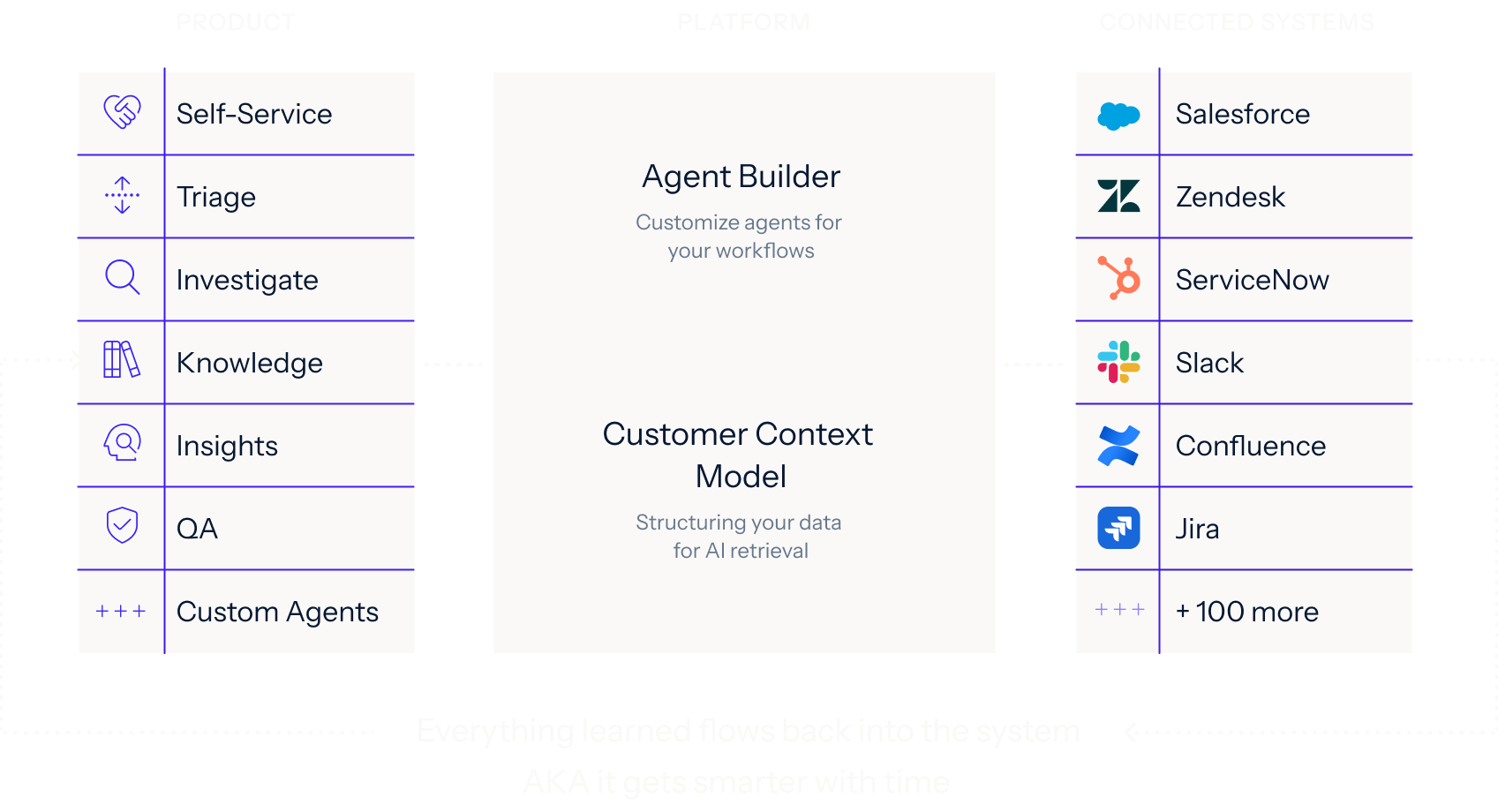
Bring us a technical workflow your team handles today. We’ll show you how Mosaic connects the systems behind it, structures the right context, and gives an agent what it needs to do the work reliably.