Surface the right insights so teams can act fast
Mosaic AI enriches and categorizes every case, spots the trends and risks that matter, and routes them to product, engineering, or CS, so issues get fixed at the source instead of handled again.
.webp)
Mosaic AI enriches and categorizes every case, spots the trends and risks that matter, and routes them to product, engineering, or CS, so issues get fixed at the source instead of handled again.











The signal is in your cases, but it is trapped in dashboards nobody opens. Recurring issues get re-handled instead of fixed, and reporting eats hours a week.
Every case is enriched and categorized automatically, so the patterns behind your cost to serve are visible without building a report.
Detect rising problems and at-risk accounts early, so you intervene upstream instead of handling the same case again.
Insights route to Product, Engineering, or CS with the evidence attached, which turns support data into fixes at the source.
Sentiment, category, summary, product, and version, added automatically.
Recurring issues, volume spikes, and at-risk accounts, surfaced as they emerge.
Dashboards for leaders, alerts for the owners who need to know now.
Push the signal, with evidence, to product, engineering, or CS.
Consistent taxonomy and sentiment on every case, no manual tagging.
Spot recurring issues and accounts trending toward churn before they escalate.
The right signal reaches the right team in Slack or as a Jira issue, with the evidence attached.
Live view of what is driving volume, cost, and risk across the support org.
Define the fields and thresholds specific to your products and teams.
Set the guardrails for what self-service can resolve on its own, when it must escalate, and what it must never say. Every session is logged and reviewable.
Book a demo“We have been able to scale and keep up with the demands without having to add a significant amount of headcount. With basically the same size team we had last year, we’ve made improvements.”



Connects to 100+ integrations. Start indexing your full support stack within weeks. No data migration. No engineering required.





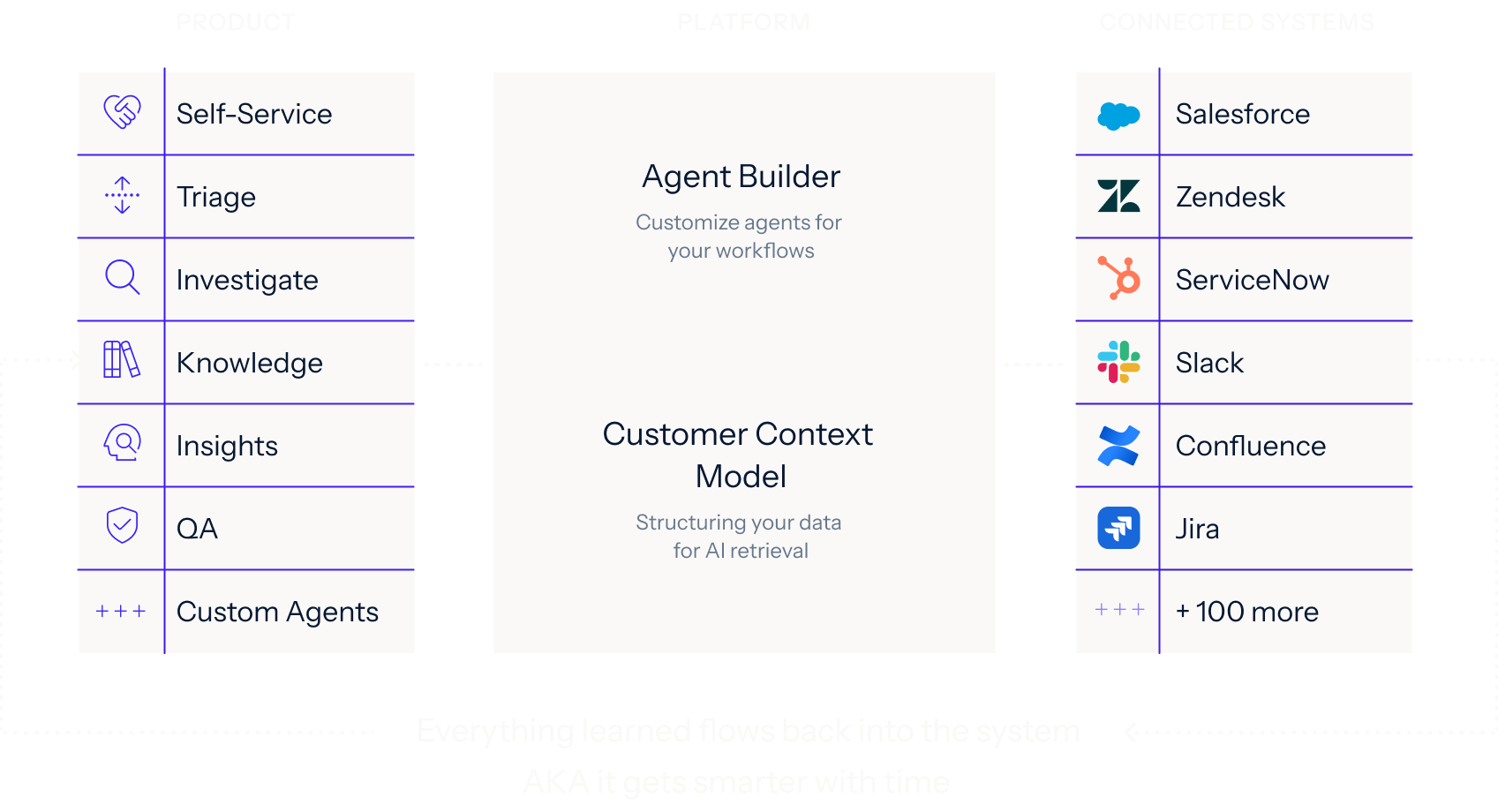
Connect your systems once, then build agents for any workflow on one shared framework. Every agent uses the same data, integrations, and controls, so you can expand without adding another point solution.
Learn more.webp)
We analyze your real case data, at no cost, to find where time, effort, and spend accumulate, what can be automated, and how much it would lower your cost to serve.
You get a live environment built for your top use cases, running on your own systems, using your own case history. You see the result before you sign anything.
Deployed on top of Salesforce, Zendesk, and the rest of your stack. No migration, no developer resources, deployment expertise included.
See how Mosaic protects your data with enterprise-grade security, access controls, and encryption. Review our compliance standards, policies, and monitoring practices in our Security & Trust Center.
Sit amet consectetur, voluptatum iaculis etiam, non illa felis quaerat noster adipiscing quas, ex fuga ut etiam culpa ad ubi sunt.
Sit amet consectetur, voluptatum iaculis etiam, non illa felis quaerat noster adipiscing quas, ex fuga ut etiam culpa ad ubi sunt.
Sit amet consectetur, voluptatum iaculis etiam, non illa felis quaerat noster adipiscing quas, ex fuga ut etiam culpa ad ubi sunt.
Sit amet consectetur, voluptatum iaculis etiam, non illa felis quaerat noster adipiscing quas, ex fuga ut etiam culpa ad ubi sunt.
We’ll analyze a sample of your real cases, identify where Mosaic can accelerate resolution, and show how it would work in your current support stack.