







.png)
Key takeaways
Your support queue isn't just a list of problems to solve—it's a real-time feed of customer intent, product friction, and revenue opportunities. For years, CX leaders have been trying to mine this data, but the tools have always been a step behind. You’re drowning in tickets, your best reps are buried in repetitive tasks, and your knowledge is scattered across a dozen different platforms.
Generative AI promised a revolution. Tools like ChatGPT showed us what was possible, but applying public AI to private business problems created a new set of challenges: data privacy risks, a lack of context, and generic, off-brand responses. The initial hype has cooled, leaving many leaders wondering what’s next.
The answer isn’t another bolt-on feature or a generic chatbot. The real transformation comes from moving beyond one-off experiments and building an intelligent, automated system tailored to your business. It’s time to talk about a more strategic approach—AI automation: build LLM apps that are purpose-built for your team, your data, and your customers.
The shift from generic AI to custom CX solutions
The fundamental problem with off-the-shelf AI is that it wasn’t trained on your business. It doesn’t know your product names, your internal acronyms, or the specific history of a high-value customer. To be truly effective, AI needs to operate from a deep understanding of your company’s unique context.
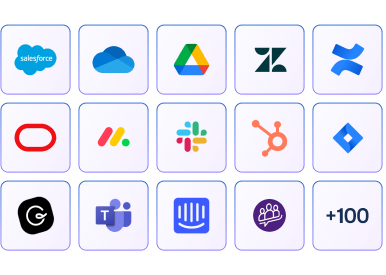
This is where AI-native platforms differ from tools that are merely “AI-powered.” Instead of just layering a generic Large Language Model (LLM) on top of your existing mess, an AI-native platform connects to your fragmented data sources—Slack, Zendesk, Salesforce, Notion—and creates a single, intelligent knowledge layer.
As our CEO Alon Talmor puts it, relying on basic Retrieval-Augmented Generation (RAG) with messy data is “like taking an open-book test with a giant, messy textbook. If you don’t know where to look, it takes time—and you might not even find the right answer.”
The next evolution for high-performing CX teams is building LLM powered apps on top of this unified knowledge layer. These aren’t complex coding projects requiring a team of data scientists. They are lightweight, specific applications designed to solve a single, high-friction problem in your CX workflow—and they can be built in minutes.
Real-world use cases: Where to start with AI automation
Theory is great, but ROI is better. The value of this approach becomes clear when you see how teams are using it to solve tangible problems. This is where the idea of AI automation: build LLM apps moves from a concept to a core driver of efficiency and customer satisfaction.
Automate pre-call prep and account summaries
Pain point: Your Customer Success Managers spend hours digging through CRM records, past tickets, and Slack messages to prepare for a single customer call. This manual work is slow, error-prone, and drains productivity that could be spent on strategic relationship-building.
Solution: A custom LLM app that connects to your CRM, ticketing system, and internal chat. With one click, a CSM can generate a complete, up-to-date account summary that includes current status, recent issues, key contacts, and potential upsell opportunities.
Provide real-time, on-call agent assistance
Pain point: A customer is on a call with a complex technical question. Your support rep puts them on hold to search the knowledge base or ask a colleague in a crowded Slack channel. The customer gets frustrated, and resolution time skyrockets.
Solution: An AI assistant that lives inside your agent’s workflow. The rep can ask a question in natural language (“What are the integration steps for Salesforce Marketing Cloud?”) and get an instant, accurate answer synthesized from product docs, past tickets, and expert conversations.
Streamline internal knowledge creation
Pain point: Your knowledge base is perpetually out of date. The same questions get asked over and over in Slack, but no one has time to turn those valuable answers into official documentation. This creates knowledge gaps and drives up internal support volume.
Solution: An LLM app that monitors public support channels and identifies frequently asked questions that don’t have a corresponding knowledge base article. It can then analyze the expert answers provided in the thread and auto-generate a draft article for review.
How to choose the right low-code LLM apps builder
The market is getting crowded with platforms claiming to help you build custom AI solutions. As a CX leader, you need to cut through the noise and focus on the capabilities that deliver real business value.
When evaluating a low code LLM apps builder, don’t just look at the feature list. Look for a partner that understands the unique demands of enterprise CX. Here’s what to prioritize:
- Security and compliance: This is non-negotiable. The platform must have enterprise-grade security (SOC 2 Type II, ISO 27001) and comply with data privacy regulations like GDPR. Your data should be stored in a dedicated tenant and never used to train external models.
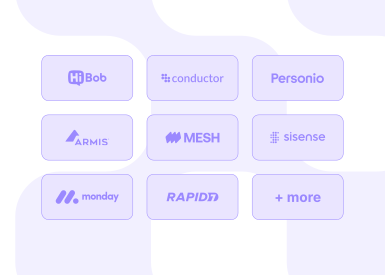
- Seamless integrations: The platform’s value depends on its ability to connect to your entire tech stack. Look for pre-built connectors for the tools your team already uses every day: Salesforce, Zendesk, Slack, Gong, Google Drive, and more.
- Ease of use for non-technical teams: The goal is to empower your CX team to solve their own problems. The interface should be intuitive, allowing a team lead or operations manager to build LLM apps in minutes without writing a single line of code.
- Scalability and performance: The platform must be able to handle your data volume and user load without compromising speed or accuracy. It should be built on a robust infrastructure that can grow with your business.
- Clear ROI measurement: The platform should provide analytics that help you prove the business impact of your AI initiatives. Track metrics like ticket deflection, reduction in handle time, and internal questions answered by AI to build a clear business case for further investment.
Your implementation roadmap: From pilot to platform in 90 days
Adopting a new platform can feel daunting, but a phased approach makes it manageable and ensures you generate value quickly. Here’s a practical timeline for rolling out an AI automation platform.
Days 1-30: Foundation and pilot
Connect your data sources: Integrate your core systems (CRM, helpdesk, knowledge base, Slack) to create the unified knowledge layer. This is the foundation for everything that follows.
Identify a high-impact use case: Don’t try to boil the ocean. Start with one of the use cases mentioned above, like automating call summaries for a specific CSM team.
Select a pilot team: Choose a small group of enthusiastic reps and managers to be your first users. Their feedback will be invaluable for refining your approach.
Days 31-60: Build, test, and iterate
Build your first LLM app: Using the low-code builder, create the app for your pilot use case. This should take hours, not weeks.
Gather feedback: Hold regular check-ins with your pilot team. What’s working? What’s not? Use their insights to iterate on the app and the underlying prompts.
Track initial metrics: Start measuring the impact. Are call prep times decreasing? Is agent confidence increasing? Collect quantitative and qualitative data to build your success story.
Days 61-90: Scale and optimize
Roll out to more teams: Armed with a proven success story, expand the use of your first app to other teams.
Build your app library: Empower team leads to identify new friction points and start building a library of custom apps. This is how you scale the impact of AI automation: build LLM apps across the entire organization.
Report on ROI: Consolidate your metrics into a clear report for executive leadership. Show the direct link between your AI implementation and improvements in core CX KPIs like CSAT, NPS, and operational efficiency.
The future is composable: What’s next for AI in CX
The first wave of AI in the workplace was about adding features. The next wave is about redesigning the entire operating system. The end goal isn’t just to have a collection of single-task bots; it’s to create a composable, intelligent platform where automated workflows and AI agents work together seamlessly.
We expect to see a consolidation of the fragmented SaaS landscape. Why pay for five different tools when a single, AI-native platform can deliver better outcomes at a lower cost? As you continue your journey with AI automation: build LLM apps, you’re not just solving today’s problems—you’re building the foundation for a more agile, intelligent, and cost-effective CX organization of the future.
The era of endless experimentation is over. The technology is mature, the use cases are proven, and the path to ROI is clear. It’s time to stop patching legacy systems and start building your AI-native CX engine.
Ready to build your AI-native CX engine?Ask-AI is the AI-native platform purpose-built for GTM teams. We help you connect your data, automate your workflows, and build custom LLM apps that drive real business impact.
.png)



.png)