

Key takeaways
At a recent dinner with other support leaders, one question came up more than any other: how do we deflect more tickets?
I understand why. Deflection is the number most AI conversations start with. If I followed the guidance out there, I'd be aiming for 80%. In my world, that's not going to happen. Maybe I get to 50% someday, but it's not going to be today, and it's not going to be tomorrow. Thirty percent is more realistic.
That isn't a knock on AI. It's a reflection of what technical support actually is. So, when I brought AI into support at Keyfactor, I didn't set out to deflect tickets. I set out to cut the time it takes to solve them.
This is how I break down AI within my group:
- The customer
- The product
- The team
AI plays a different role in each.
I recently delivered a keynote at the Customer Support Summit on this topic. Watch the full discussion here:
No two customers are alike
Keyfactor manages certificates. We're a certificate authority, and we automatically revoke and renew certificates so people inside our customers' organizations don't have to. It's very critical that our customers stay up and running. If a certificate expires or fails, their systems can go down.
Our environment is also extremely complex. Even with our PKI as a service offering, where we host and run the core platform for customers, they still build their own connections and orchestrations on-premises to connect to us. It gets pretty complex at times, well beyond break-fix. Most cases aren’t a simple repair. We have to figure out how the customer’s setup interacts with ours before we can even find the problem.
A case usually starts the same way. The customer types in a generic subject and description, sends us logs, and the work begins.
But the customer's description rarely tells the whole story. What someone types into a subject line depends on their skill level, their environment and how well they know our product. You get gray areas, and a gray area can send your team down the wrong path at real cost. For me, the single point of truth isn't what the customer writes in the subject and description—it's the log.
Don’t promise deflection to the C-suite
When I made the case to our C-level, I positioned AI around reducing time to solution, not ticket deflection. I always position it around giving customers a better experience, improving CSAT, sentiment, and customer effort scores.
That was deliberate. If you go in and say you're going to deflect a certain number of tickets and you fail, your C-level will hold you accountable. I'd spent three months watching how the team worked and how it was structured, and I knew a big deflection number wasn't achievable.
Aligning it to the customer made it a much easier position to defend.
We changed how the team works and brought in AI
When I took over the team last December, we ran a traditional tier 1, tier 2, tier 3 model. Cases moved up the ladder, and customers in APAC, EMEA, and the Americas might or might not get a response in their own time zone.
We reorganized into regional swarms of four to six people, each with a team lead, built around tier 2 and tier 3 expertise. Similar customers route to the same swarm. The team learns each customer’s environment, compares notes, and shares what they find from previous tickets.
We brought in AI at the same time, and we designed the two to work together. With cases now going straight to tier 2 and tier 3 expertise, the team needed to get to detailed information faster.
That meant the AI had to handle our complexity. We didn’t want a chatbot that answers simple questions. We wanted something that could pull from all our systems and analyze our logs. The idea was to use AI to elevate knowledge, so the team could speak more intelligently with customers and ask better questions of the senior people around them.
We also found some gaps in our CRM system that we had to change, and we added a field for a lot more detail. Changing how the team works, adding AI, and collecting better data were all essential to move ahead.
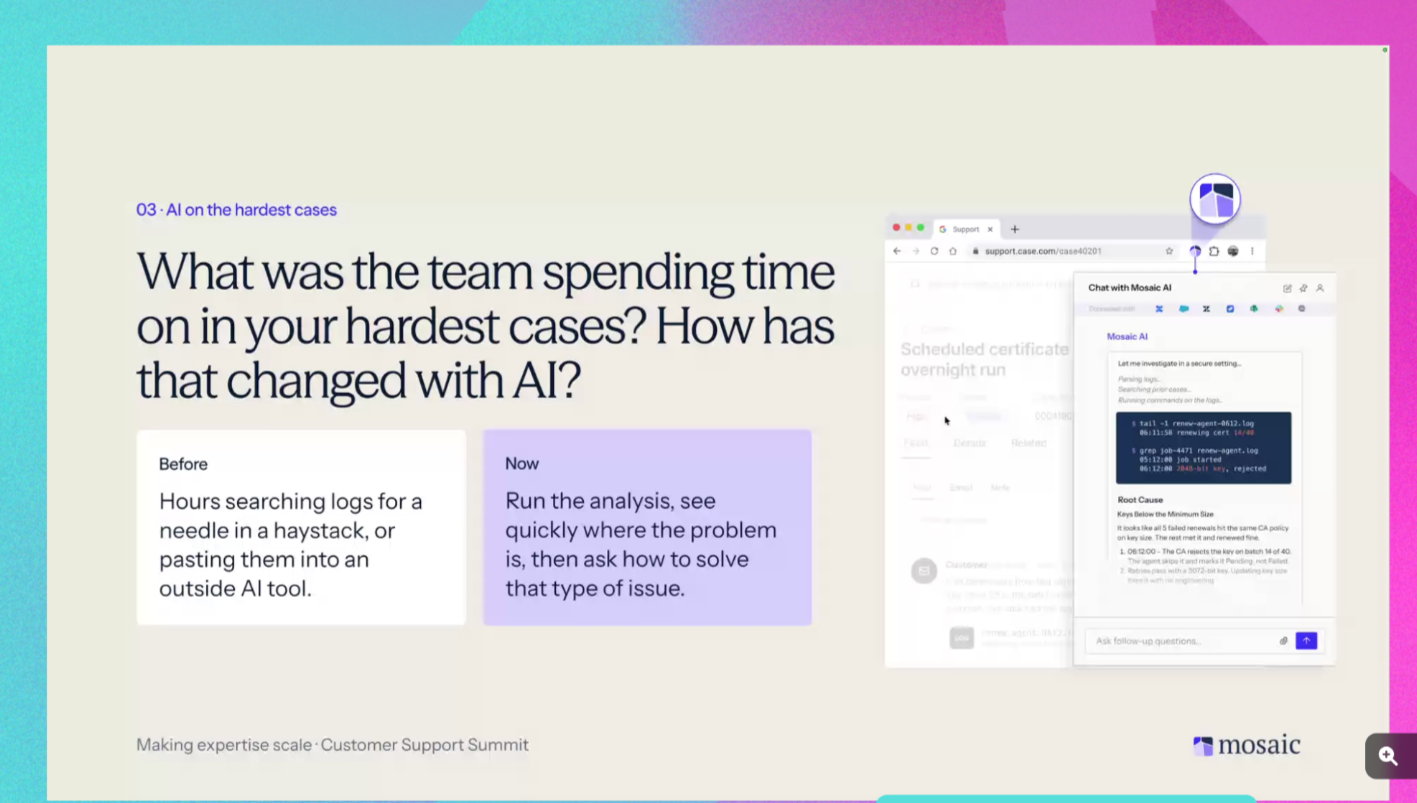
Log review in minutes instead of hours
Before, a large log could take one of our team members two to four hours to work through. Then the case moved from tier 1 to tier 2 to tier 3, and hours could quickly become days.
Now, we upload logs to a log analysis tool we built with Mosaic AI. We find the issue, then the AI searches previous tickets, documentation, Azure DevOps, Confluence, Teams, and Slack, all in one place. This way, we can pull up the answer quickly and get it back to the customer.
What used to take hours now takes lilterally minutes.
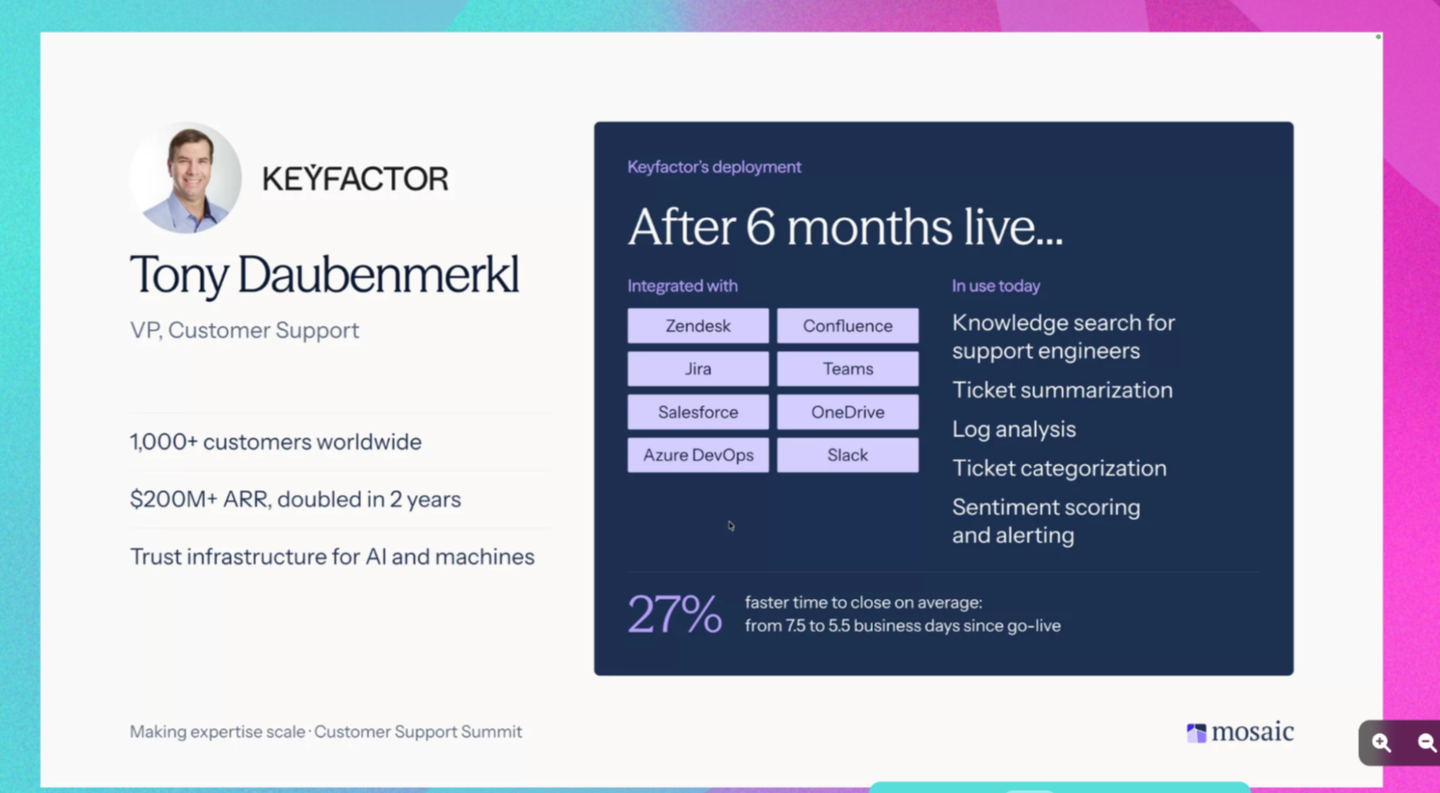
There is still room for improvement, but are we improving? Absolutely. We see it month over month.
The numbers back that up. Our average time to close was 7.5 business days last year. Six to seven months after going live, it's now 5.5 business days. That's with some data hygiene along the way as we rebuilt on about six months of clean information and have been growing it since.
Support data becomes company data
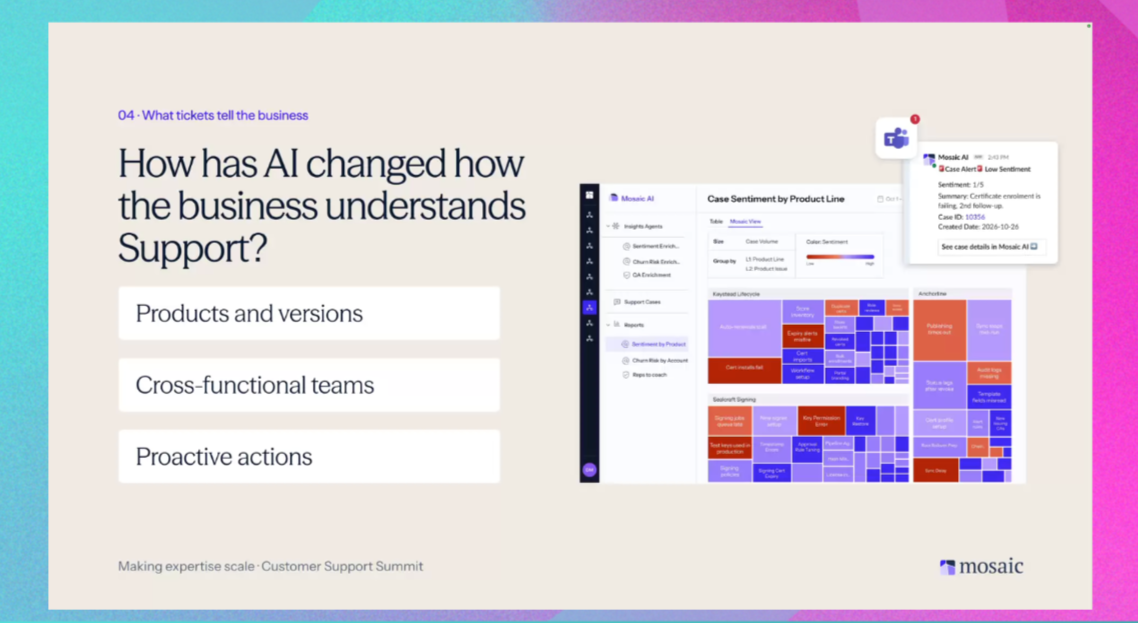
When I joined, our product meetings ran on exported tickets and personal opinion. It was whatever was near and dear to whichever senior team member was in the room. It wasn't based on what our customers, or our global team, were actually experiencing.
Now we see hotspots by product and version. We can click into one and see whether the pattern is a product issue, a documentation gap, a sentiment problem, or support dropping the ball. Product teams see the same view live. And when a case comes in with low sentiment, we get an alert right in Teams, so we can act on that ticket sooner.
We still have meetings, don't get me wrong. But when we say we want to talk about something, product already knows what it is and comes with answers. We make a lot more progress in a half-hour call than we did before.
It's spread beyond product, too. We pull sentiment into Gong and Staircase, so the whole company can see how a customer feels about us and spot risk sooner.
What human-in-the-loop looks like for Keyfactor
Right now, we have no AI agents in front of customers. We're strictly internal, and we'll stay that way until Q2. Do we use AI? Yes. Do we use it to build emails right within our CRM? 100%. But we still require the team to read, verify, and ensure accuracy before anything goes out.
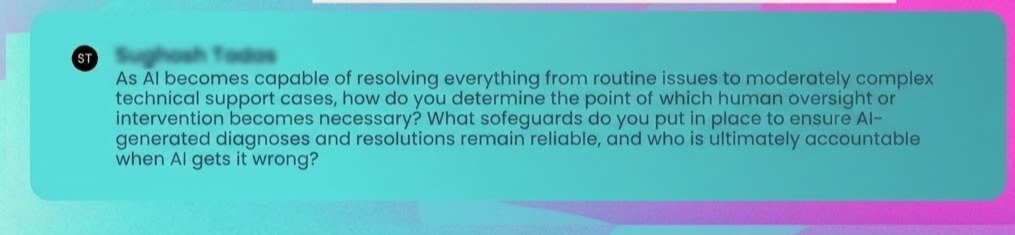
When we do go external, I'm not building a chatbot where a customer types a question and gets an answer back. The plan for 2027 looks like this:
- The customer uploads their log.
- AI analyzes it, builds the ticket and drafts the first response.
- Then one of our support coordinators calls the customer within a few hours to verify and solve the issue.
- If that doesn't resolve it, the case moves to a tier 2 or higher rep, with AI helping them get to the cause faster.
That call matters. Not every company needs it, but our complexity and our customers do. If we don't talk to them, we lose trust, and lost trust means churn.
In the complex world, you really need to be sure, and it's not going to happen overnight. It's going to take years to build that trust in a tool like this.
Buying doesn’t mean you stop building
Keyfactor is a sophisticated technology company. We could have tried to build this in-house.
But I'd been through this before. I had a list of AI providers, and I asked them very direct questions about how they worked and what I'd get. Most couldn't answer them.
Building meant having the team and additional labor to build something that would constantly need to be monitored and updated. Quite frankly, I believe the building would have cost much more than simply buying. When I did the cost analysis and looked at time to go live, buying just made more sense. We went live in under a month.
Buying didn't mean we stopped building. We're adding internal agents now, and we test, verify, and build them with Mosaic AI. The difference is, I have one team member working on it with me, not a whole team.
If you're weighing build vs buy, look at the numbers. Count the cost of usage and not just licenses. Those tokens get used up fast.
Do your numbers and see what it's going to cost when you account for tokens, because those tokens get used up fast.
If you're just getting started with AI for technical support
- Protect your data. Make sure it's walled off from competitors and bad actors, and get your compliance team to sign off. For me, this was the longest part of the journey, and the most important.
- Know your data. Is it clean? Do you have the fields that will actually help your customers and your team? If not, fix that first.
- Know your customer, your product, and your team. That's what tells you where AI belongs and where a person has to stay.
For us, it's not about deflection. It's about reducing time to solution and building trust with our customers along the way. That's what will ultimately move the needle.