Assist investigation and resolve faster

Give every rep the context, tools, and guidance of your best engineer

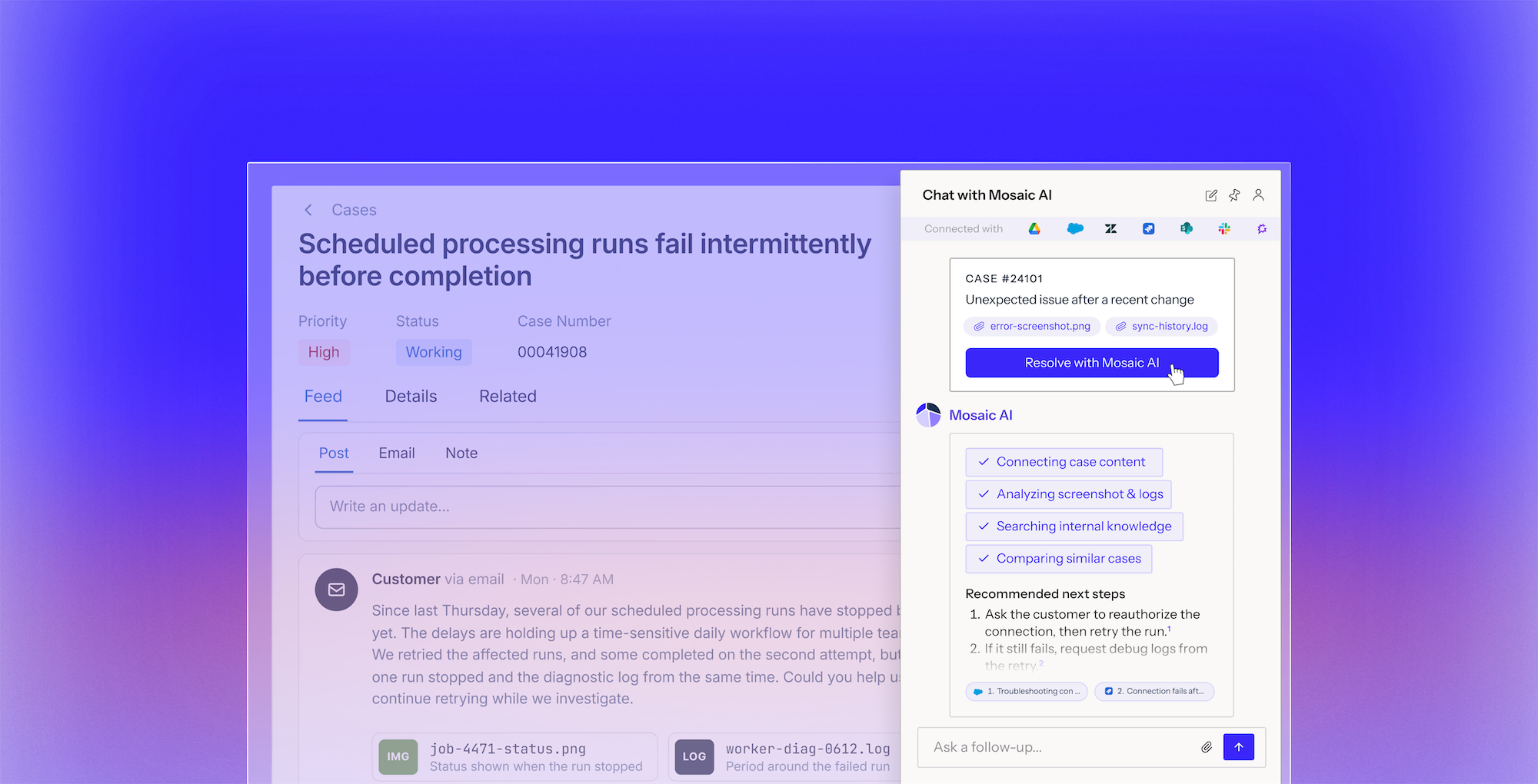
Mosaic AI works inside your support workflows, investigating across systems and analyzing evidence in a secure workspace. It gives reps a recommended resolution to review and approve.

See how it works
Screenshot of a chat interface showing a case about CRM records not syncing into Meridian with an AI assistant analyzing case content, screenshots, logs, and recommending next steps to resolve the issue.

Your best engineer cannot be on every case

The hardest cases pile onto a few senior people. Everyone else escalates, resolution slows, and hard-won knowledge walks out the door.

Reduce avoidable escalations

Mosaic AI investigates the technical evidence, runs the diagnostics, and proposes a tested fix, so hard cases get solved at the first touch.

Empower every rep with context

Your newest hire works with the tools, history, and judgment of your most senior person, which shortens ramp and steadies quality.

Scale support without scaling headcount

Help more reps handle complex work, so your team can keep pace as case volume and complexity rise.

Direct the work, your agent handles the rest

Book a demo
1

Starts in the case

Pulls in customer, product, and case history automatically, right where the rep is working.

2

Investigates the issue

Checks knowledge, past cases, CRM records, logs, and code to find the likely cause.

3

Recommends a next step


Shares a proposed resolution or best next step, with the evidence behind it for the rep to review.

4

Takes action across your systems

With rep approval, Mosaic AI takes the next steps directly in your systems to move the case toward resolution.

Trusted by technical support teams at

Real results from technical support teams

“We scaled our Mosaic AI deployment from production pilot to full adoption across multiple business units in under 10 weeks.”
President and GM, AssetWorks
39%
lower cost to serve across AssetWorks' support organization
Read the case study
“We see plenty of opportunities where it’s going to help us streamline our customer interactions and make us more efficient and effective.”
SVP Customer Success, Rapid7
35%
more capacity across Rapid7’s frontline teams as Mosaic expanded from support to CS and Sales Engineering.
Read the case study
“We have been able to scale and keep up with the demands without having to add a significant amount of headcount. With basically the same size team we had last year, we’ve made improvements.”
Senior Vice President, Point of Rental
96%
of 3,000+ self-service sessions ended without a case
Read the case study
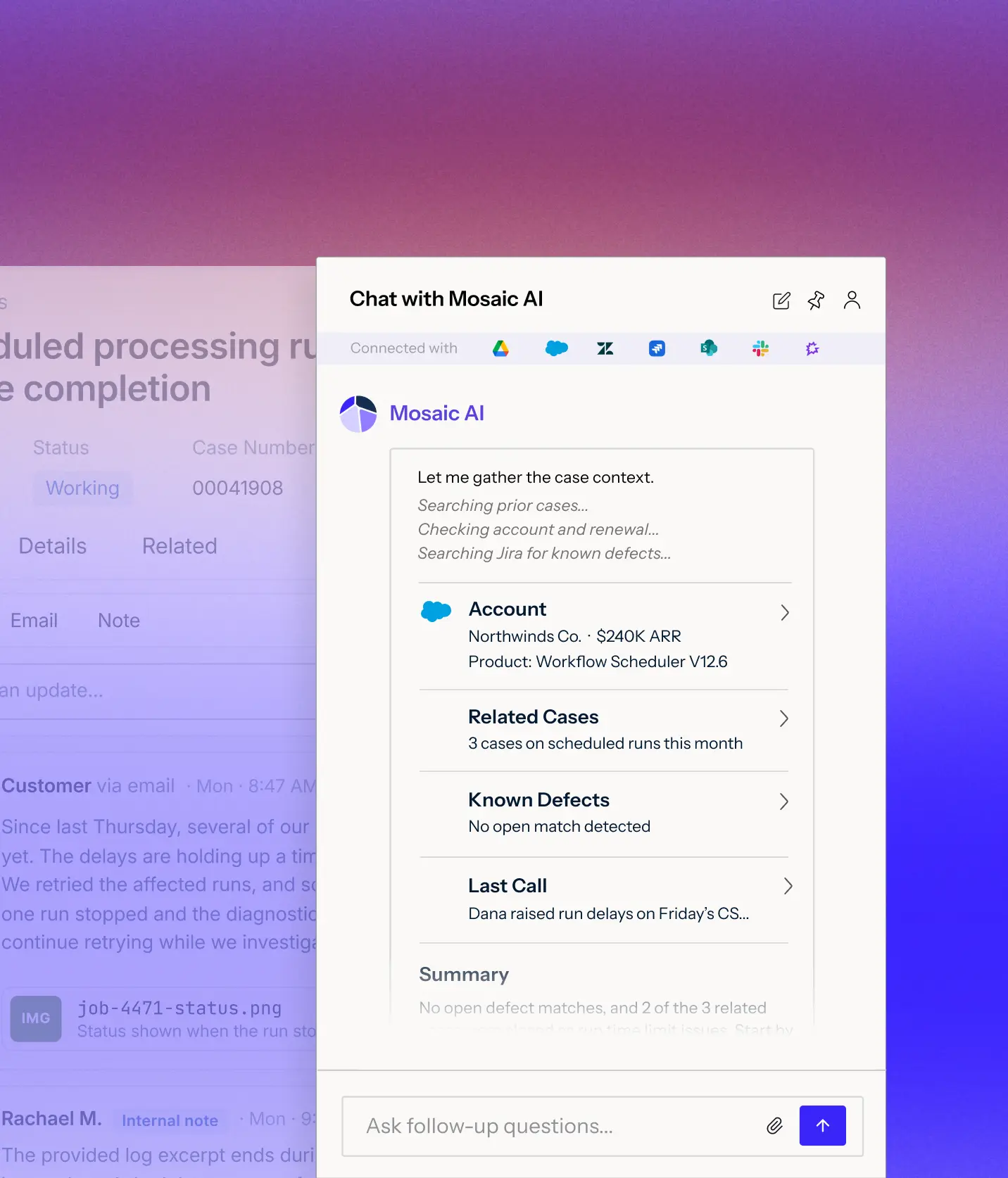
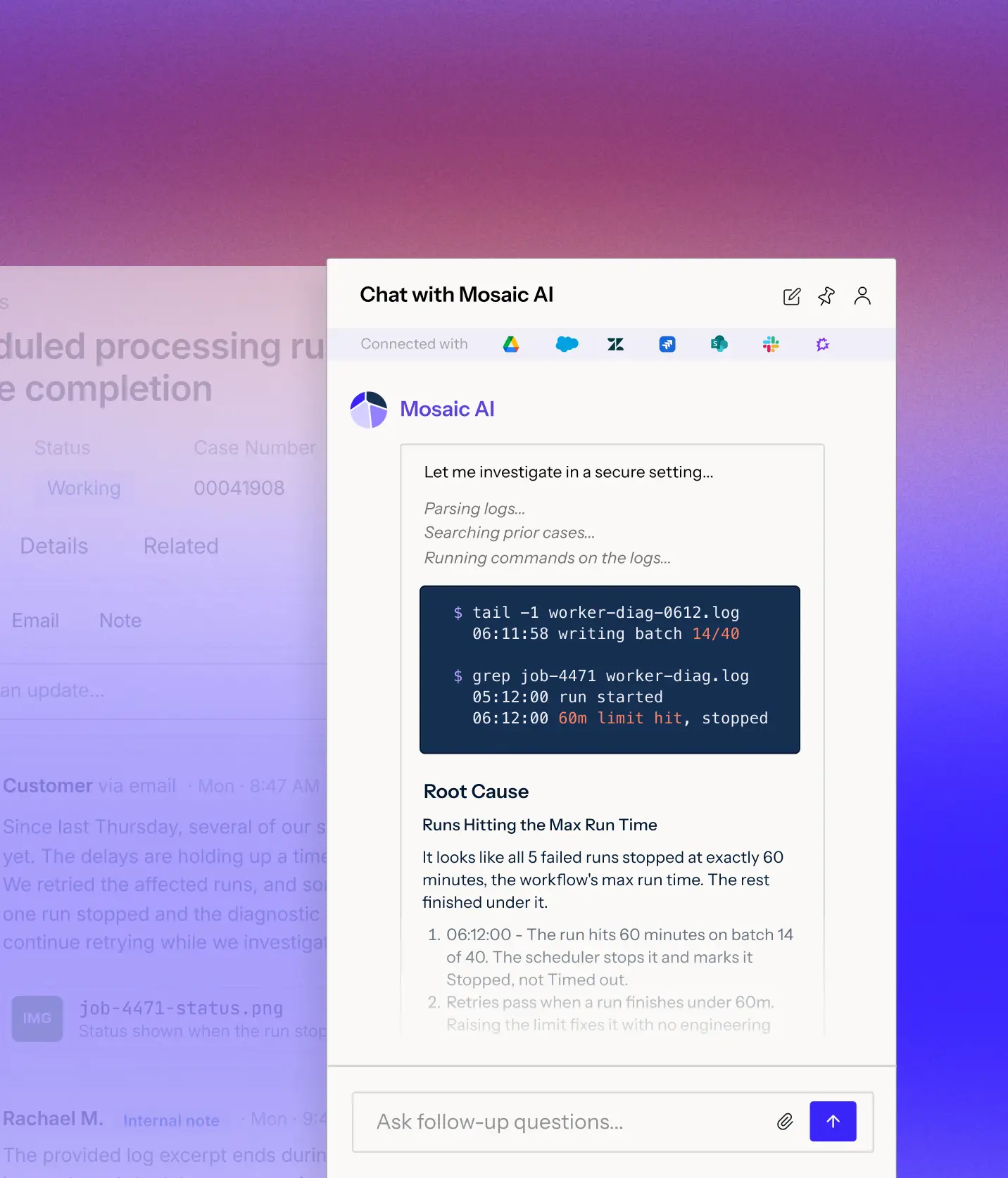
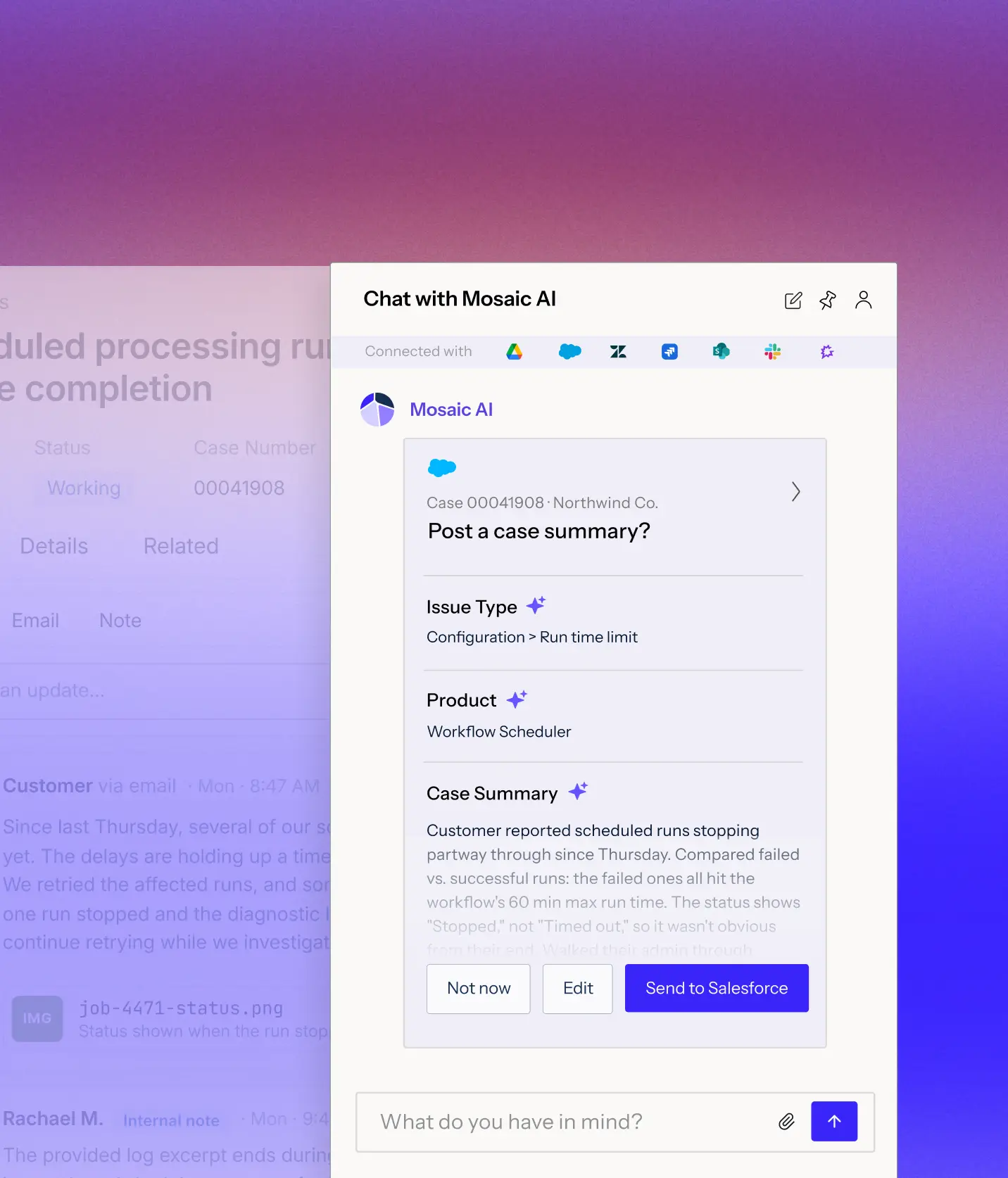
User interface showing case context with case owner Maya R., case number 00041723, Pro-plan, Admin, version v11.3, and Product 3 of 6. Customer is Northwinds Co. with contact Dana Whitfield (danawhtfld@northwinds.io). There are 3 related cases and an option to view recent activity.Chat interface with Mosaic AI showing diagnostic investigation of technical issue, including parsing logs, searching prior cases, and running Python commands related to SAML response claims and group mapping, followed by explanation of root causes involving OAuth refresh token race condition with Salesforce workers and token expiration.Chat window showing conversation with Mosaic AI Assistant where a customer asks about Intercom integration; Mosaic AI responds that it supports Intercom integration for searching conversations, users, and tags and instructs that integration must be set up by an Intercom admin with steps to connect and authorize access, with options to send the update to Salesforce, edit, or delay.

Knows your customer and your product

Customer, product, version, entitlements, renewal date, and every past case, gathered before the rep asks, so nobody starts from a blank screen.

Does the technical work

Assist uses code to analyze logs, trace errors to their source, and prepare evidence-backed findings and recommended resolutions for your team to review.

Automates what it can and escalates when it matters

Mosaic AI updates records, sends replies, and triggers next steps in your systems, bringing in a rep when an action needs approval.

Connects to your data wherever it lives

Connects to 100+ integrations. Start indexing your full support stack within weeks. No data migration. No engineering required.

+100

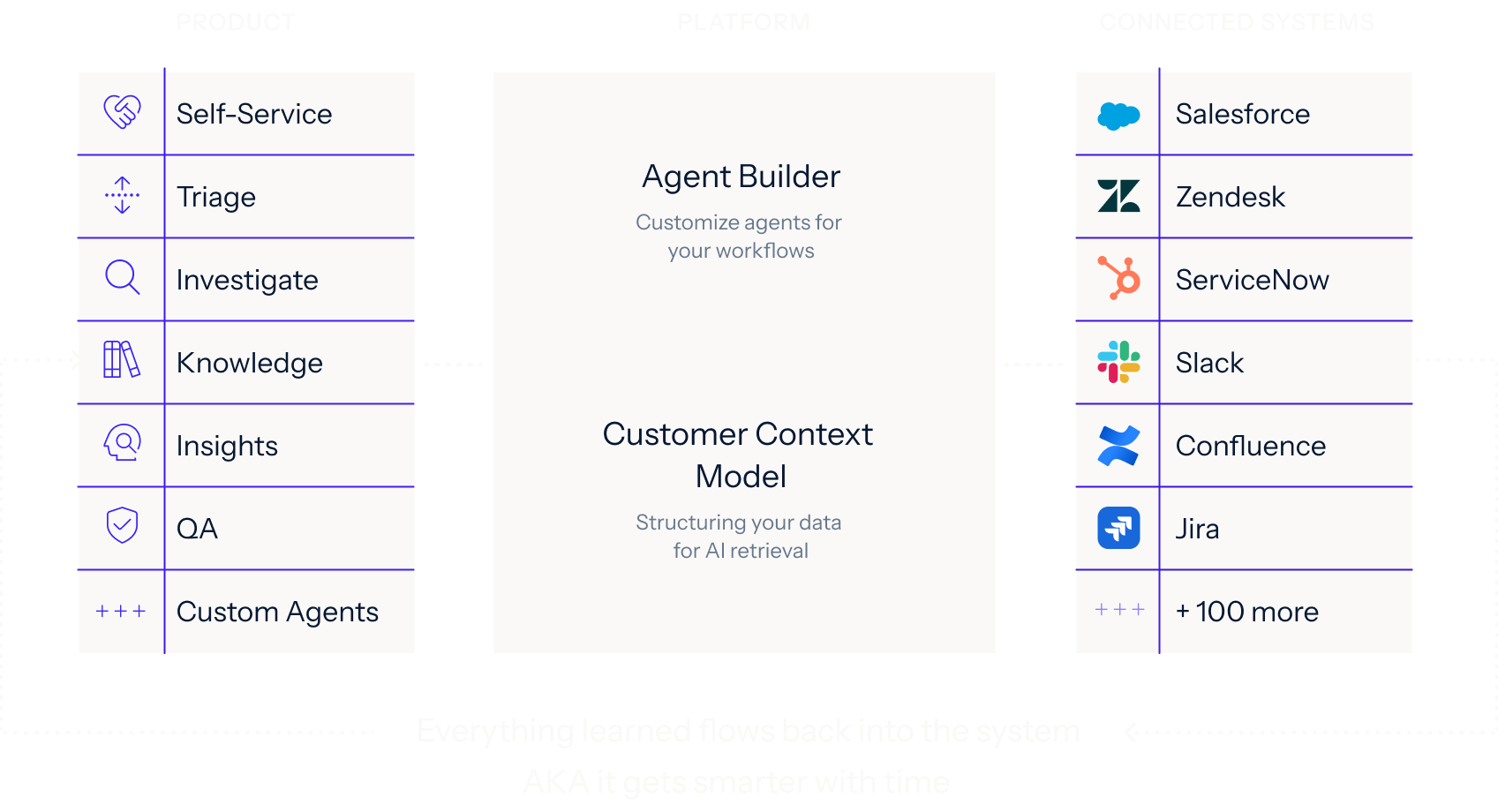
One platform for every support use case

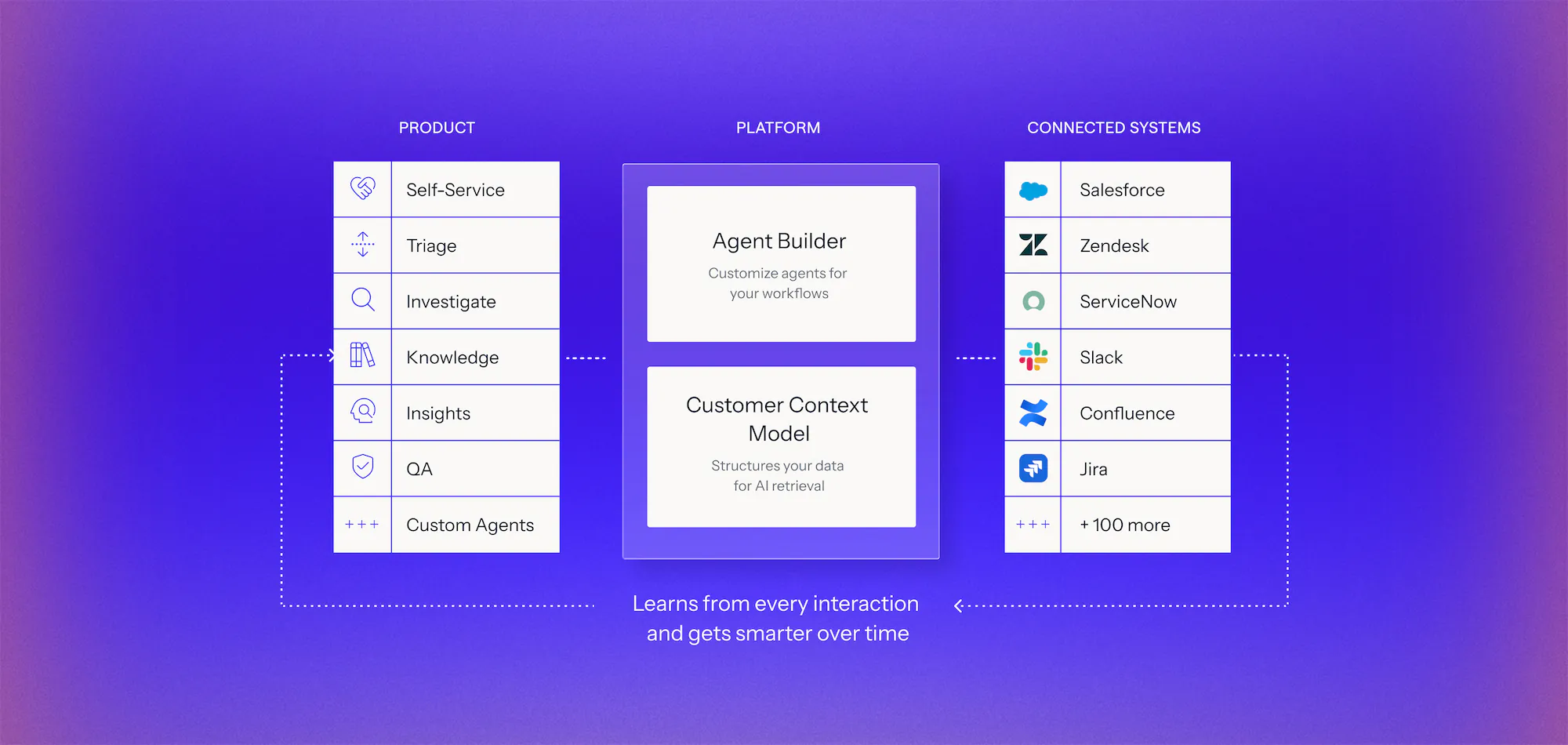
Connect your systems once, then build agents for any workflow on one shared framework. Every agent uses the same data, integrations, and controls, so you can expand without adding another point solution.

Learn more
Diagram of an AI platform architecture with three columns: Product features including Self-Service, Triage, Investigate, Knowledge, Insights, QA, and Custom Agents; Platform components with Agent Builder to customize agents and Customer Context Model for structuring data; Connected Systems listing integrations like Salesforce, Zendesk, ServiceNow, Slack, Confluence, Jira, and over 100 more, with dotted arrows showing the platform learns from every interaction and improves over time.Diagram showing three columns labeled Product, Platform, and Connected Systems. Product column lists Self-Service, Triage, Investigate, Knowledge, Insights, QA, and Custom Agents with icons. Platform column features Agent Builder for customizing agents and Customer Context Model for structuring data for AI retrieval. Connected Systems column lists integrations like Salesforce, Zendesk, ServiceNow, Slack, Confluence, Jira, and mentions 100 more. Arrows indicate data flow between columns and note that everything learned flows back, making the system smarter over time.

See it work on your cases before you commit

Book a demo
  1. 1. Discover

    We analyze your real case data, at no cost, to find where time, effort, and spend accumulate, what can be automated, and how much it would lower your cost to serve.

  2. 2. Prove

    You get a live environment built for your top use cases, running on your own systems, using your own case history. You see the result before you sign anything.

  3. 3. Go live in weeks

    Deployed on top of Salesforce, Zendesk, and the rest of your stack. No migration, no developer resources, deployment expertise included.

Frequently asked questions

What can Mosaic AI Assist actually do on a support case?

Mosaic AI reads the case through Assist using full customer and product context, then does real technical work, like reviewing logs and traces, analyzing files and images, running diagnostics, and calling APIs. It drafts a grounded reply with citations, resolves what it can, and escalates to the right expert with full case history when a case needs a human.

How is Assist different from Zendesk AI, Salesforce Agentforce, or Microsoft Copilot?

Those tools layer AI onto software built for something else, and they answer from generic content. Mosaic AI is built for technical support in highly configurable, multi-product enterprises. Assist runs on your Customer Context Model, products, configurations, accounts, and case history, and does real technical work like log review and diagnostics. That is why it holds up on complex cases where generic assistants break.

How does Assist keep its answers accurate?

Accuracy comes from the Customer Context Model. Every Assist response is grounded in your trusted sources and linked to its source, so a rep can verify before it reaches a customer. Governance controls decide what stays internal and what is customer-safe, and every Assist response inherits permissions from the Customer Context Model, so AI only acts on information that user is already authorized to access.

What results do support teams see with Assist?

Rapid7 handles tickets 30% faster with 35% more rep capacity and 95% CSAT across frontline teams. Point of Rental absorbed major growth with the same team. Most teams see value within their first quarter. Read Rapid7's story.

How long does it take to get Assist live?

Mosaic AI connects to your existing stack. Assist begins working immediately without migrations or engineering work. Rapid7 was live in under a month. Most teams start with a short proof-of-value pilot and have a business case built on their own case data before committing.

See Mosaic work on your hardest cases.

We’ll analyze a sample of your real cases, identify where Mosaic AI can accelerate resolution, and show how it would work in your current support stack.