Self-service the hard cases

Self-Service that troubleshoots beyond simple FAQs

Mosaic AI works through the follow-up questions and troubleshooting your team would normally handle, helping customers resolve issues themselves or reach a rep with the investigation already attached.

See how it works
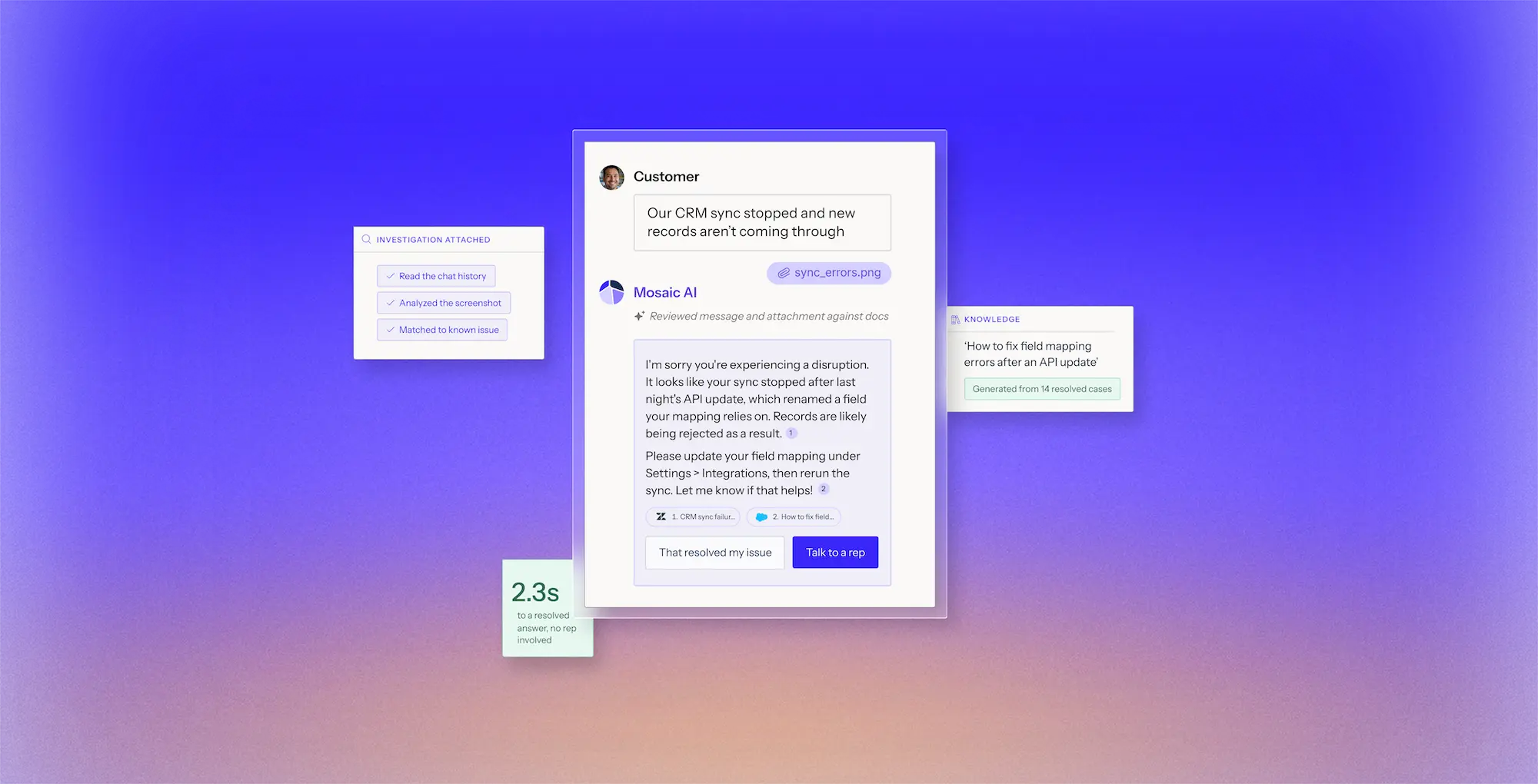
Chat interface showing a customer reporting CRM sync issues with a file attachment named sync_errors.png, and Mosaic AI responding with a solution suggesting updating field mapping after an API update, with options to mark the issue resolved or talk to a representative. Surrounding panels highlight investigation steps like reading chat history, analyzing screenshots, matching known issues, a knowledge snippet on fixing field mapping errors, and a 2.3-second resolution time with no representative needed.

Deflection is not resolution

Most Self-Service answers the easy questions and leaves the hard ones for your team. The expensive cases are exactly the ones a search box cannot answer: they have to be investigated and worked through.

Help customers get answers sooner

Gather the missing details and guide troubleshooting in the moment, without the back-and-forth that leaves customers waiting.

Handle more volume without adding headcount

Resolve more complex issues before they reach the queue, giving your team more capacity as demand grows.

Reduce time to resolution

When expert help is needed, your team gets the conversation, supporting files, and investigation so they can pick up where self-service left off.

From question to resolution in self-service

Book a demo
1

Clarify the issue

Identify the customer and product, ask follow-up questions, and collect the details needed to understand what is happening.

2

Investigate the cause

Search relevant knowledge and connected systems to identify the most likely path forward.

3

Guide the troubleshooting

Walk the customer through each step, adapting the next question or action based on what happens.

4

Resolve or escalate with context

Help the customer resolve the issue or bring in your team with the full investigation attached.
Trusted by technical support teams at

Real results from technical support teams

“We scaled our Mosaic AI deployment from production pilot to full adoption across multiple business units in under 10 weeks.”
President and GM, AssetWorks
39%
lower cost to serve across AssetWorks' support organization
Read the case study
“We see plenty of opportunities where it’s going to help us streamline our customer interactions and make us more efficient and effective.”
SVP Customer Success, Rapid7
35%
more capacity across Rapid7’s frontline teams as Mosaic expanded from support to CS and Sales Engineering.
Read the case study
“We have been able to scale and keep up with the demands without having to add a significant amount of headcount. With basically the same size team we had last year, we’ve made improvements.”
Senior Vice President, Point of Rental
96%
of 3,000+ self-service sessions ended without a case
Read the case study
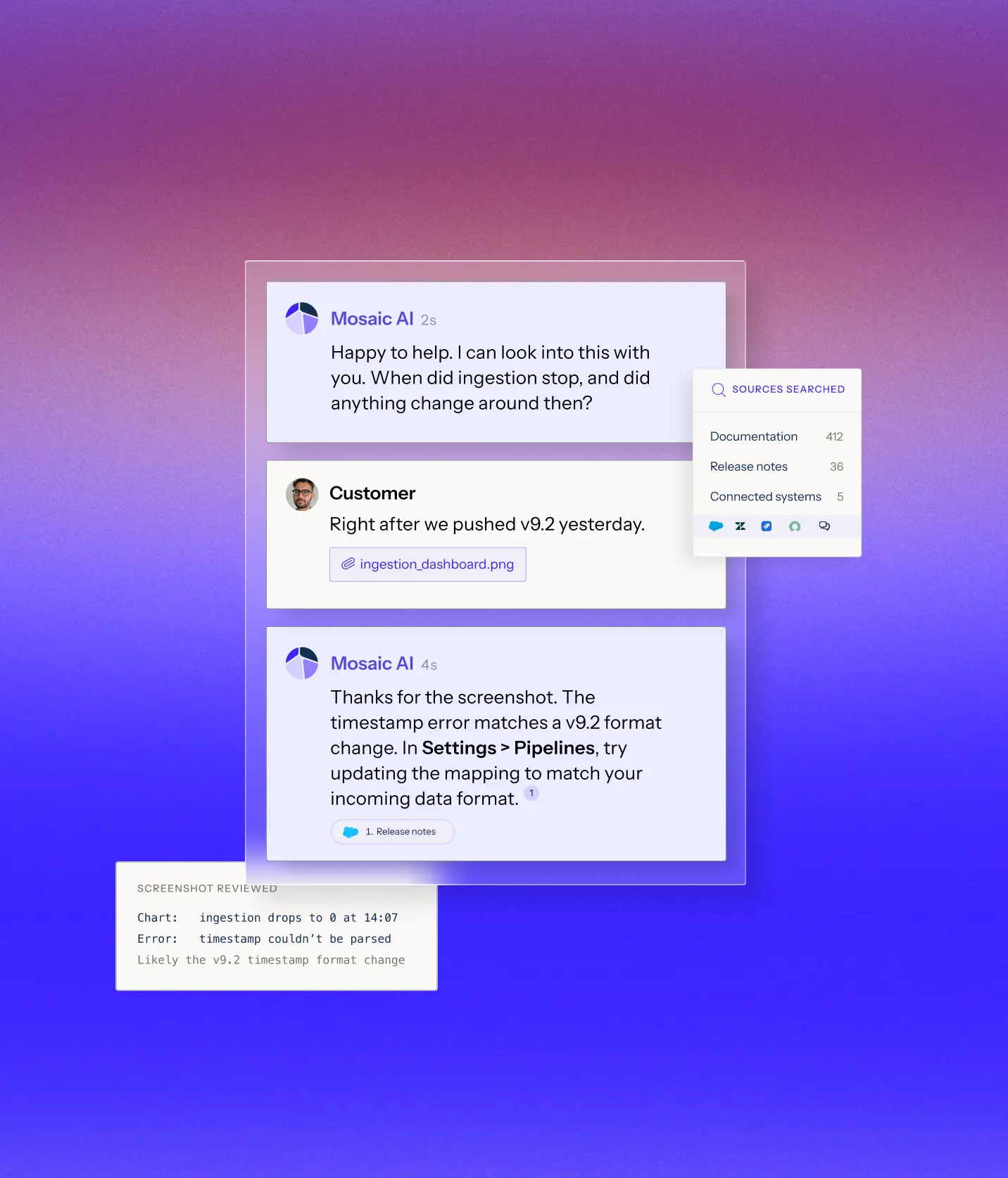
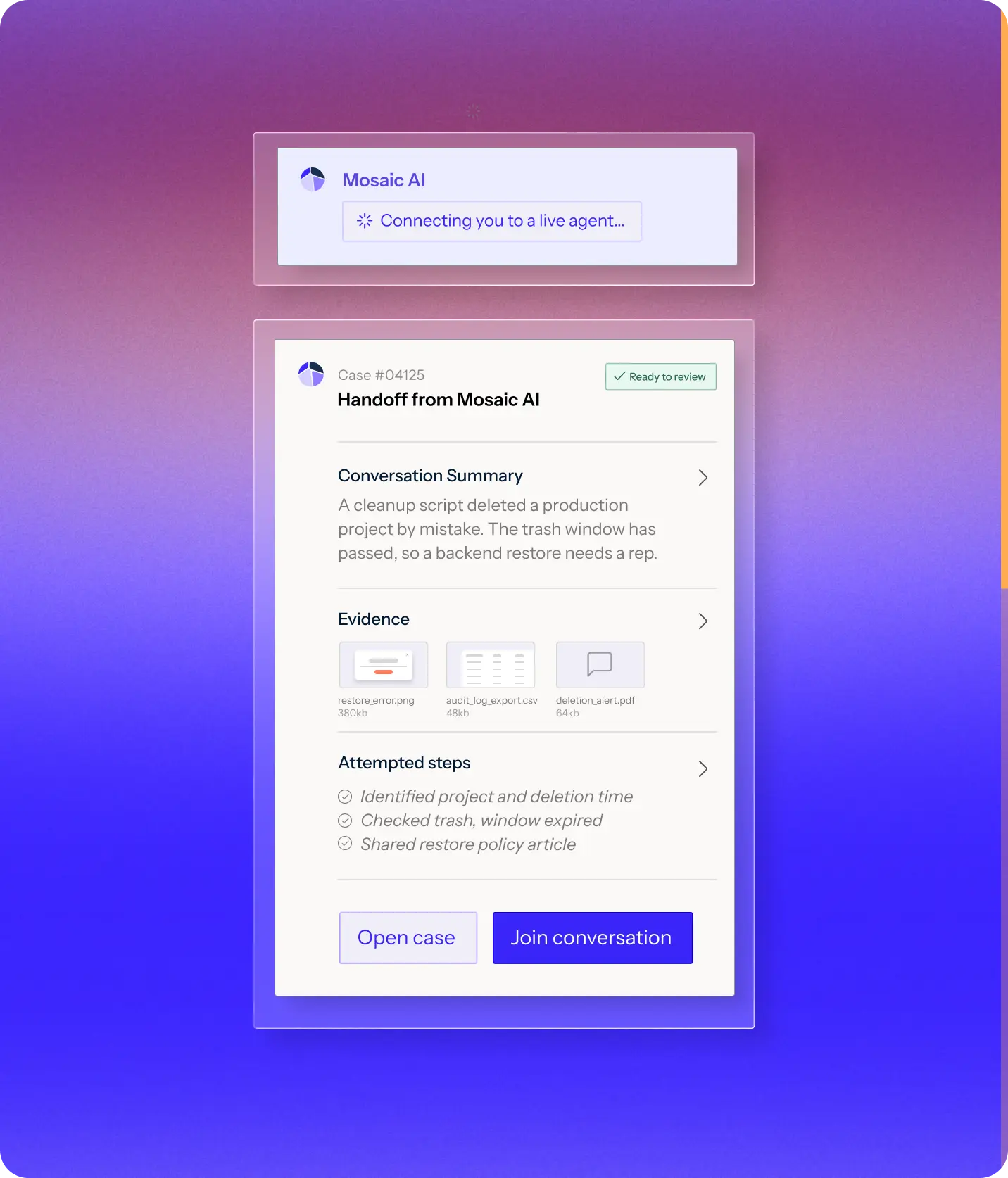
Chat conversation on a purple gradient background between Mosaic AI and a customer discussing an issue after updating to version 9.2. Mosaic AI asks if the problem started after a recent update. The customer confirms it happened right after pushing v9.2 and attaches a file named ingestion_dashboard.png. Mosaic AI responds that the release notes indicate v9.2 may affect timestamp formats and suggests updating the pipeline settings to match the incoming data format. An inset box titled 'Screenshot reviewed' notes a chart with ingestion drops to zero at 14:07 and an error stating 'timestamp couldn’t be parsed,' likely due to the v9.2 timestamp format change. Another inset box labeled 'Sources searched' lists Documentation (412), Release notes (36), and Connected systems (5).User interface titled 'Handoff from Mosaic AI' showing case #04125 with status 'Ready to review.' It includes a conversation summary about a cleanup script accidentally deleting a production project, requiring a backend restore. Evidence files include restore_error.png, audit_log_export.csv, and deletion_alert.pdf. Attempted steps list identified project and deletion time, checked trash window expired, and shared restore policy article. Buttons at the bottom read 'Open case' and 'Join conversation.' Above this, a message states 'Connecting you to a live agent...' with the Mosaic AI logo.

Start with the customer’s context

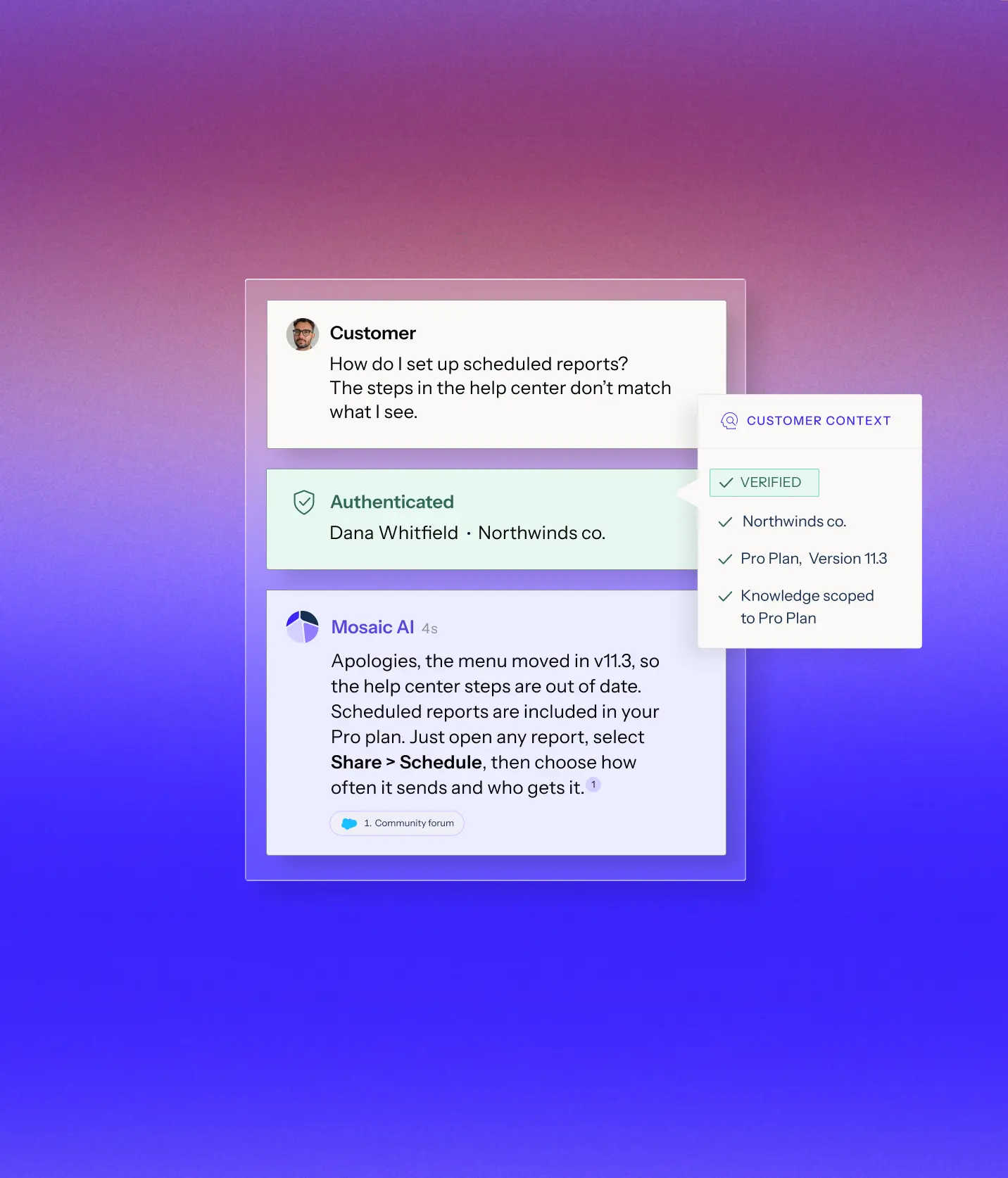
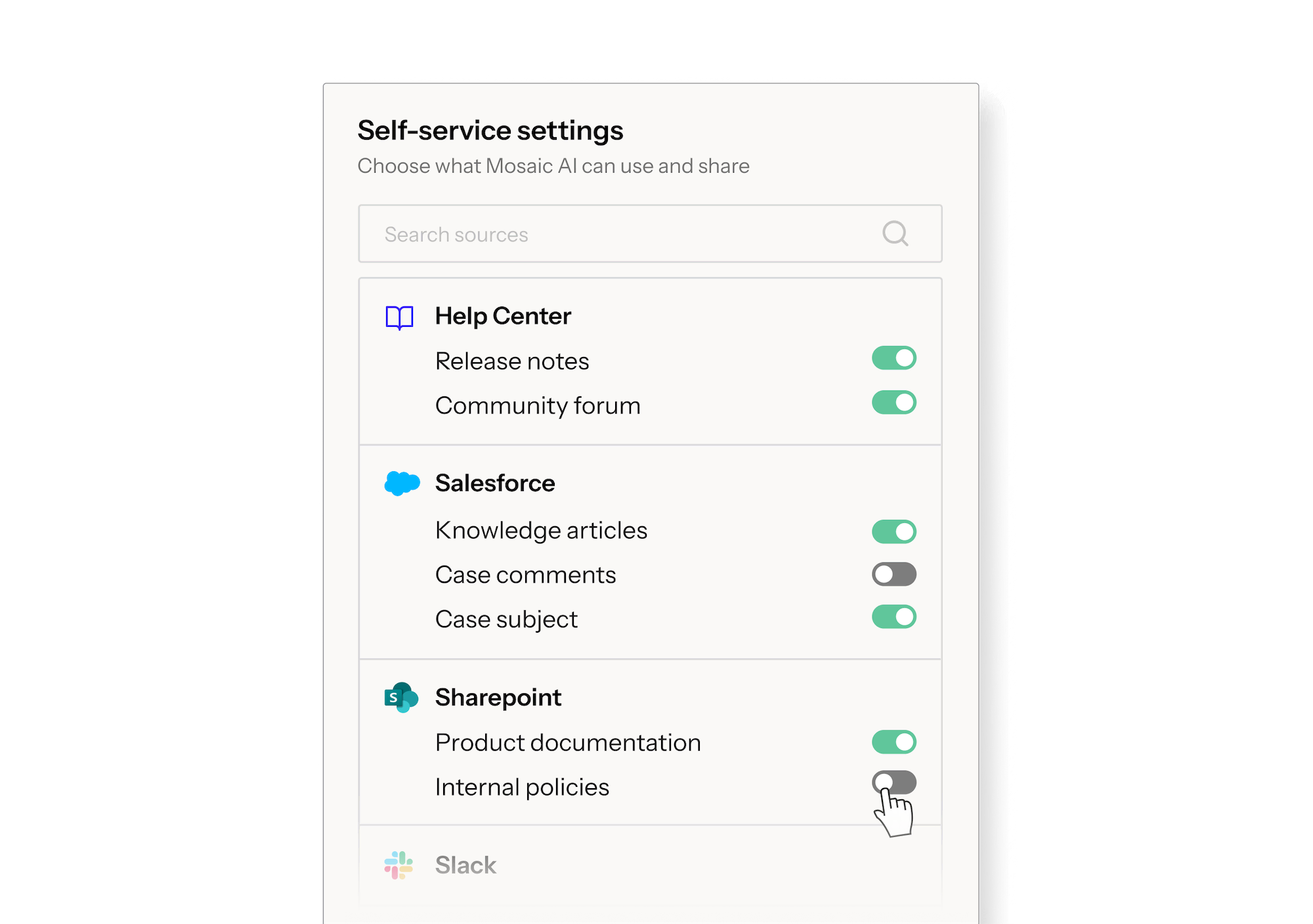
Authenticate the user and scope Mosaic AI to the approved knowledge relevant to their product, version, and access, so guidance reflects the environment they are actually working in.

Meet your customers where they are

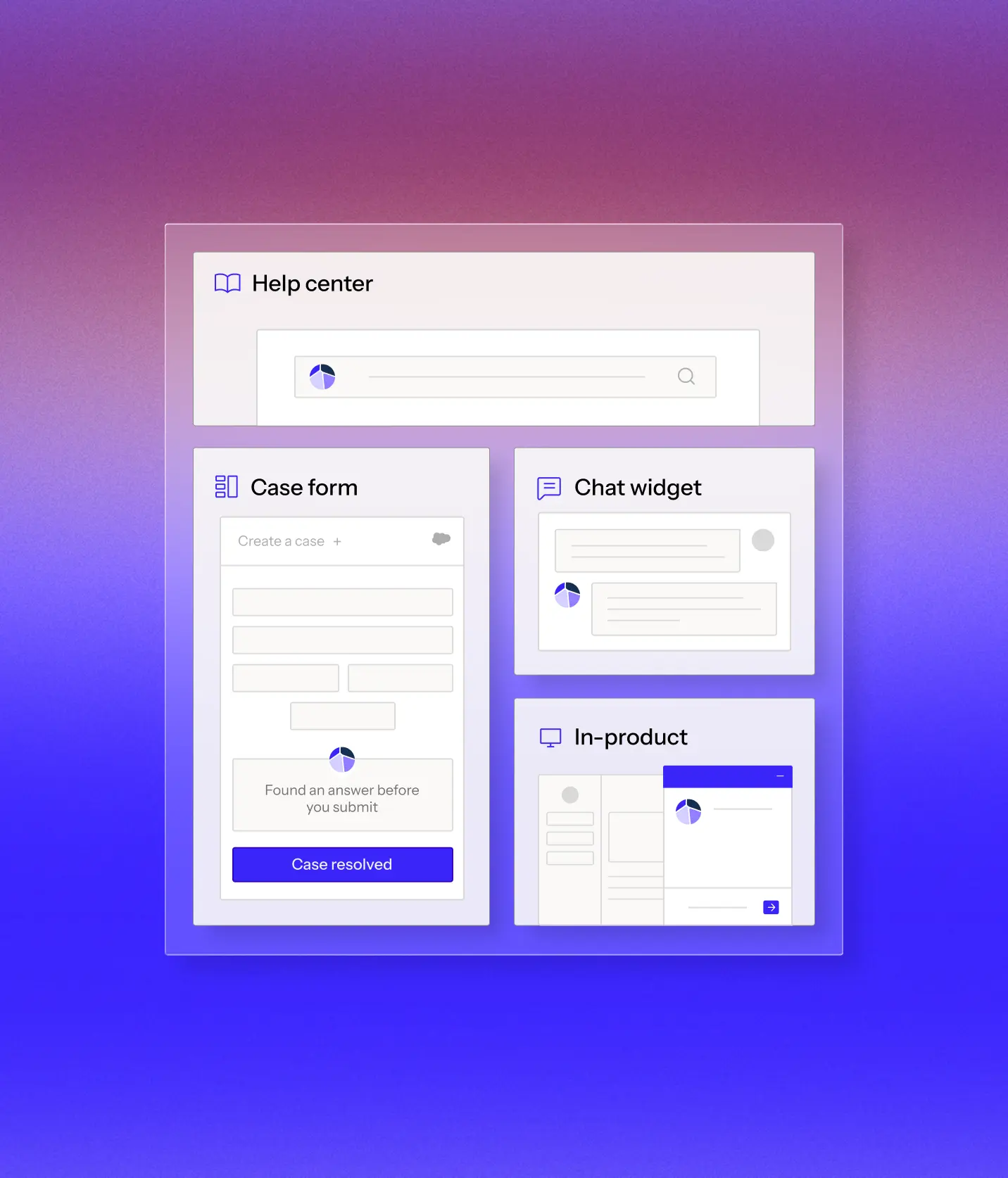
Be there whenever customers need help, across chat, in-product support, and even case forms, so they can get help in the moment.

Investigate beyond the knowledge base

Ask follow-up questions, collect and review screenshots, and search across documentation and connected systems to narrow down what is happening.

A handoff that moves the case forward

When expert help is needed, your team gets the conversation, evidence, and steps already tried, so customers never have to repeat themselves and reps can reach a resolution faster.

You decide how far self-service goes

Most self-service handles the easy questions and leaves the expensive, investigative work for your team. Mosaic brings that work into self-service, helping customers resolve issues sooner while lowering your cost to serve.

Book a demo

Connects to your data wherever it lives

Connects to 100+ integrations. Start indexing your full support stack within weeks. No data migration. No engineering required.

+100

One platform for every support use case

Connect your systems once, then build agents for any workflow on one shared framework. Every agent uses the same data, integrations, and controls, so you can expand without adding another point solution.

Learn more
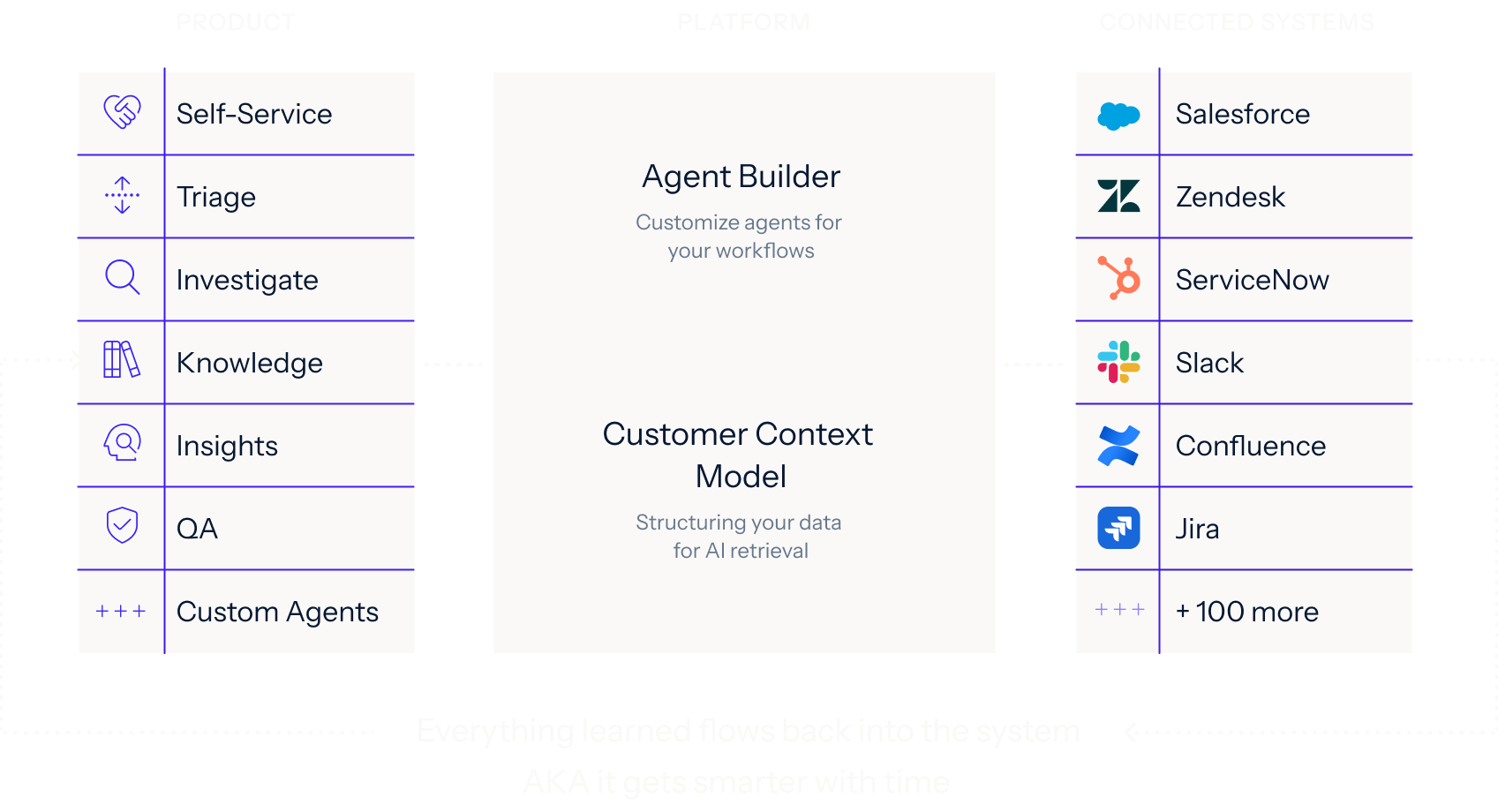
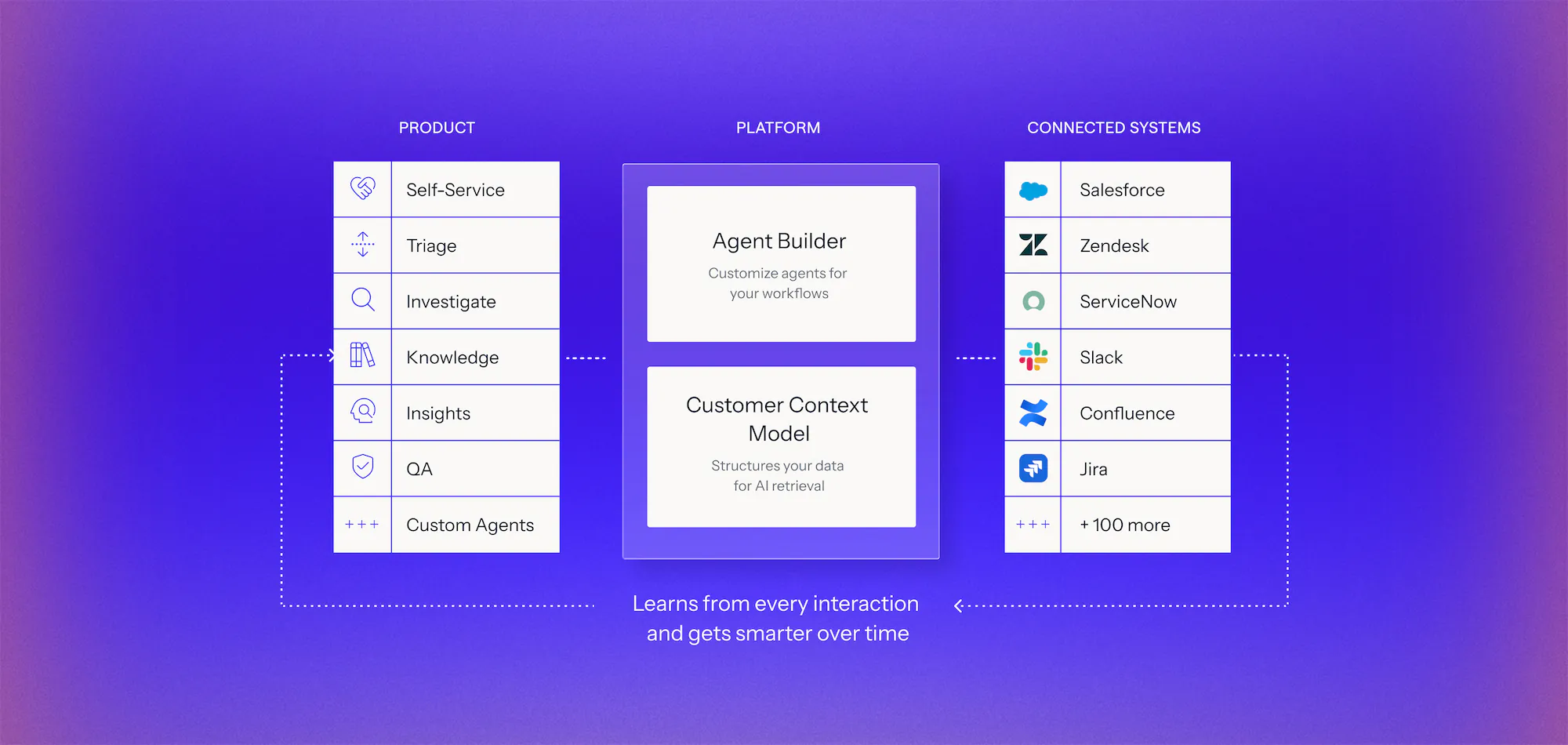
Diagram of an AI platform architecture with three columns: Product features including Self-Service, Triage, Investigate, Knowledge, Insights, QA, and Custom Agents; Platform components with Agent Builder to customize agents and Customer Context Model for structuring data; Connected Systems listing integrations like Salesforce, Zendesk, ServiceNow, Slack, Confluence, Jira, and over 100 more, with dotted arrows showing the platform learns from every interaction and improves over time.Diagram showing three columns labeled Product, Platform, and Connected Systems. Product column lists Self-Service, Triage, Investigate, Knowledge, Insights, QA, and Custom Agents with icons. Platform column features Agent Builder for customizing agents and Customer Context Model for structuring data for AI retrieval. Connected Systems column lists integrations like Salesforce, Zendesk, ServiceNow, Slack, Confluence, Jira, and mentions 100 more. Arrows indicate data flow between columns and note that everything learned flows back, making the system smarter over time.

See it work on your cases before you commit

Book a demo
  1. 1. Discover

    We analyze your real case data, at no cost, to find where time, effort, and spend accumulate, what can be automated, and how much it would lower your cost to serve.

  2. 2. Prove

    You get a live environment built for your top use cases, running on your own systems, using your own case history. You see the result before you sign anything.

  3. 3. Go live in weeks

    Deployed on top of Salesforce, Zendesk, and the rest of your stack. No migration, no developer resources, deployment expertise included.

Frequently asked questions

How much can Self-Service actually deflect?

We measure it on your own data. We connect to your systems, run a proof of value with your team against defined success criteria, and hand you a business case built from your own cases.

Why do most self-service tools fail on technical issues?

Because they answer from documentation without knowing who's asking. The right answer depends on the product, version, and configuration the customer runs. Mosaic works from that context, so the answer fits the customer in front of it.

Where can customers reach Self-Service?

At case submission, in your customer portal, inside your product, and over email. Answerable cases get resolved at the point they would have been created. Mosaic AI connects to Salesforce, Zendesk, Confluence, and 100+ enterprise systems with no data migration.

How does deflection improve over time?

Knowledge clusters recurring gaps and drafts new articles, and Self-Service immediately begins using them. So next quarter, questions that generated tickets this quarter deflect on their own. Most self-service tools plateau at the edge of your existing documentation. This one does not.

What happens when Self-Service cannot answer?

When Mosaic AI determines a human is needed, Self-Service hands off the complete conversation, the customer's product and configuration, and everything Self-Service has already tried, so nobody starts from scratch, and the customer never repeats themselves. Point of Rental reached a 90%+ CSAT for the first time in company history by running this way.

How does Mosaic AI keep self-service answers accurate and brand-safe?

Every answer is grounded in your trusted source of truth and cited back to it. The Customer Context Model governs what Self-Service is allowed to access. It's allowed to say what stays internal, and it only ever uses content the customer is authorized to see. When it is not confident, it hands off rather than guessing.

What makes Mosaic AI's Self-Service different from Zendesk AI, Salesforce Agentforce, or Copilot?

Those tools deflect from a help center. Mosaic AI is built for technical support in highly configurable, multi-product enterprises, so Self-Service answers from the product and configuration each customer actually runs. And because Knowledge closes the gaps it finds, the deflection rate climbs instead of flattening. That is a platform behavior an add-on cannot reproduce.

Bring us the cases you don't think self-service can handle

We’ll analyze a sample of your real cases at no cost and show which ones Mosaic AI can resolve in self-service, the evidence behind each answer, and when a case should reach your team.