Triage, route & escalate
Move every case toward resolution faster, with full context.
Automatically triage complex cases, gather what’s missing, resolve what you can, and pass the rest on with the investigation already attached.
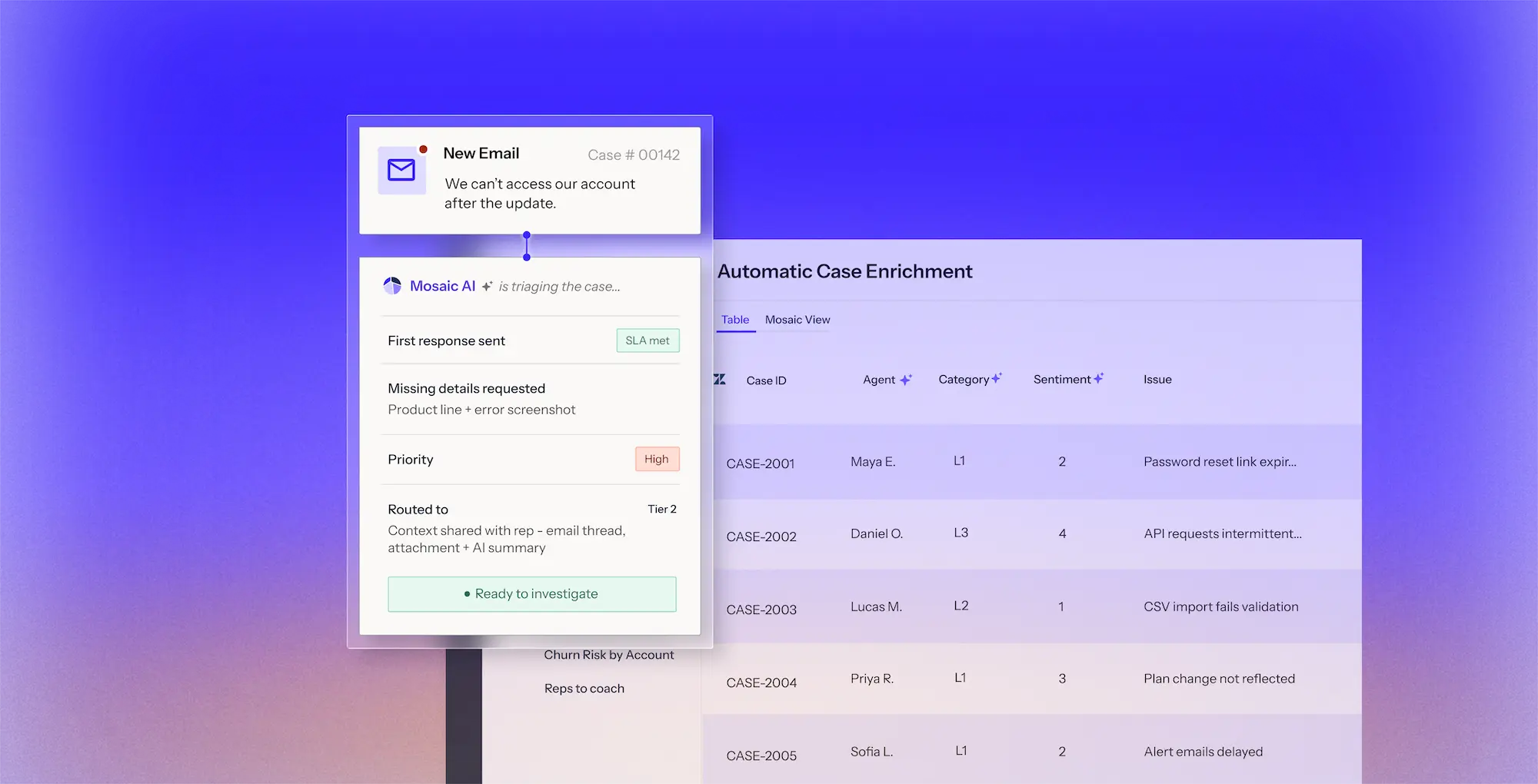
Automatically triage complex cases, gather what’s missing, resolve what you can, and pass the rest on with the investigation already attached.
From missing information at intake to rerouting and repeated investigation during escalation, Mosaic AI reduces the manual work that slows complex cases down.
Cases arrive classified, enriched, and with the information needed to act, so reps can start resolving instead of sorting through the basics.
Use your rules, customer data, case history, and confidence thresholds to move the right cases forward without manual triage.
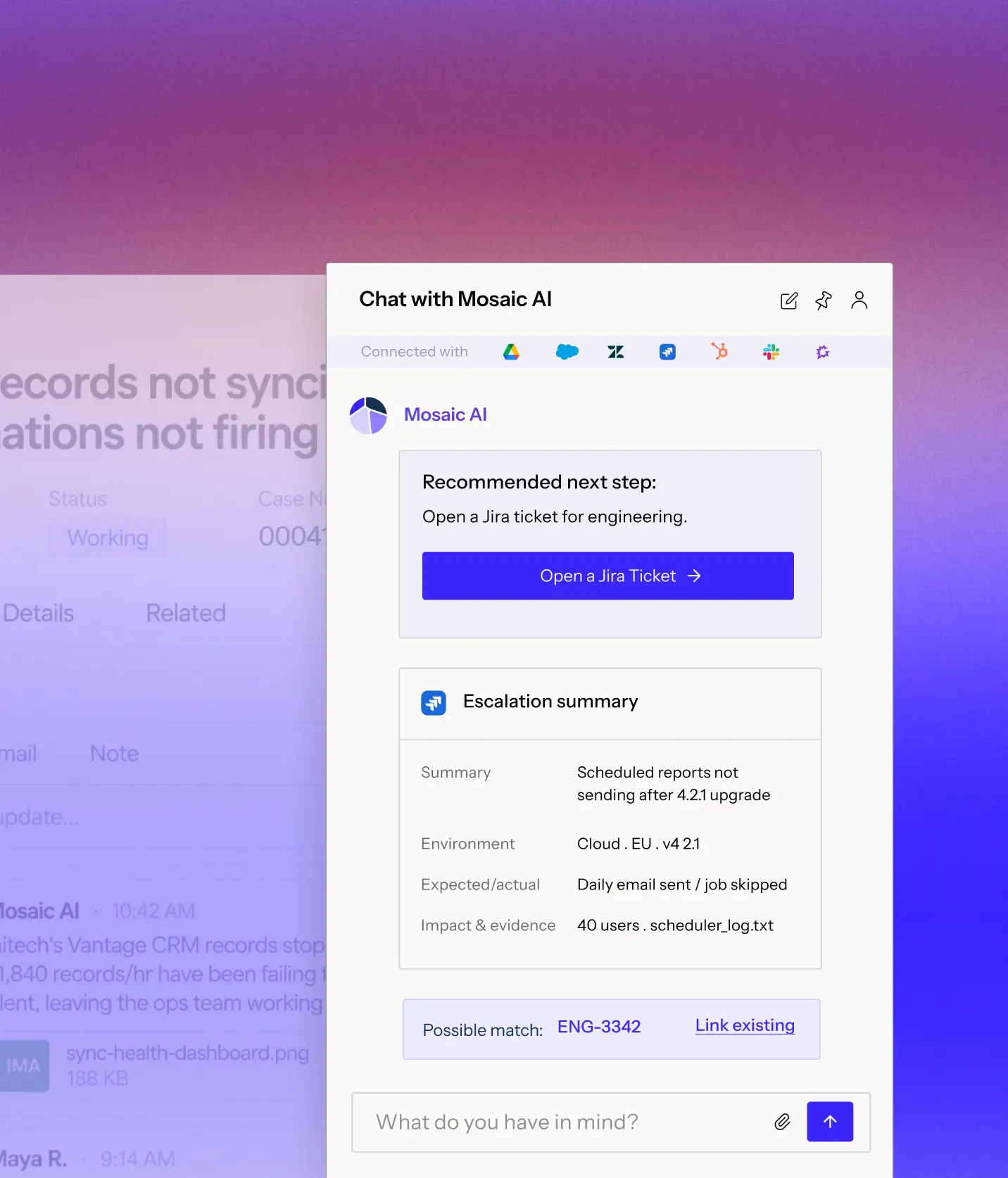
Every handoff carries the summary, evidence, and work already done, so the next team can pick up the case without retracing steps.
Bring together the case, customer, product, entitlement, history, and relevant support data before deciding what happens next.
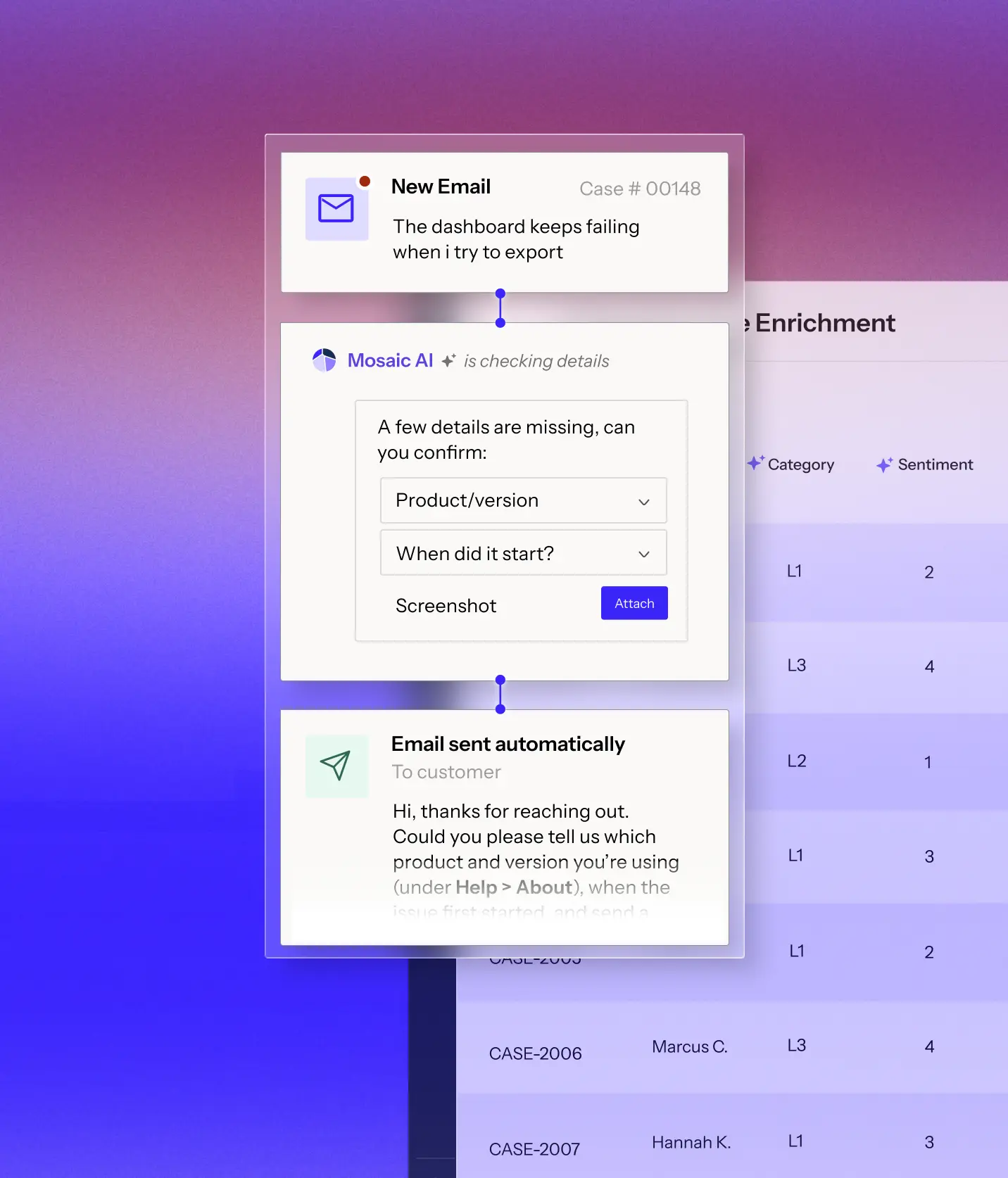
Populate what Mosaic AI already knows and ask for the missing details needed to keep the case moving.
Use your support rules and case context to prioritize, resolve, route, or flag the case for review.
Pass along the summary, evidence, and investigation so the next team can continue without starting over.










“We scaled our Mosaic AI deployment from production pilot to full adoption across multiple business units in under 10 weeks.”


“We see plenty of opportunities where it’s going to help us streamline our customer interactions and make us more efficient and effective.”


“We have been able to scale and keep up with the demands without having to add a significant amount of headcount. With basically the same size team we had last year, we’ve made improvements.”


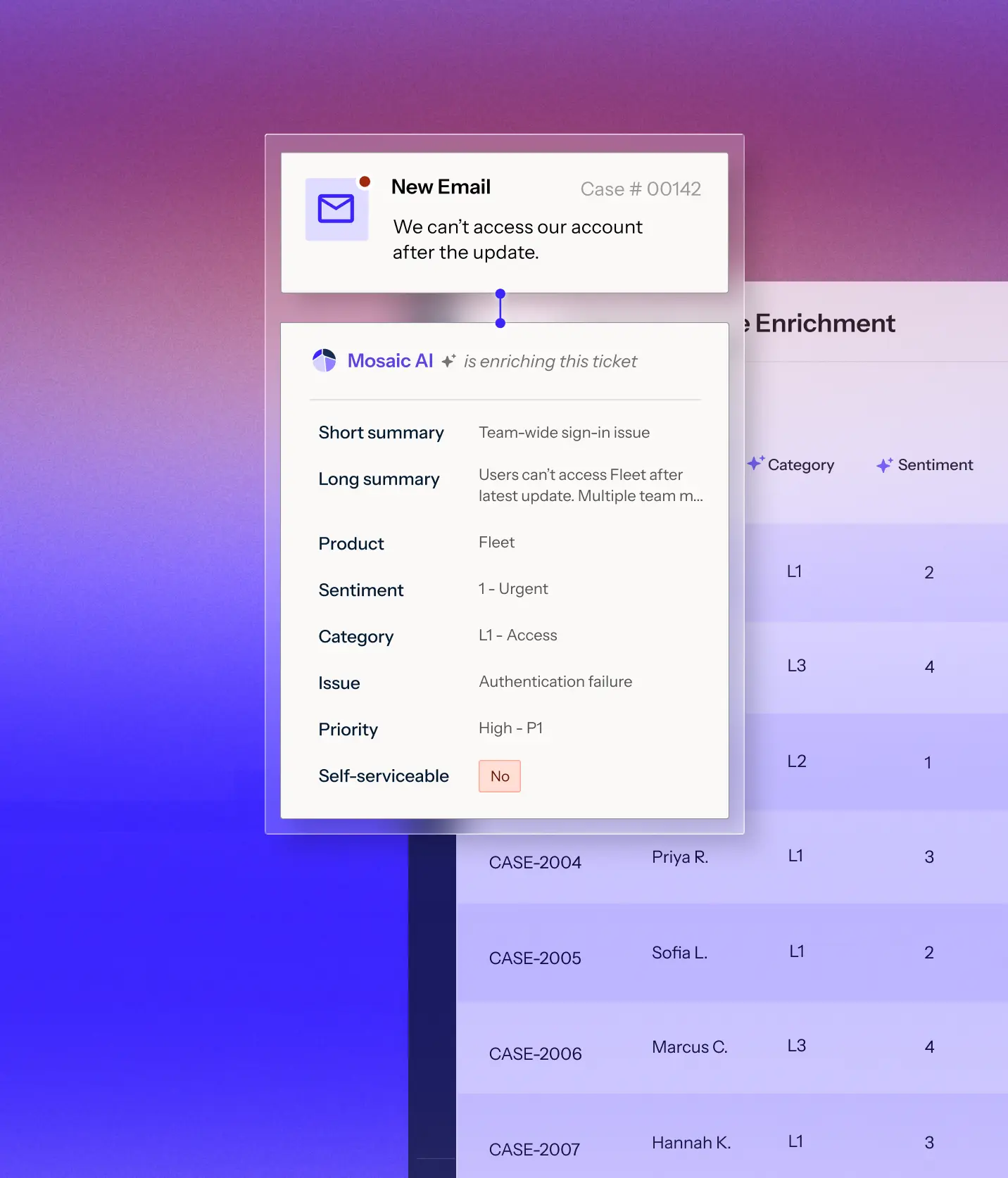
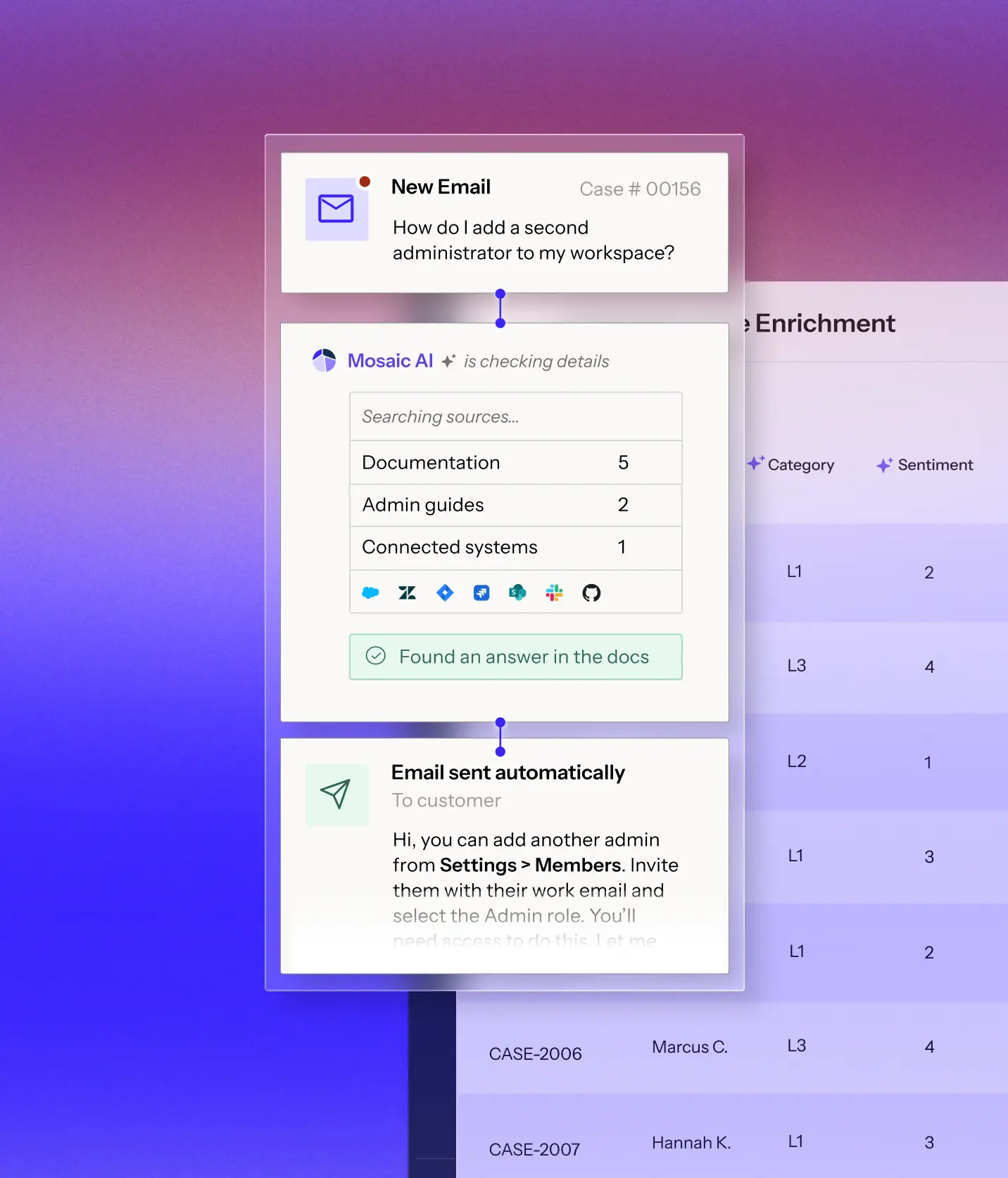
Consistent categories, severity, product, and version on every case, without manual tagging.
Spot when a case is missing the information needed to move forward and ask for it before a rep has to chase the customer.
When the answer is clear and your rules allow it, respond automatically and keep the case from entering the queue.
Tier 2 and engineering inherit the investigation instead of starting from the customer's first message.
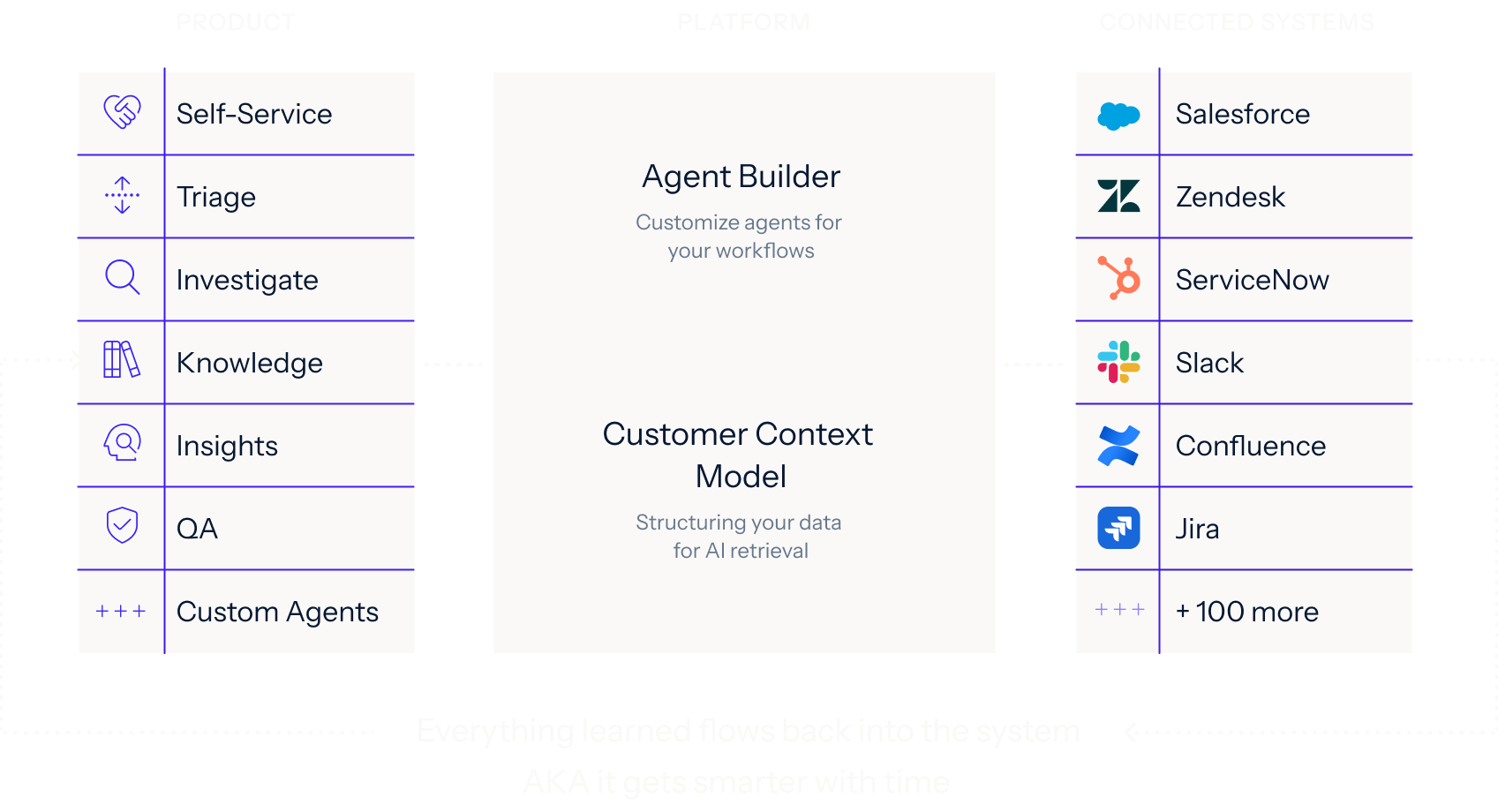
Connects to 100+ integrations. Start indexing your full support stack within weeks. No data migration. No engineering required.





Connect your systems once, then build agents for any workflow on one shared framework. Every agent uses the same data, integrations, and controls, so you can expand without adding another point solution.
Learn more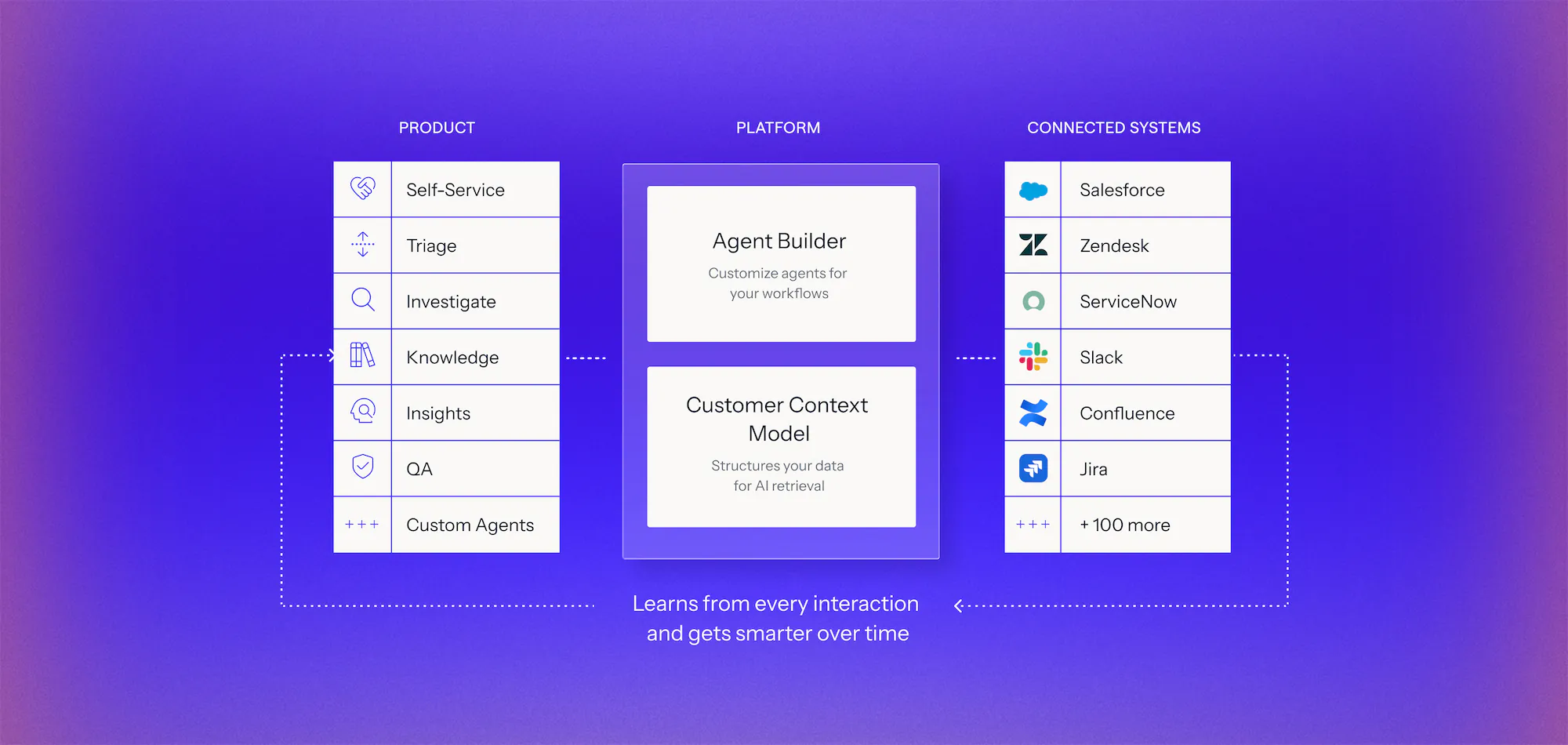
We analyze your real case data, at no cost, to find where time, effort, and spend accumulate, what can be automated, and how much it would lower your cost to serve.
You get a live environment built for your top use cases, running on your own systems, using your own case history. You see the result before you sign anything.
Deployed on top of Salesforce, Zendesk, and the rest of your stack. No migration, no developer resources, deployment expertise included.
AI triage reads every incoming case, adds the context your team needs, and decides what happens next. For each case, Mosaic AI either resolves it automatically, asks the customer for missing details to speed resolution, or routes it to the right team with the investigation already started.
Each case is enriched with a summary, category, product, priority, sentiment, and whether it can be self-served. Categories follow your own taxonomy. Fields are written back to Salesforce or Zendesk, so your existing views, reports and routing rules can use them.
Yes, when your rules allow it. If Mosaic AI is confident in an answer, it can reply directly. Below your confidence threshold, it leaves the suggested response as an internal note for a rep to review. Most teams start in draft-only mode and expand automation once they trust the results. You can also exclude specific queues or accounts.
It combines your support rules with the case context, including product, priority, customer and the issue itself, to route the case to the right queue or tier. Mosaic AI can also recommend the engineer best suited to the case based on past case history and expertise.
For true bugs, Mosaic AI checks Jira for an existing issue first, so you don't create duplicates. If nothing matches, it drafts a structured escalation with the summary, environment, expected and actual behavior, and evidence, then sends it to the right engineering team.
Yes. Mosaic AI runs inside Salesforce and Zendesk alongside your existing triggers and queues, and it writes its results back to standard and custom fields. We map your current routing logic during setup, so automation adds to it without overriding it. You decide which steps Mosaic AI handles, such as tagging, information requests, replies or routing, and you can expand from there as your team gains confidence in the results.
We’ll analyze a sample of your real cases, identify where Mosaic can cut the time lost between teams, and show how it would work in your current support stack.