Trusted by technical support teams at











Connect and structure the data behind complex technical cases so agents can pull the exact records and fields they need, then safely act across your systems at scale.
Give agents access to the systems, data, tools, and actions they need to investigate, troubleshoot, and complete work across your support stack.






%20(1).svg)
.svg)
.svg)
.svg)
.svg)
Extend agents with the tools your team already exposes through supported MCP Connectors. Bring those capabilities directly into agent workflows, with access governed by the workflow and the permissions of the user running it.









Bring internal tools, product data, and proprietary services into the same workflows as Mosaic AI’s prebuilt integrations.
Let agents retrieve data and take approved actions through REST or GraphQL endpoints.
Trigger agent workflows from events in your own systems.
Choose from leading models across providers based on the reasoning, speed, and context each workflow requires.


.svg)
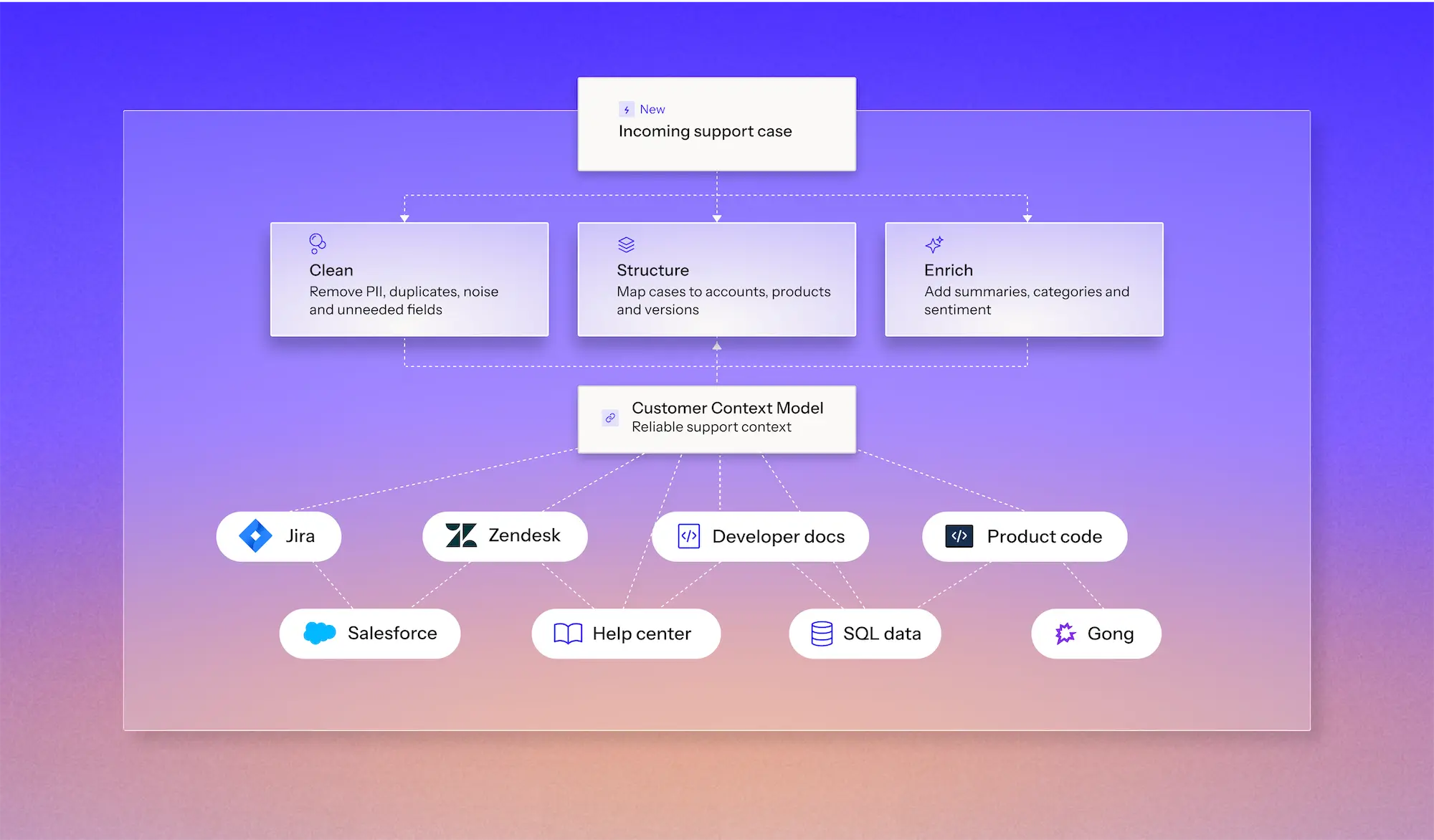
Connecting a system is only the first step. Technical support depends on getting the details right, from product versions to customer access and case history. Mosaic AI cleans, structures, and enriches that data, giving agents reliable context to resolve complex cases.
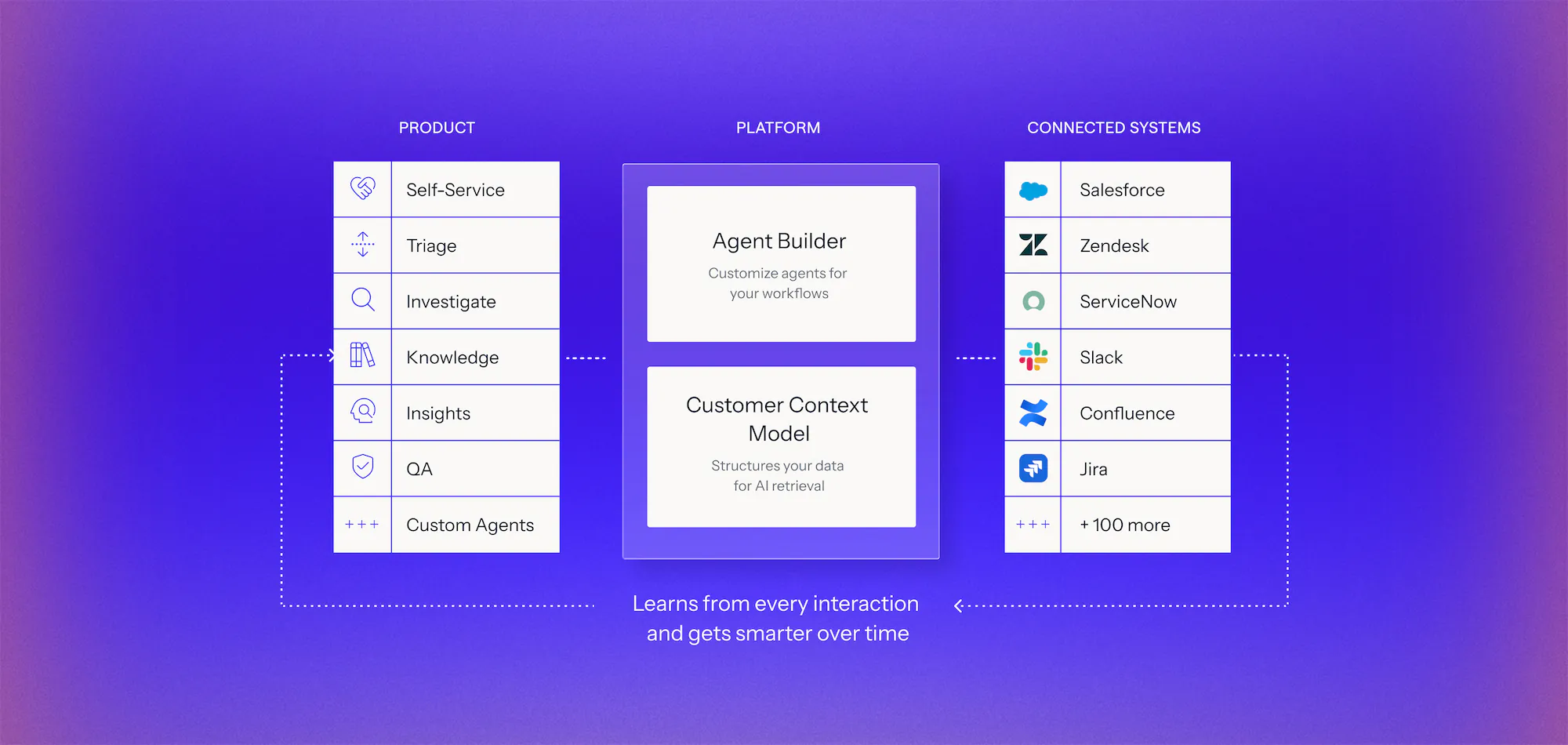
One shared infrastructure to build, manage, govern, and measure every agent as you scale across support.
Mosaic AI goes beyond finding answers. It investigates issues and takes controlled action across your systems to resolve technical cases.
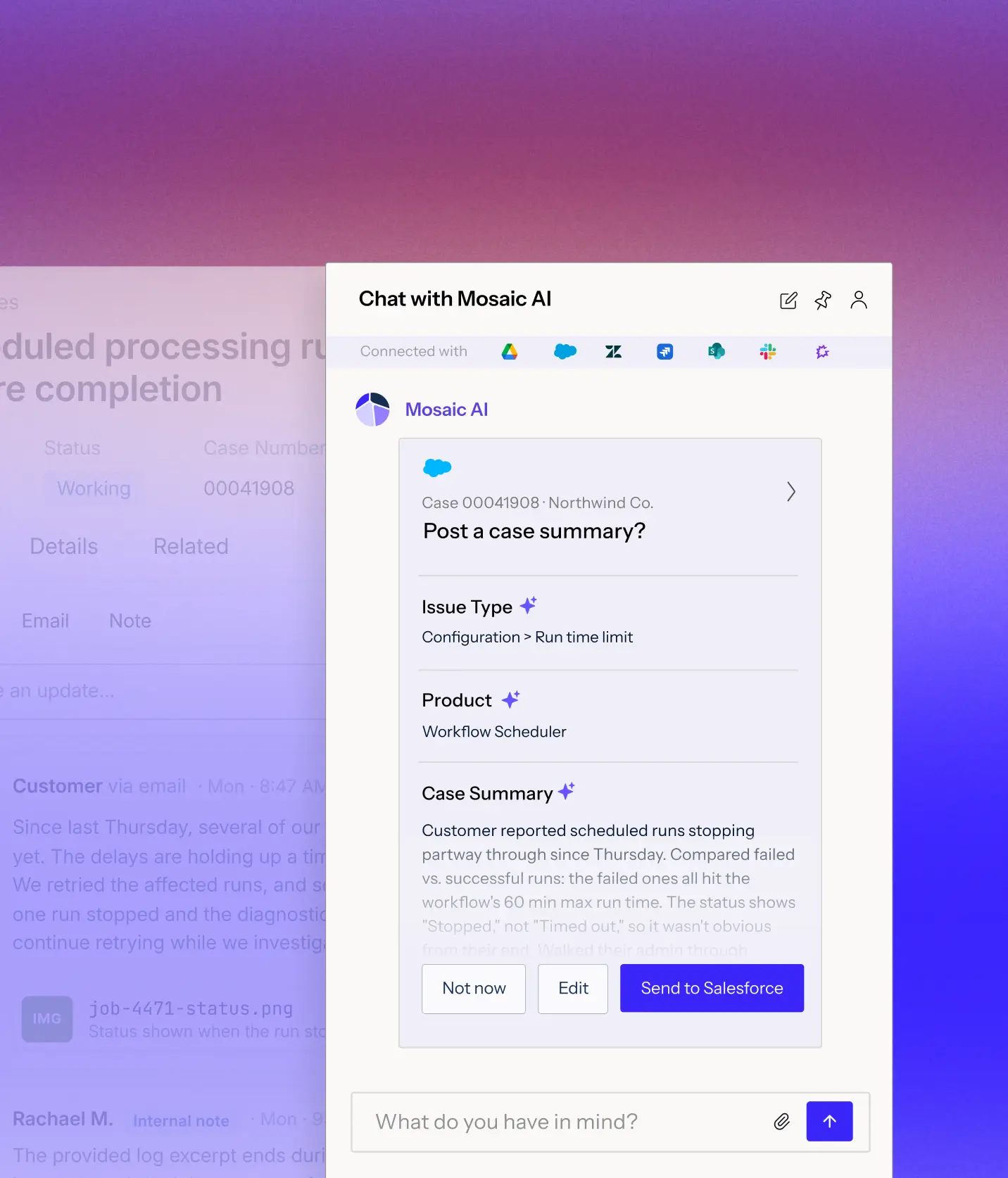
Use account, product, version, fields, permissions, and other case-specific information to narrow what an agent can retrieve and use.
Give agents controlled read and write access to update cases, create issues, route escalations, send messages, and trigger the next step.
Write outcomes back into your systems so resolved cases, investigations, and actions become usable context for the work that comes next.
Trace the evidence behind answers, scope what agents can access and change, and protect customer data across every connected system.
Trace answers back to the exact source information they used.
Choose which objects and fields are indexed and available to each workflow.
Control which systems, records, and actions are available through each integration and workflow.
Customer data is never used to train the underlying models.
Connect your systems once, then build agents for any workflow on one shared framework. Every agent uses the same data, integrations, and controls, so you can expand without adding another point solution.
Learn more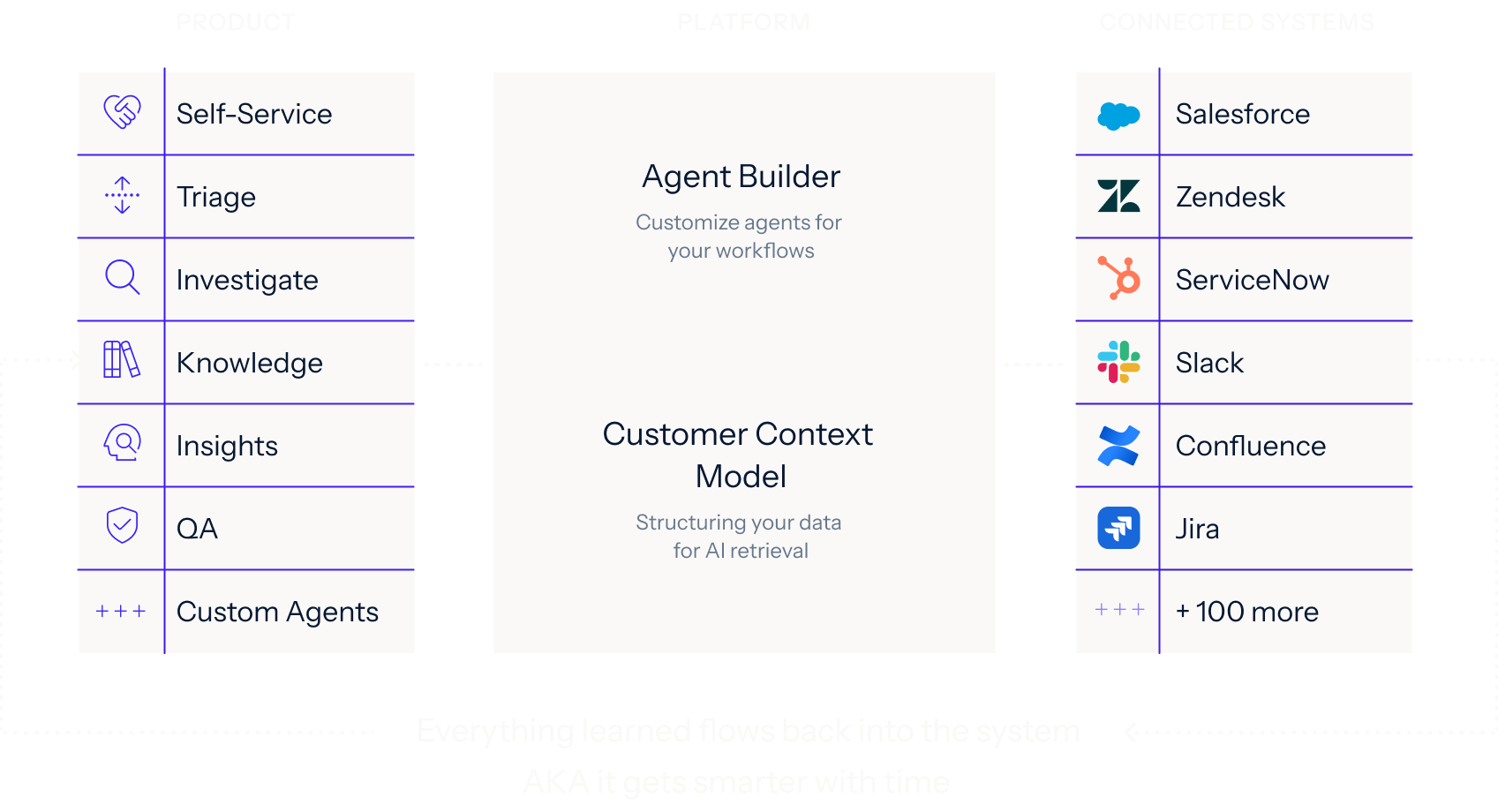
We analyze your real case data, at no cost, to find where time, effort, and spend accumulate, what can be automated, and how much it would lower your cost to serve.
You get a live environment built for your top use cases, running on your own systems, using your own case history. You see the result before you sign anything.
Deployed on top of Salesforce, Zendesk, and the rest of your stack. No migration, no developer resources, deployment expertise included.
Mosaic AI connects to Salesforce, Zendesk, ServiceNow, Jira, Confluence, Slack, GitHub, SharePoint, Guru and 100+ other systems. It also supports multiple instances of the same system, which helps when different product lines or regions run on separate Salesforce or Zendesk orgs.
Mosaic AI only accesses what you choose to connect, and it stores an encrypted, obfuscated index of your data instead of a full copy. Mosaic AI is SOC 2 Type II and ISO 27001 certified and complies with GDPR and HIPAA. Full policies are in our Security & Trust Center.
Thanks to extensively built native Mosaic AI integrations, connecting a system like Salesforce or Zendesk takes minutes. Indexing starts as soon as you connect, and your first data is ready in as little as 15 minutes. You don't need to migrate any data or do any engineering work.
Mosaic AI's pre-built native integrations connect systems like Salesforce or Zendesk in minutes. Indexing starts right away, and your first data is ready in as little as 15 minutes. There's no data migration and no engineering work on your side.
Yes. You decide what each source sends into Mosaic AI, down to individual fields, and you can filter by product, record type or other attributes.
The Customer Context Model cleans each record and summarizes it. It then tags the record with category, product, sentiment and root cause, using your own product taxonomy. Every agent, dashboard and report works from that same structured data.
Yes. Mosaic AI can write enrichment fields such as category and root cause back to standard or custom fields in Salesforce and Zendesk, update cases, and create Jira issues for engineering. Any write-back action can require human approval before it runs.
MCP connects Claude to support records. Mosaic AI builds the context layer across them. Its Customer Context Model pre-processes and enriches data from 100+ sources, linking cases to customer, product, configuration, and account history, and extracting 20+ signals like sentiment, categorization, QA scores, and summaries. When AI investigates a case or answers a question, it draws from data that's already been analyzed and structured, not raw records pulled in real time.
With MCP connectors, every record a question touches adds processing time and cost, and the answer can vary from one run to the next. Mosaic AI processes each record as it's indexed, so you get consistent, faster results without paying to reanalyze the same data for every question.
Bring us a technical workflow your team handles today. We’ll show you how Mosaic connects the systems behind it, structures the right context, and gives an agent what it needs to do the work reliably.