
















Key takeaways
- In B2B support, agents aren't operating from a single source of truth—they're pulling from multiple disconnected systems simultaneously, and the knowledge-retrieval burden is where most productivity is lost.
- Before investing in new tools, run a diagnostic to identify which area your B2B support team is spending most of its time on: Routing, retrieval, or resolution.
- Fixing retrieval first is the highest-leverage move for most teams because it's both the most time-consuming part of the agent workflow and the most automatable with AI.
- New agent ramp time is one of the most underutilized productivity metrics: A 15-person team that turns over five agents a year can accumulate nearly 4,000 unhandled tickets during ramp periods. That’s a capacity problem that's entirely quantifiable and fixable.
- Productivity gains are also a retention story: Removing low-value, repetitive work reduces burnout, lowers attrition, and protects the team capacity you've already invested in building.
Support ticket volume hit its highest level ever in 2024. Meanwhile, customer acquisition costs in B2B and B2C SaaS have climbed 60% over the past five years—meaning the budget to add headcount in response is under more pressure than ever. If you're a B2B support leader right now, that squeeze is probably your daily reality.
The old playbook of opening a headcount requisition, waiting out a slow onboarding ramp, and hoping a new hire absorbs the incoming ticket load fast enough doesn't hold up when hiring is scrutinized—and the queue keeps growing regardless. The teams scaling without headcount aren't the ones with the deepest pockets. They're the ones who figured out where their agents are actually losing time before they bought into a new, shiny tool to help.
That's what this guide is about. Not another checklist of ways to improve agent productivity, but a framework for diagnosing the real bottleneck in your support operation so you can fix the right problem, first.
What does it actually mean to improve agent productivity?
Before getting into the how, it's worth being precise about the what. "Agent productivity" is often used loosely, and that vagueness often leads to the wrong fixes.
The difference between productivity and efficiency
Productivity means generating more output from the same inputs: More tickets resolved, more customers helped, or more complex work handled by the same team size. Take a veteran agent who previously closed 50 tickets a day, but can now close 70. It’s not just because they're moving faster through the same steps, but because AI handles the retrieval work and post-ticket admin that used to fill the gaps between tickets.
Efficiency means doing the same work faster: Shaving minutes off handle time, reducing clicks per ticket, or speeding up search. For example, an agent who used to spend four minutes hunting across three systems for an answer now finds it in under a minute because the right tool surfaces it in context. Same ticket, same answer, but faster execution.
Efficiency gains come from process and tooling improvements. Productivity gains require changing what agents spend their time on in the first place.
This post focuses primarily on productivity (i.e., changing what agents spend their time on), though we'll touch on efficiency along the way, specifically where AI tools reduce the time-consuming steps that don't require human decision-making.
Why improving agent productivity in B2B is structurally harder than in B2C
Here's what most generic guides miss: B2B customer service isn't a call center problem. Managing enterprise accounts in a complex SaaS environment is fundamentally different from running a high-volume consumer contact center. In B2B, you're managing multi-stakeholder accounts, technically complex products, and a long tail of edge-case tickets that can't be easily resolved with a canned response or a simple FAQ.
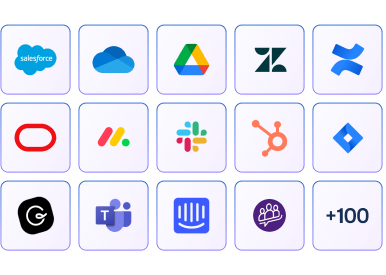
The fragmented knowledge problem compounds this. Most customer support agents I've worked with aren't operating from a single source of truth. They're simultaneously pulling from Zendesk, Confluence, Salesforce, Slack threads, and product documentation, while trying to hold context across a dozen open windows. The result is a customer experience that suffers not because agents lack knowledge, but because the systems they work in make that knowledge nearly impossible to access when it's needed.
As my colleague Tina Grubisa, Head of Value Consulting, puts it: "About 80% of the workflow is search alone. Agents have so many tabs open—how can they possibly remember what they're working on?"
That's not a staffing problem. It's a systems problem. And most productivity strategies fail when they try to fix symptoms rather than root causes.
The B2B support productivity diagnostic: Identifying where agents lose valuable time
The most common mistake I see B2B support leaders make is jumping headfirst into a new solution before identifying the actual bottleneck. Before you add any new tools or roll out new processes, run through this diagnostic first to pinpoint where your agents' time is going—and where it shouldn't be.
The 3 Rs of agent productivity:
Most B2B support agents waste time in at least one of three areas:
- Routing: Tickets land in the wrong queue, are reassigned, or are escalated unnecessarily because intake assumptions were incorrect from the start.
- Retrieval: Agents can't find the right answer fast enough because knowledge is fragmented across multiple systems, and there's no unified agent layer to surface it in the right context.
- Resolution: Agents find the answer, but it's outdated, incomplete, or written for an internal audience rather than a customer audience.
Diagnostic questions to help you identify your primary bottlene
Most teams have a primary bottleneck and a secondary one. Fixing the primary is where you'll see the fastest, most measurable gains in agent performance. Once you’ve identified the bottleneck most affecting your organization, the sections below map directly to each type of fix.
Smarter routing: Get ahead of ticket volume spikes before they hit
Of the three Rs, routing is the one most likely to be treated as a static configuration problem rather than a dynamic one. Teams set up their queues, define their intake rules, and move on. When ticket patterns fluctuate (and in B2B, they shift constantly), those rules become a source of misdirection rather than efficiency.
Boosting agent productivity isn't only about what happens during a ticket. It’s also about what happens before the queue fills up. I often see support teams defaulting to a reactive posture: Tickets come in, agents respond, backlogs build.
Thankfully, much of the volume is predictable: Product launches, onboarding cohorts, contract renewals, and quarterly business reviews all generate predictable surges. The teams that manage productivity most effectively aren't just resolving tickets faster. They're spotting the next surge before it arrives and adjusting routing rules before patterns harden into backlogs.
How to turn support data into early warnings
One way to stay ahead of the curve is to continuously analyze case data to surface patterns, root causes, and emerging issues before they compound into volume spikes. Support leaders can prebuild knowledge content, brief agents in advance, and route tickets more intelligently, instead of reacting after the queue is already underwater.
Proactive queue visibility also indirectly improves agent productivity: When agents feel prepared rather than overwhelmed, agent morale holds steady, and the whole team runs better under pressure.
Improve retrieval: The most effective way to improve agent performance
For the majority of B2B support teams I've worked with, retrieval is the primary bottleneck. In my experience, while it's the most time-consuming part of the agent workflow, it’s also the most automatable.
Why knowledge fragmentation is the real culprit
Support isn't lacking knowledge. It's lacking the ability to retrieve it. That distinction matters. The information agents need usually exists somewhere, but it's the retrieval burden that eats up time and breaks down context. Agents toggle between systems, interrupt senior colleagues, overload subject matter experts (SMEs) with questions, or spend time reconstructing answers they've already found before. Every one of those moments is a loss of productivity that has nothing to do with agent skill or effort.
How AI assistance changes agent workflow
This is where agent-facing artificial intelligence (AI) changes the equation. AI assistance supports human agents by surfacing the information they need across a fragmented knowledge stack in real time, directly inside the ticket. That means no tab-switching, Slack messages to a senior rep, or search detours that break context. The results are threefold:
- Experienced agents get faster
- New agents get up to speed more quickly
- The entire team can handle more complicated customer interactions without leaning on escalation support
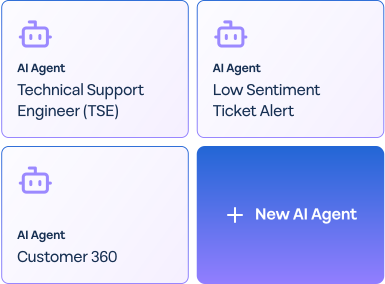
Fixing retrieval doesn't just help agents work faster. It changes what they can work on entirely. This is exactly what Yotpo experienced after deploying a Mosaic AI. With this no-code workflow agent, the team was able to find answers instantly without relying on Slack as a knowledge retrieval system. This led to 20% fewer internal support questions and agents switching their focus to resolving more complex customer interactions.
Speed up resolution: Enhance agent performance with AI
While retrieval and resolution are related, they are still distinct problems. Once agents find the correct answer, they still need to act on it confidently. If your knowledge base is full of outdated articles, internal jargon, or gaps that agents have learned to work around, resolution time suffers even when retrieval is fixed. Agents then spend time on a high volume of simple requests that could be automated, instead of focusing on work that truly requires human judgment and expertise.
How AI detects and fills knowledge gaps
The standard approach to knowledge management is reactive: Tickets spike on a topic, someone in product or marketing writes an article, and the cycle repeats. Experienced agents may flag documentation gaps when they have bandwidth, but most B2B support teams are operating too lean for that to happen consistently.
Today, proactive knowledge management doesn’t require manual agent labor, thanks to the advent of AI tools that can:
- Automate clusters of incoming tickets in real time
- Surface emerging documentation gaps
- Auto-generate draft articles before those gaps drive ticket volume
This kind of generative AI application means your knowledge base automatically improves continuously rather than perpetually playing catch-up. Agents can trust that what they find is actually current.
For example, after deploying Mosaic AI, the Conductor team saw the following productivity and efficiency gains: A 77% increase in weekly ticket capacity per agent and a 38% improvement in time to resolution.
How AI automates post-ticket admin
There's a productivity drain hiding in plain sight: Post-ticket admin. In complex B2B cases, agents can spend several minutes after every interaction writing case notes, logging updates to their customer relationship management (CRM) system, and summarizing next steps. And that’s all before they can move to the next ticket.
AI tools can automate the bulk of this work by auto-summarizing the interaction, populating case fields, and flagging follow-up actions. It's not a dramatic capability on its own, but across a full team and a full week, the time it recovers compounds fast.
When combined, knowledge automation and reduced post-ticket admin not only improve average handle time but also give agents the capacity to focus on work that truly requires human judgment and expertise.
10 metrics that prove agent productivity to your CFO
Productivity conversations that stay at the operational level rarely move budgets. To get investment approved, you need to translate agent performance gains into financial language that executives recognize. Here's what to measure, ordered by where it shows up in the ticket lifecycle:
- Deflection rate: The percentage of potential tickets resolved before they enter the queue entirely. Sustained deflection reduces raw volume without inflating ticket counts elsewhere, which is a direct capacity gain that requires no additional headcount.
- Escalation rate: The percentage of tickets that require senior agent involvement or are passed to another team. High escalation rates signal retrieval and routing problems upstream, not just a skills gap.
- Mean time to resolution (MTTR): How long it takes to fully resolve a ticket from the moment it's opened. Faster support resolution in B2B directly protects NRR (see below) as slow resolution is one of the most consistent drivers of churn at renewal.
- First contact resolution (FCR): The percentage of tickets fully resolved on the first interaction, without follow-up or reopening. FCR improvement is a direct signal that knowledge quality and agent confidence are both moving in the right direction.
- Backlog age: the percentage of open tickets within a given timeframe (e.g., 30 to 60 days). Backlog compression is one of the clearest indicators of sustainable capacity, as it shows the team is resolving faster than volume is accumulating.
- Customer satisfaction (CSAT): The downstream signal that ties all of the above together. CSAT tends to move when agents feel prepared rather than overwhelmed, and when customers receive accurate, first-contact resolutions.
- Cost per ticket: Track this before and after any tooling change—it's one of the clearest single-number signals of overall agent efficiency.
- Headcount cost avoidance and capacity reclaimed: What it would cost to hire to match current output, or, framed in reverse, the dollar value of capacity already reclaimed through productivity gains. Either framing reframes productivity as a financial decision rather than an operational one, and tends to resonate most with senior leadership.
- Net revenue retention (NRR): The percentage of recurring revenue retained from existing customers over a given period, accounting for expansion, contraction, and churn. An NRR above 100% means existing customers are growing faster than they're leaving, and support quality is one of the levers that moves it.
- Agent retention and attrition cost: Productivity gains aren't just a throughput story—they're a retention story too. When you remove low-value, repetitive work, you reduce the burnout that drives attrition. In B2B support, where a trained agent takes 6 to 12 months to reach full productivity, losing one is expensive in ways that rarely show up cleanly on a headcount report.
As my colleague, Jamie Bergmann, Director of Solutions Engineering at Mosaic AI, puts it: "If your competitors make support teams happier and more productive with AI, your employees will notice."
The productivity multiplier: How to ramp up new agents faster
Of all the metrics above, headcount cost avoidance is often the hardest to make concrete for senior leaders, but new agent ramp time is the most underused way to do so. A new hire operating at 40% capacity for their first three to six months isn't just an onboarding challenge. It's a capacity problem that compounds across the team, and it's entirely quantifiable.
The math is straightforward. If a fully ramped agent handles 50 tickets per week and a new agent handles 20, that's a 30-ticket weekly deficit for every person in ramp. In a 15-person team that turns over roughly 30% of staff—about five agents a year—that deficit can add up to nearly 4,000 unhandled tickets in a 6-month period.
When presenting this to senior leadership, frame it as headcount cost avoidance: A faster ramp means a lower total cost to maintain team capacity, fewer senior agents pulled into informal mentoring, and a faster return on the hiring investment already made.
How AI shortens the ramp curve
New agents don't need to rely on fragmented knowledge systems to piece together a response when AI surfaces the right answer in context. With tools like Mosaic AI, a new agent in their first week gets the same real-time answer support as a five-year veteran, without needing to know which Slack channel to ask or which senior rep to interrupt. This directly reduces agent burnout in the early-tenure period, where feeling lost in an unfamiliar knowledge stack is one of the biggest drivers of early attrition.
Access to this kind of knowledge system helps new agents build confidence faster, so they’re taking harder tickets sooner—and contributing meaningfully to team capacity well before the traditional ramp curve would allow.
Improve agent productivity to scale smarter, not bigger
The teams winning in B2B support right now aren't the ones with the largest headcount. They're the ones who stopped hiring to absorb volume and started fixing the systems that were contributing to volume generation in the first place.
The diagnostic framework in this guide—retrieval, resolution, routing—is designed to help you find the right bottleneck before you invest in the wrong solution. Most teams have one primary constraint: Fix it first, measure the impact, then fix the next constraint. The data usually points clearly to where to start:
- Pull 90 days of ticket data
- Look at where agent time is actually going
- Match what you find to the three buckets above.
At the end of the day, the goal isn’t about team size. It's about building a team that isn't held back by its own tools and can get back to what they were hired for: Helping your customers.
Frequently asked questions
How do I improve agent productivity?
Start by diagnosing the productivity problem before reaching for a solution. Most B2B support teams lose time in one of three areas:
- Routing: Tickets land in the wrong place from the start
- Retrieval: Agents can't find answers fast enough
- Resolution: The answers they find are outdated or incomplete
Identify your primary bottleneck, fix that first, measure the impact, and then address the next constraint. AI and automation can meaningfully accelerate progress across all three areas by surfacing answers in real time, keeping knowledge bases automatically up to date, and using case data to inform smarter routing decisions.
AI tools work best when deployed against a clearly identified problem rather than as a blanket solution. The key is matching the right tool to the right bottleneck rather than deploying broadly and hoping productivity moves.
How can real-time AI tools improve agent performance?
Real-time AI tools work by removing the retrieval burden from the agent workflow. Instead of toggling between different knowledge systems like Zendesk, Confluence, Salesforce, Slack threads, and product documents to piece together an answer, agents get the right information surfaced in context—directly inside the ticket, at the moment they need it.
This means experienced agents resolve tickets faster, new agents get up to speed without relying on outdated documentation, and the whole team can take on more complex customer interactions without leaning on escalation support. The impact isn’t just about speed but also about where agents spend their time.
What are the biggest challenges affecting agents?
In B2B support, the biggest challenge isn't a lack of knowledge—it's a lack of access to it at the right moment. Agents are typically working across four to six systems simultaneously, reconstructing answers they've already found, interrupting senior colleagues for information that should be self-serve, and handling post-ticket admin that eats into their capacity between interactions.
Layered on top of this is the structural complexity of B2B itself: Multi-stakeholder accounts, technically complex products, and a long tail of edge-case tickets that can't be resolved with a canned response. The result is a team that's working hard but spending most of that effort on retrieval and overhead rather than actual resolution.
How can I reduce agent burnout and turnover?
While a variety of factors can cause agent burnout in B2B support, there are two areas that directly impact productivity:
- Operational friction: Working across fragmented systems makes it more difficult to retrieve information quickly and efficiently, increasing cognitive load.
- Overwhelming workload: If the ticket queue is always full, agents feel perpetually behind, leaving them no time to reset between tickets, which compounds into chronic overload over time.
The good news is that both issues are fixable. Reducing the retrieval burden—through tools that surface answers in context rather than requiring agents to hunt for them—removes the low-value work that erodes job satisfaction over time. Proactive routing and surge management also reduce the overwhelm that builds when teams have no visibility into what's coming.
Retention, in other words, is a downstream benefit of fixing the right productivity problems first.
What's the difference between agent productivity and agent efficiency?
Agent productivity and agent efficiency are related but distinct, and conflating them often leads to the wrong fixes.
Efficiency means doing the same work faster: Shaving minutes off handle time, reducing clicks per ticket, or speeding up search. An efficiency gain might mean an agent finds an answer in one minute instead of four, typically due to a process or tooling improvement.
Productivity means generating more output from the same inputs: More tickets resolved, more customers helped, or more complex work handled by the same team size. A productivity gain means that an agent can now close 70 tickets a day instead of 50, not because they're moving faster through the same steps, but because tools like AI handle the retrieval work and post-ticket admin that used to fill the gaps between tickets.