













Key takeaways
- Knowledge gaps in B2B support come in two forms: Skills gaps, where agents lack the expertise to handle a specific issue type, and content gaps, where the right documentation doesn't exist, can't be found, or is out of date.
- The cost of knowledge gaps isn't abstract—it shows up in agent ramp time, escalation rates, average handle time, and customer satisfaction scores. Underperformance in any of these metrics is often a documentation problem, not a performance problem.
- A knowledge audit is a useful starting point, but it's a reactive snapshot. A complete gap detection system combines structured audits with continuous signals: ticket clustering, failed KB searches, escalation patterns, performance data, and direct agent feedback.
- Knowledge bases decay on their own. Without a system to capture and embed knowledge from every resolved ticket, your documentation falls further behind every time the product evolves, a policy changes, or a senior agent leaves.
- AI closes the loop between gap detection and content creation by automatically clustering tickets to surface gaps, drafting articles for expert review, and turning every resolved case into a potential knowledge base improvement.
Your support agents are good at their jobs. They know your product, care about your customers, and want to resolve tickets quickly. But right now, at least one of them has six browser tabs open, trying to piece together one answer. This knowledge gap—what your agents currently know versus what they need to know to resolve customer issues effectively—is what's turning a 30-second answer into a five-minute search.
Based on the years spent working with enterprise customer experience and support teams, I know employee performance isn’t the problem. The problem is knowledge that’s fragmented, stale, or was never captured at all—making knowledge retrieval extremely inefficient for agents.
Support isn't lacking knowledge; it's lacking the ability to retrieve it.
This post breaks down what knowledge gaps actually mean in a B2B support context, and what it takes to close them for good.
What is a knowledge gap?
A knowledge gap is the difference between what your team currently knows and what they need to know to do their jobs most effectively.
In B2B support environments, there are two types of knowledge gaps:
- Skills gap: A team member lacks the training or expertise to address a specific type of problem.
- Content gap: The right knowledge exists somewhere, but it's missing, outdated, or inaccessible.
Both skills and content gaps compound in B2B software-as-a-service (SaaS) environments—products are complex, releases are frequent, and a single customer account spans multiple stakeholders across your customer success, sales, and support organizations.
If your team relies on manual processes to update your knowledge bases, it’s easy to fall behind. And when documentation can’t be trusted, this affects team members in different ways:
- Your newly onboarded agents take longer to ramp up and must rely on potentially outdated team knowledge to get up to speed, which affects their confidence.
- Your experienced agents carry the load for newer agents who aren’t operating at full capacity, while handling more Tier 2 escalations that could have been solved at Tier 1.
- Your organization's SMEs get bombarded with a myriad of Tier 1 questions that could have been solved independently with an updated knowledge base.
- Your customers, who get inconsistent answers to the same question across support, which slowly erodes trust.
And in B2B, where accounts are complex, and every customer relationship carries real revenue weight, these consequences hit hard.
Why knowledge gaps are a bigger problem in B2B versus B2C support
B2C support tends to be high-volume and relatively predictable. The same issues recur, answers are well documented, and resolution is often transactional. B2B is the opposite.
As my colleague, Jamie Bergmann, Director of Solutions Engineering at Mosaic AI, explains:
"B2B support is uniquely different—the knowledge is more fragmented, the products are more complex, and the landscape is constantly shifting." - Jamie Bergmann, Director of Solutions Engineering at Mosaic AI
In B2B, you see a long tail of technical questions that require deep product knowledge. The answers rarely live in one place, and they often can’t. They're spread across different tools like Zendesk, Confluence, Salesforce, SharePoint, and Slack threads. When the same question has a different answer depending on which system you pull from, that's a knowledge gap masquerading as a search problem.
How to identify knowledge gaps in your support team
In my experience working with B2B support leaders, knowledge gaps typically surface through ticket escalations, customer complaints, or a support team member noticing missing documentation while looking for an answer. By then, the gap has already cost you. The goal is to identify gaps before they reach your metrics.
There are two ways to identify these knowledge gaps:
- Reactive: Discover gaps after the fact through escalations, CSAT drops, or customer complaints.
- Proactive: Gaps are surfaced continuously through ticket patterns, failed searches, and agent feedback—before customers ever notice
You need both—structured, one-time reviews and continuous signals your team can act on without waiting for the next audit. Here are five ways to build that system:
1. Run a knowledge audit
A knowledge audit is a structured review of what your team currently knows and the documentation that already exists to support them. It's a valid starting point and an important exercise for support teams to undertake, especially if one hasn't been done before.
A lightweight knowledge audit for support teams looks like this:
- Catalog all knowledge sources (e.g., KB articles, internal wikis, Slack channels, resolved case notes, etc.)
- Assess which sources agents can realistically access during a typical ticket workflow
- Flag what's missing, outdated, or duplicated across systems
- Identify topics that generate high ticket volume but have thin to no documentation
It’s important to note that a major limitation of knowledge audits is that they are a single point-in-time snapshot. It won't catch the gap that forms next month when a product update invalidates three of your most-used articles. Use it as a starting point, not as a system.
2. Use ticket data and case clustering
Your ticket queue is the most reliable signal you have for proactively identifying knowledge gaps. Recurring ticket themes without a corresponding KB article—or cases that get resolved inconsistently across agents—almost always point to a content gap.
You don't need a formal survey to find knowledge weaknesses. The evidence is already in your queue. In fact, Mosaic AI helps support teams surface knowledge gaps early by clustering resolved tickets to instantly uncover patterns at scale.
Over time, this clustering helps drive smart decisions across the organization. Agents and team leads build their knowledge proactively by anticipating which topics are likely to generate repeat tickets and prioritizing those areas of the KB before customers surface them again.
3. Mine failed searches and escalation patterns
When agents search your KB and come up empty-handed, that's a clear signal that a gap exists. Many KB platforms capture search queries that return no results—this list is a gap backlog that provides insight into where your documentation is lacking.
Escalation patterns tell the same story from a different angle. If the same issue type keeps reaching Tier 2, the root cause is often a gap in frontline documentation, not necessarily product complexity.
4. Review agent performance data
When you break down customer satisfaction (CSAT) scores and average handle time (AHT) by ticket type, underperformance in specific categories can serve as a useful diagnostic. Agents who struggle with a particular issue type aren't necessarily undertrained. They may simply be working without adequate documentation.
Performance data, analyzed by issue category, helps you distinguish a skills gap from a content gap. That distinction changes the remediation entirely—and allows you to proactively build certain knowledge areas in your onboarding process going forward.
5. Ask your agents where the gaps are
Agents are the first to know when documentation is missing, wrong, or impossible to find under time pressure. And if your organization never created a formal channel for a specific signal, it ends up staying buried in an individual agent's head.
Instead, implement short, structured feedback loops, such as:
- A standing agenda item in team syncs
- A simple async survey or form
- A dedicated Slack channel for flagging KB misses
This will surface gaps faster than any audit. But to build a collaborative culture of knowledge sharing, it needs to be structurally easy for agents to take ownership of reporting what's broken.
How knowledge gaps hinder support performance
Knowledge gaps create friction and compound costs across your entire support operation. Here’s a breakdown of why your support team (and, in turn, the customer experience) suffers most:
Restricts agent ramp time and onboarding
New agents in B2B SaaS can't independently solve support cases with fast, knowledgeable responses when the documentation isn't there. They have to rely on already overstretched subject matter experts (SMEs) within the company to provide that documentation.
Without complete, accessible knowledge, onboarding can take weeks or even months. A new team member who can't resolve a Tier 1 ticket independently by week two isn't under-skilled—they're under-resourced.
According to InsightGlobal, 78% of workers say they're missing one or more tools they need to succeed in their job, such as knowledge libraries and training resources. In my experience, a new B2B support agent without a solid KB behind them can spend their first three to six months leaning on senior colleagues for help with answers. That longer ramp-up period drives up escalation rates and average handle times across the whole team. Every extra week a new hire spends shadowing senior agents or escalating preventable tickets is a week the rest of the team must absorb that load.
Impedes ticket handle time and escalations
Every poorly documented issue causes agents to spend more time searching, context switching, and piecing together the same answers across multiple systems. This drives up mean time to resolution (MTTR). As my colleague, Tina Grubisa, Head of Value Consulting at Mosaic AI, puts it:
Most organizations assume MTTR reflects resolution time. But in B2B support, up to 80% of that metric happens before troubleshooting even begins.” - Tina Grubisa, Head of Value Consulting at Mosaic AI
As MTTR increases or escalation patterns form around the same issue, customers feel it. Longer wait times, inconsistent answers, and cases bouncing between tiers aren't just internal inefficiencies—they're the moments that erode customer trust and, in B2B, put renewals at risk.
Impacts frontline resolution
A knowledge gap in your KB isn't just an internal issue. It's a ticket that never got resolved at the first tier.
When agents can quickly find an accurate and up-to-date answer, they can resolve the issue independently, without reviewing multiple information sources, escalating to a senior agent, or messaging an SME on Slack. When the KB has gaps, that independent resolution breaks down. Agents escalate cases that should be Tier 1, handle times climb, and senior team members absorb volume that shouldn't reach them.
Salesforce’s 2025 State of Service report found that 58% of agents at underperforming support organizations toggle between multiple screens to find what they need—compared to just 36% at high performers. An accurate, trusted KB isn't a nice-to-have. It's the foundation your support team rests on, and the difference between a team that can solve issues independently and one that constantly escalates.
Why knowledge bases go stale (and why one audit isn't enough)
Products ship. Processes change. Old articles go untouched. A KB that was accurate in Q1 is quietly misleading agents by Q3—and most teams don't find out until a customer complains or a ticket escalates unnecessarily.
The hidden cost of outdated documentation
When agents rely on stale articles, customers get inconsistent answers. And those inconsistent answers erode trust, generate follow-up tickets, and drive unnecessary escalations. Every outdated article is a potential customer satisfaction issue waiting to surface.
The problem scales with team size. The more agents you have, the more broadly a wrong answer propagates before anyone catches it. KB decay isn’t just a minor inconvenience. When an agent responds with outdated information that affects customer satisfaction, there’s always a risk of churn.
Closing knowledge gaps using a continuous loop
A one-time audit identifies the gaps that exist today. It doesn't address the ones that will form next month when your product ships a new feature, a policy change, or a senior agent leaves, taking undocumented expertise with them.
Tina Grubisa, Head of Value Consulting at Mosaic AI, describes the systemic cost clearly:
"Without accurate intake, search can't learn. Patterns can't emerge. Knowledge can't evolve. The lifecycle just resets and repeats every morning." - Tina Grubisa, Head of Value Consulting at Mosaic AI
Every resolved ticket contains knowledge that could improve the next interaction. Without a knowledge management system to capture and embed that expertise back into your KB, it disappears. This continuous learning loop isn't just a culture goal; it's an operational requirement for any support team that wants to improve rather than plateau.
That's exactly where AI changes the equation: By shifting knowledge maintenance from a manual, periodic task to something that happens continuously, as a natural output of every resolved ticket. More on that next.
How AI finds and fixes knowledge gaps
Artificial intelligence (AI) doesn't replace the human judgment required to maintain a knowledge base. However, it can handle detection and drafting almost instantly, making continuous knowledge management practically impossible to do manually at scale.
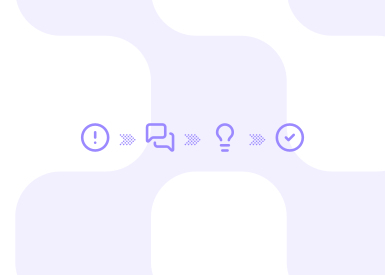
While it might sound too good to be true, here’s a diagram of what’s actually happening:
Clusters resolved tickets by theme
Resolved tickets are automatically clustered into themes, which helps surface recurring issues, flag gaps in the KB, or determine which articles are underperforming. Instead of waiting for a quarterly audit, gaps surface in real time—as soon as enough tickets cluster around a topic.
The result is that support leaders can proactively address knowledge gaps before customers encounter them, rather than react to them afterward.
Generates drafts automatically for human review
When a gap is identified, generative AI automatically drafts a new KB article or enriches an existing one, drawing from ticket data, conversation history, and existing documentation. That draft goes to a subject matter expert (SME) for review and approval before publication.
The human-in-the-loop step isn't a formality; it's what keeps your knowledge base accurate and on-brand. For example, HiBob generated 800+ support articles through this process, scaling their KB without scaling headcount.
Creates a proactive approach to knowledge sharing
When every resolved case can potentially improve your KB, knowledge sharing stops being a manual task that someone has to schedule and remember. It becomes a built-in output of the support workflow.
That shift is what separates a knowledge base that slowly decays from one that builds institutional knowledge and skills over time.
KPIs to measure knowledge gap impact (and progress)
You can't close knowledge gaps you can't measure. Before any identification work begins, establish a baseline on the following key performance indicators (KPIs) that knowledge gaps directly affect:
- Self-service deflection rate: The percentage of issues agents resolve independently using your KB, without escalation or assistance
- Average handle time (AHT) by ticket category: Time spent per ticket, broken down by issue type
- New agent time-to-first-resolution: How long it takes a new hire to independently close their first Tier 1 ticket
- Tier 2 escalation rate: The percentage of tickets escalated beyond frontline Tier 1 agents
- CSAT by issue type: Customer satisfaction scores segmented by ticket category
These five metrics tell you where knowledge gaps are costing you most, and give you a measurable benchmark to track progress against as you work to fill knowledge gaps over time.
Once you've started closing gaps, the following indicators confirm it's working:
- KB coverage percentage: Increases as more topics are documented relative to ticket volume
- Article usage rate: Increases as agents find and use KB content more often
- Failed-search volume: Decreases as fewer empty-handed searches turn up in your robust KB
- Self-service deflection: Increases as agents resolve more cases independently with fewer escalations
- New agent ramp time: Decreases as new hires reach full productivity faster
Here’s a real-world example: After Conductor used Mosaic AI, it saw 30% faster agent ramp-up times and a 17-point increase in team collaboration, all within six months of implementation. That kind of result starts with closing the knowledge gaps that encourage new hires to rely on senior colleagues for answers that can be solved independently.
What support looks like when you close the gap
When knowledge gaps close, like those embedded in stale articles, missing documentation, and undiscovered ticket clusters, the whole organization is impacted.
Agent ramp time drops as new hires reach full productivity faster. First-contact resolution rates rise because agents no longer have to escalate cases that should be Tier 1 or rely on SMEs for answers. Self-service deflection improves since your KB reflects your product as it is today. Agent retention rates improve, too, as agents are less likely to burn out and leave when they aren't buried in repetitive, low-documentation work.
The broader shift is this: Support stops reacting to problems and starts getting smarter with every ticket it resolves. That's what knowledge management looks like when it's working—and it's measurable, repeatable, and within reach for any team that treats knowledge as infrastructure rather than an afterthought.
Frequently asked questions
What is a knowledge gap in customer support?
A knowledge gap in customer support is the difference between what your team currently knows and what they need to know to resolve customer issues effectively. In B2B environments, this covers both a skills gap (an agent doesn't know how to handle a specific issue type) and a content gap (the right documentation doesn't exist, can't be found, or is outdated).
What is an example of a knowledge gap?
Look behind the curtain of any B2B SaaS organization, and you’ll find many similar knowledge gaps. Here’s a common example:
The support team sees a spike in tickets about a recently released product feature, but has no knowledge base article covering it. Agents resolve the issue through trial and error or escalate to engineering—when a single, accurate article would close the gap and allow frontline agents to handle it independently.
If this scenario sounds familiar, you're not alone. The fix isn't a training program. It's a knowledge that is better documented and easier to find.
What role do employees play in highlighting knowledge gaps?
Agents are your customer frontline, making them the first to notice when documentation is missing or wrong. Creating structured channels like team sync agenda items, async feedback forms, or a dedicated Slack channel gives them a way to surface what they're seeing in the queue.
A team that's encouraged to report gaps collaboratively fosters a company culture of information sharing, which is one of the most reliable systems you can build for detecting knowledge gaps.
How do you fill knowledge gaps?
The most effective approach to closing knowledge gaps combines multiple inputs:
- A knowledge audit to capture what's currently missing
- Ticket clustering to surface ongoing patterns in the queue
- AI-assisted article drafting to turn those signals into a knowledge base content at scale
- Human-in-the-loop review to keep automated content accurate and on-brand
- Continuous monitoring so new gaps don't go undetected between audit cycles
The key is treating this as a continuous loop, not a one-time project. Each resolved ticket is an opportunity to improve on the next one.
How can a knowledge management platform support knowledge sharing and gap identification?
A knowledge management system centralizes documentation, tracks search behavior, and, on AI platforms, automatically identifies gaps in documentation or underperformance. By connecting ticket data to knowledge base coverage, these platforms turn every resolved case into a potential knowledge asset, reducing the manual work required to keep your knowledge base accurate.
How do knowledge gaps affect business outcomes?
Knowledge gaps drive up mean time to resolution (MTTR) and escalation rates, slow agent onboarding, reduce self-service deflection, and lower customer satisfaction (CSAT) scores.
The cumulative effect is a support operation that costs more to run and delivers worse results. And it’s not because the team isn't capable, but because the knowledge infrastructure meant to support them isn't keeping pace with any inevitable changes to the product.


