















Key takeaways
Key takeaways
- AI project failure rates are increasing significantly, and it’s frequently because companies take the wrong approach to AI adoption.
- Successful AI adoption requires balancing speed with control and treating it as an organizational change challenge, not just a technology implementation.
- AI-native platforms purpose-built for B2B support deliver faster ROI than building custom solutions or using fragmented AI add-ons across existing tools.
- Starting with 1-2 proven use cases that deliver measurable results quickly, then scaling systematically, is the surest path to sustainable AI adoption with clear ROI.
AI adoption in enterprise is at an all-time high.
At the same time, AI project failure rates have exploded. 42% of companies abandoned most AI initiatives in 2025, up from just 17% in 2024. According to a recent MIT study, up to 95% of organizations are getting zero return from their AI initiatives. That study summarizes the reasons for these failures like this:
"Most fail due to brittle workflows, lack of contextual learning, and misalignment with day-to-day operations.”
The vast majority of companies are struggling to make AI initiatives work. The problem isn't the technology, because there are at least some companies implementing the same technology with huge success.
What are they doing differently?
It isn’t the size of their AI budgets or the complexity of their product. It’s that they follow a framework that balances speed with control, innovation with governance, and experimentation with clear ROI measurement.
Ultimately, they approach AI adoption understanding that the main challenge is in the organizational change required to make AI work.
Why most AI adoption efforts fail (and what you can learn from them)
Before we get into what works, let's talk about what doesn't. Understanding why AI projects fail will help you avoid the same mistakes.
1. They start without assessing AI readiness
Most teams rush to implement AI without understanding their actual AI readiness. They see a competitor launch an AI chatbot or read about AI deflecting 40% of tickets, and they want that immediately.
So they skip the foundation work and jump straight to implementation.
“But wait,” I hear you say. “Does that mean I need clean data and a perfect knowledge base before starting with AI?”
The answer is no. AI-readiness is about having:
- A clear use case with measurable business value.
- An accessible knowledge source (even if it isn't perfect).
- Defined success metrics.
- Executive buy-in and clear ownership.
Those are the only pieces you need to get started.
2. Projects are slow, expensive, and resource-heavy
There are a few common AI adoption challenges that are fraught with risk. All of these can work in some contexts, but many companies underestimate the hurdle or investment that’s required to make it work, and therefore fail:
- Building AI solutions from scratch. That requires deep AI expertise most support teams don't have. By the time you build something, the technology has usually moved forward and you're already behind. Building also means committing to long-term maintenance and improvement efforts.
- Using AI-adjacent tools that aren’t designed for enterprise or B2B software, like basic chatbots or simple automation. These tools work fine for surface-level use cases, but hit a ceiling fast when you need to handle complexity, integrate with multiple systems, or scale across your organization.
- Underestimating integration complexity. Your support operation doesn't exist in isolation. It touches your CRM, your ticketing system, your product analytics, and your documentation. AI solutions need to pull data from all these sources to be genuinely useful.
- Perfectionism. Teams wait for their data to be cleaner, their processes to be more refined, their knowledge base to be more complete. Every quarter, there's a new reason to delay.
- Lack of clear ownership. Some teams assume there's collective ownership. Maybe multiple teams are collaborating or everyone in support is expected to contribute to training the AI—but there are no defined processes and no one really knows who’s responsible for it.
3. They can't quantify ROI or business impact
This one kills more AI projects than anything else. Without clear ROI, you can't justify continued investment.
It’s easy to get excited about vague improvements: "Our agents really like having AI assistance" or "Customers seem happier with faster responses." That's great! These are noticeable, quality-of-life improvements.
But it isn’t enough to carry a project like this through to completion (or to convince your CFO to keep investing year after year).
You need specific, measurable outcomes:
- How much did the average handle time decrease?
- What percentage of tickets are now deflected?
- How many hours per week are agents saving?
- What's the dollar value of that time?
The root cause of this problem is often that teams start with technology instead of a business problem.
They say "We should implement AI" instead of "We need to reduce average handle time by 20%" or "We need to deflect 30% of Tier 1 tickets." Without a clear business objective, you can't measure whether AI is working.
Using an AI-native platform
The fastest, most controllable path to ROI isn't stitching together point solutions or building custom in-house solutions.
It's adopting a purpose-built B2B AI platform, starting with your support team.
Most companies default to one of two approaches: using the AI features their existing vendors are adding, or building something custom internally.
Both approaches are more expensive and less effective than they appear.
- If you're using Intercom for ticketing, Salesforce for CRM, and Notion for documentation, each vendor now has AI features. That's three separate AI implementations, each charging $20-50 per seat.
- For a 50-person support team, that's potentially $4,000-10,000 per month ($48,000-120,000 per year) for AI capabilities that don't integrate with each other. You end up with fragmented AI that can't provide the comprehensive context your agents actually need.
- Building custom solutions internally sounds appealing but takes a lot of time, expertise, a much higher maintenance effort, and often can’t keep up with the pace the technology is moving at. Maintaining an internal tool is never going to be as important to your business as developing features for your customers.
AI-native platforms solve both problems:
- They're built from the ground up with deep integrations across your entire tech stack.
- The cost structure is dramatically different too. One platform fee instead of multiple AI add-ons across your tech stack. Over time, you can benefit from AI platform consolidation — the process of eliminating SaaS point solutions because your AI platform replaces them.
- You benefit from proven best practices across hundreds of customers. The platform vendor has seen what works, which use cases deliver ROI fastest, which governance policies prevent problems, which pitfalls to avoid. You're not figuring everything out yourself like you would with a custom build.
This is the foundation that makes everything else much easier.
5 steps to scalable AI adoption in B2B customer support
Once you have the right platform foundation, here's a proven AI adoption framework that actually works for B2B enterprises:
Step 1: Start with proven use cases that deliver clear ROI
The mistake most teams make is trying to implement AI everywhere at once. They want chatbots and agent assist and knowledge automation and analytics all running simultaneously. Frequently they jump straight to implementation, without a clear use case, defined success metrics, or any other measures of AI-readiness.
That's a recipe for mediocre results everywhere and clear success nowhere.
Instead, go deep, not wide. Pick 1-2 use cases that will deliver clear, demonstrable value in 60-90 days, prove ROI, build some organizational confidence. Then expanding becomes easy.
Support is the ideal starting point because everything is measurable. You have clear metrics for success, high-volume repetitive work, and immediate customer impact. When AI works in support, everyone can see it.
Here are the use cases that consistently deliver very fast ROI in B2B support:
- Self-service that actually works. AI-powered self-service can resolve anything from 20-70% of incoming tickets when implemented correctly.
- Agent assist that makes your team more efficient. This is often the best first use case because it's low-risk and high-impact. AI surfaces relevant knowledge while your agents maintain full control. Many teams can see significant reductions in handling time and faster ramp time for new agents.
- Automated ticket enrichment. Before an agent even sees a ticket, AI can classify it, tag it, route it to the right team, pull relevant context, and generate a summary. This eliminates a few minutes of manual work per ticket and ensures tickets land with the right people immediately.
Step 2: Buy a platform, then build on top of it
This is going to sound really obvious but it’s worth stating: AI is only as good as the data it can access.
An AI that can't pull information across your systems is just expensive guesswork. Context is everything in B2B support, and context comes from connecting multiple data sources. You lose all the potential gains of implementing an AI solution if your team still has to deal with fragmented or siloed information.
This is why platforms matter so much. AI platforms live and die by their connectors, so most enterprise AI platforms have pre-built connectors for 50+ common tools. That means:
- You benefit from vendor expertise. They've implemented AI hundreds of times across different companies and industries, so they know which approaches work, which pitfalls to avoid, and how to navigate common challenges.
- You have much lower risk. Your team doesn’t need to learn how that tool works from scratch.
- You can scale more rapidly, because your tech stack is already integrated.
Step 3: Use no-code tools to reduce engineering dependency and time to value
One of the biggest advantages of AI-native platforms is that they're built for business users, not just engineers.
This matters enormously for adoption velocity.
Since AI-native platforms use natural language, support managers and operations leads can build and deploy AI workflows themselves without waiting for engineering resources. That enables you to:
- Move faster as a support team. You can test an idea, see if it works, refine it, and deploy it, all within a week. That speed lets you iterate and learn much faster than traditional implementation cycles.
- It's easy to adjust. When business needs change or you learn something new, you can adapt quickly.
- Innovation is accessible to your whole team. The biggest hurdle to overcome is ensuring everyone on your team sees opportunities for automation or AI use in their day-to-day work, rather than being limited by engineering capacity.
A few examples of the types of workflows support teams can build include:
- Automatically creating a JIRA ticket when a customer reports a bug.
- Logging feature requests automatically to your product roadmap.
- Building a 360-view of a customer based on data from your CRM, product usage, and support history.
- Identifying knowledge gaps and drafting articles from solved tickets.
Step 4: Build in governance from Day 1
Most teams treat governance as something to worry about later.
Leading AI platforms make this easier by having governance controls built into the foundation:
- Granular access controls let you pick exactly which data sources AI can access and which users can access which AI capabilities. Your junior agents might see different AI features than your senior agents or team leads. Enterprise customers' data might have stricter access policies than standard customers.
- Audit trails for every AI interaction mean you can see what AI is doing, what data it's accessing, what responses it's generating. When something goes wrong, you can investigate quickly and thoroughly.
- Role-based permissions ensure that different team members have appropriate access. Your team leads might be able to modify AI workflows while agents can only use them. Your security team can review audit logs while your agents can't.
Governance built into the platform is infinitely easier than trying to govern a dozen different AI tools your teams have adopted independently.
Step 5: Prove ROI, iterate, and scale
Now comes the most important part: proving the whole investment was worth it.
Start with baseline metrics
Before you implement anything, measure where you are now. What's your current average handle time? What's your CSAT score? How many tickets of each type are you getting? What percentage of questions can customers answer through self-service?
At Mosaic, we even offer value consulting to help you identify opportunities and measure correctly. For example, we will shadow your team to understand workflows and pinpoint exactly where AI can add value.
Define success ahead of time
Don't implement AI and then figure out what success looks like. Define it first.
What specific metrics will improve? By how much? In what timeframe? What would constitute clear success that justifies expanding the investment? This clarity prevents endless debates later about whether AI is "working" or not.
Scale systematically, not all at once
Don't try to roll out AI to your entire support organization on day one. That's too much risk and complexity.
- Start with a pilot group of 5-10 agents. Choose your early adopters: people who are excited about AI, open to new tools, and willing to provide honest feedback.
- Run the pilot for 60-90 days. Gather some feedback and iterate based on what you learned.
- Once you have clear results with your pilot group, scale to your full support team. You've proven it works, identified the gotchas, and refined the implementation. Now you can roll it out with confidence.
- Then you can expand to adjacent use cases within support. If you started with agent assist, maybe add self-service next. If you started with ticket enrichment, maybe add knowledge automation.
- Now you can roll it out to other teams. Customer Success often benefits from the same AI capabilities as Support. Sales teams want access to the same customer intelligence. Product teams want insights AI is generating from support conversations.
At each level, find ways to continue your optimization of AI to increase the ROI.
Translate impact into business terms executives understand
When you present results to your executive team, speak their language.
- Calculate time savings: If AI saves each agent 5 hours per week and you have 40 agents at a fully-loaded cost of $50/hour, that's $10,000 per week or $520,000 per year.
- Quantify efficiency gains: If agents handled 10 tickets per hour before AI and now handle 12 tickets per hour, that's a 20% efficiency gain. Apply that across your team to show how much additional capacity you've created without hiring.
- Calculate resolution value: If AI resolved 1,000 tickets per month and your cost per ticket is $15, that's $15,000 per month or $180,000 per year in operational savings.
- Measure revenue impact: If AI helps you identify 15 at-risk accounts per month worth an average of $50,000 each, and you save 20% of those accounts, that's $150,000 in prevented churn per month or $1.8M per year.
How Cynet implemented AI with clear ROI
Frameworks always sound great in theory, but you might be wondering if this works in practice.
This one does. Cynet implemented Mosaic AI for B2B Support following these steps.
Cynet's support team had a classic scaling problem. Knowledge was scattered across Salesforce, Confluence, Teams, and other tools. Reps wasted time hunting for answers and fell back on pinging SMEs in chat. Because their product was technical, that means their resolution times averaged a full week.
- They picked their use case: Agent assist. The goal was to give reps instant access to knowledge across their tech stack.
- Mosaic already integrated with their existing tools so they didn’t need to invest any time waiting for engineers to develop integrations.
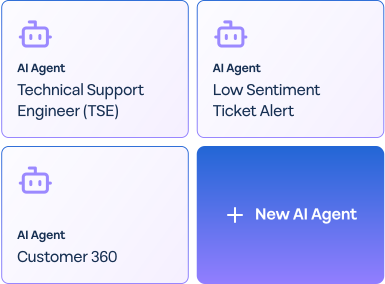
- Adi, their Director of Global Customer Support (not an engineer!), personally created custom AI agents trained on Cynet's internal knowledge, to summarize, audit, and translate their cases.
- They saw meaningful results: CSAT jumped 14 points to 93%, resolution times were 50% faster, and 47% of tickets were resolved at Tier 1 without escalation.
- With those results proven in support, other teams started exploring how to use the platform, e.g. Customer Success and Cybersecurity Operations began adopting it for their own workflows.
The fast path to successful AI adoption
Organizations that are successful at implementing AI solutions invest the majority of their effort in people and processes.
The hard part isn't the AI (although it isn’t easy either), it's the change management, the training, the workflow redesign, and the cultural shift required to make AI effective.
We’ve synthesised the five steps we’ve seen work in practice, so B2B support leaders like you can really hit the ground running. AI has incredible potential to help B2B support teams scale and better serve customers—use these steps to harness that potential for your own team and company.